Here’s an HTML-based MIDI Remote surface, mainly for demonstrating the addition of the Plugin Manager in MIDI Remote API 1.3 (introduced with Cubase 15.0.20) which I was very happy to see!
Plugin Manager lets devs have access to all the instrument/fx plugins and insert them to instrument/fx slots, by using their UIDs as provided by the API. The mechanism is straight forward, however, there’s always a place for snippets, so I decided to provide one.
At the same time, in this surface I’ve built, I tried to introduce some other functionalities found in later Cubase versions, as for example, the new Direct Access entity. After @Jochen_Trappe kindly provided the documentation for the 1.3 API version, I found it a good time to share some snippets on this object as well. I won’t go into details in this post, but for me, the most important point of this object is that it permits us to have access to objects other than the ones directly exposed by the previous versions of the API. At the same time, more advanced users will note that this object is very fast, so “Direct” makes real sense here 
Finally, in this script, I present an HTML embedded version of a “Commander” app. It’s just a finder of key commands, which we can then execute.
Some screenshots of the surface:

At the top, we have an 8-tracks mixer bank zone and the buttons for navigating through these banks at the left.
Then we have some controls for the selected track (volume, pan, etc, the usual suspects).
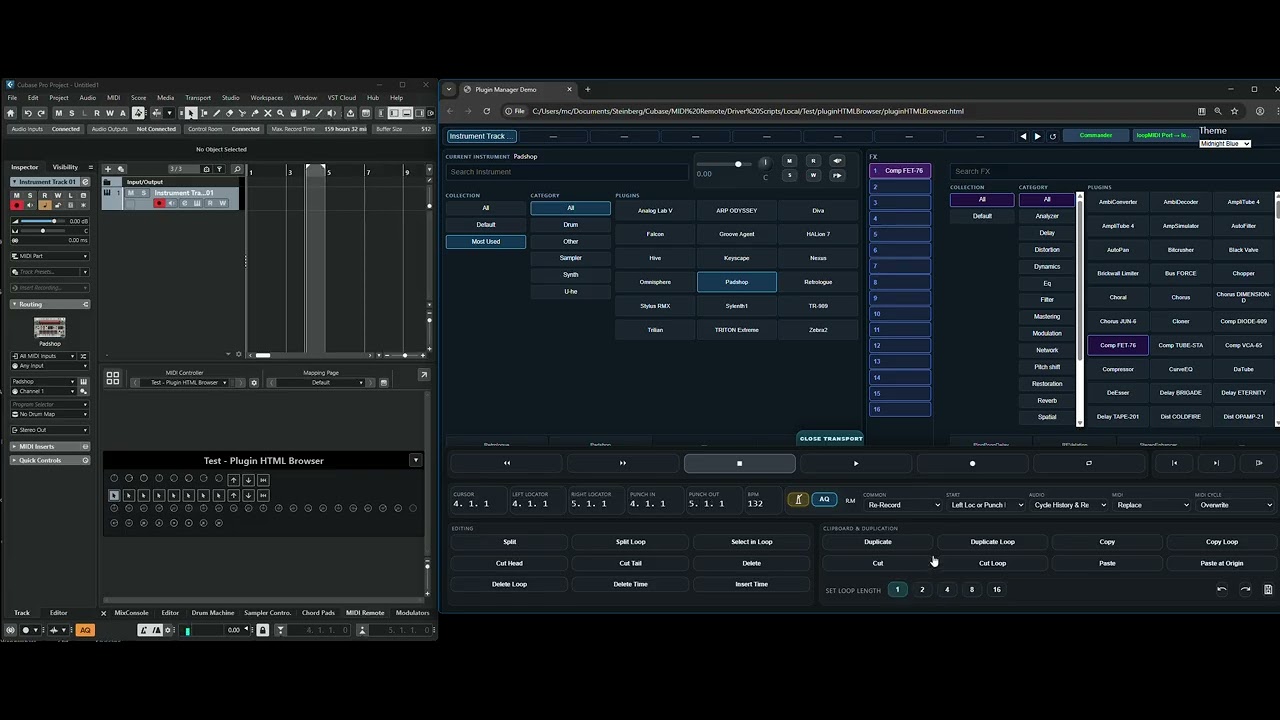
In the mid section you can clearly see the two tabs for browsing VST instruments and Fx. In the case of Fx, as you can see, I have the 16 available slots (in CB Pro). We first select a slot, then an Fx and it loads immediately! Furthermore, if we double-click on a slot, we toggle the bypass, while if we long-click, we remove the plugin.
Just under these two tabs, we have another two, these ones are for our favourite instrument and fx plugins in case we don’t want to use Collections (I strongly suggest using Collections). We hard-code the names of the plugins inside the script.
Next, we have the channel strip FX section and the Equalizer (again the one from the channel strip). We can select whichever we want, and as you can see we can alter the parameter values of the EQ.
The final row is interesting too. We have 8 knobs and 3 banking buttons. What’s interesting is that based on what we choose, these controls will adjust. They are NOT the Focused Quick Controls. It’s just that the script whenever we select the instrument or an fx slot, or a strip fx, adapts and the knobs will control the currently selected object. This gives us the advantage of controlling more than the 8 quick controls, using the banking buttons.
Moving on, we can see the “Transport” button at the bottom-center of the screen. Let’s click it.
We now have transport and commands controls:

Most of them (if not all) are pretty well known, I will only mention here that 5+ of them are possible only due to the new Direct Access object, when it comes to visual feedback.
Finally, as we can see at the top of the first screenshot, we have the “Commander”. Let’s click this one too.

We can search commands by category/name, then double-click a result to execute.
Executed commands are stored in the “Recent” tab.
We can even add commands to the “Favourites” tab.
Here’s an example of search:

A recent tab:

And the favourites tab:

In this commander div, I’ve setup some shortcuts for navigating through the tabs and the results lists. There are hints presented at the bottom of this div.
I attach the midiRemote installation file:
Test_Plugin HTML Browser.midiremote (88.9 KB)
The MIDI Remote expects the midi ports loopMIDI Port and loopMIDI Port 1 under Windows, while under Mac, IAC Driver Bus 1 and IAC Driver Bus 2. After installing the script, and if you have these ports, the script will automatically load. You can however use
whichever virtual ports you want, as long as you manually load the script.
Important: In order for the script to work properly, you need to have at least one instrument track loaded in your project (even with no VST set to it).
Then, you just have to open the HTML file, which is named pluginHTMLBrowser.html and is located at the script’s folder. Important: You need a Chromium-based browser, Chrome and Edge will do. They will both ask for allowing MIDI Access, and after you confirm, you should place the above ports as the MIDI Input/Output of the HTML file.
I prepared a small demo video:
A note when it comes to my workflow: Thumbs up to Steinberg for these great additions! Due to these, I finally have a tablet right in front of my favourite hardware synth, and control pretty much anything I wished for while in the process of getting on with my drafts! After that, I, always use the CB UI for my final mix/master processes anyway. 


