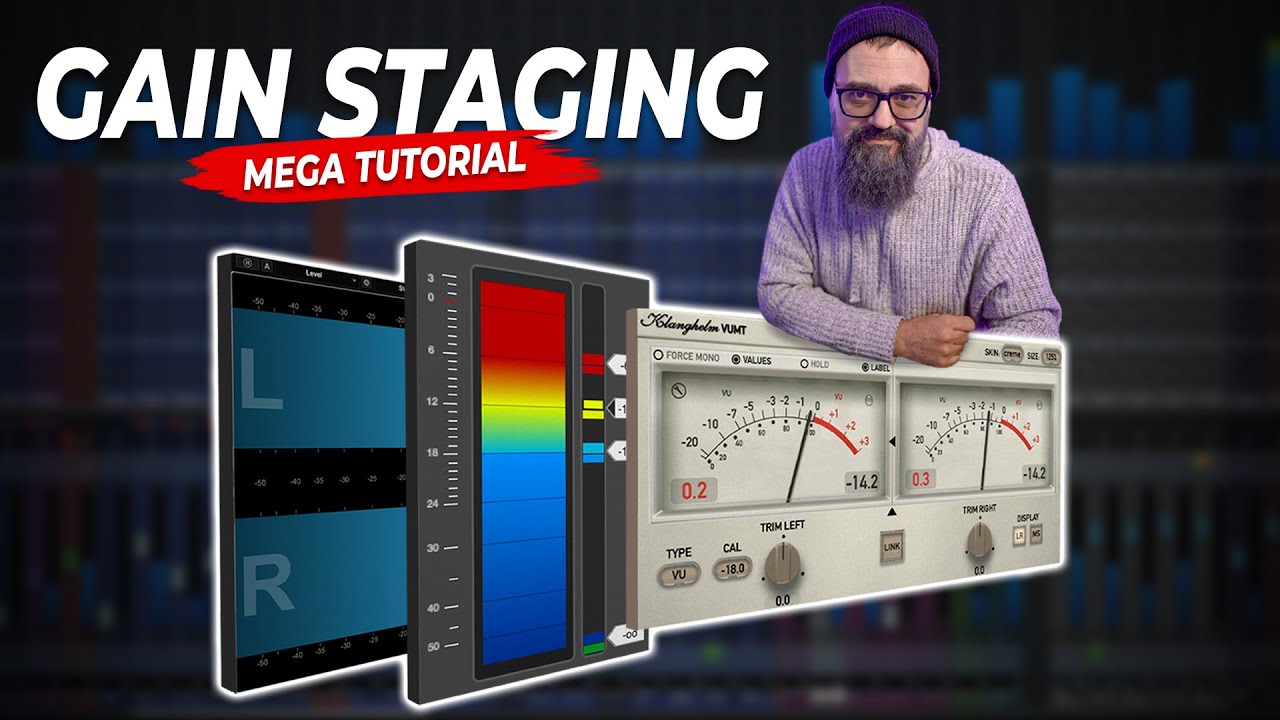
I need some short advice/recipe on how to gain stage my project. My understanding of the process is to assure that I have enough headroom to mix the individual tracks to my liking and to keep the master buss (of course) from overloading. From the videos I have watched on Youtube my impression is, that my “goal” is to have all the faders around -18DB! Please correct me if I’m wrong!
The finale issue are the Group Channel. Would you set them on 0DB?
here’s a video tutorial by Chris Selim. It should answer most if not all of your questions.
Gain staging sounds easy and it is once you have familiarized yourself with the concepts involved (perceived loudness, clipping, integer vs float format, various points of gainstaging options in the signal chain, why -18dB - is it necessary, etc.).
Chris is always a solid bank - I’m sure he has it all covered:
I watched his video about the problem and I didn’t find that I really understood the process. Furthermore we now have this Group Channels which again adds to the complexity of the topic.
Basically, if your project is set to a 32bit floating point format you won’t get clipping inside Cubase. But that will not prevent internal plugins from clipping. Many hommage plugins like 1176s, LA2As, Pultecs emulations are set to a -18dB sweet spot. That’s why you hear -18dB as the ballpark area for the gain staging sweet spot time and again. Since I have a lot of plugins like that, I do stick to that ballpark area, too.
I would gain stage every input source to the same level regardless which instrument is on it.
HTH
I forgot to explicetly mention it: Since I’ve always got plugins on my busses (groups) I set them to -18dB, too. Here, I also use level plugins like Steinberg’s Volume or a VU meter as my first insert in the chain.
At the end of the day, I wouldn’t overthink it as long as there’s no internal clipping. Having your faders someplace around unity gain provides the best resolution to move faders. But that’s not a rule written in stone. A last info: setting the gain to -18dB will not have any negative impact on a signal’s quality in the digital realm.
I was going to give loads of advice, some of it controversial.
But then…
I checked out your website, and I’m surprised you need advice. Your post makes you sound like a novice, but your website tells me you are a pro, and have been for a long, long time.
What I heard on your site - you don’t need advice, you seem to have it nailed. You could give advice!
For the novice reader, some random thoughts…
There are no rules! Some of the best productions came about by people breaking “rules”.
My faders are all set to -5dB, except for my rhythm guitars which are set to -15dB. All my guitars go to one group, setting the rhythm guitars lower allows the lead guitar to be loud enough.
“Character” plugins only achieve that character when driven, not overloaded, just driven. How hard depends on how crispy you want your tracks.
Yeah, honestly Stig, if I were you I’d just keep making music. I don’t hear anything that implies that you would benefit much from fretting over this. Unless you think you could save time by improving your process… but… it sounds very good to me… so… “unblur” the below if you think you have time to waste reading my take on it..
Whenever people are talking about this they should be more specific, that applies to the YouTubers as well as us here. “Faders around -18DB” is probably not what you mean, right? You probably meant a target audio level of -18dBFS, but even then the question is if that’s average or peak.
To me “gain staging” turned into this really big thing because of social media, bigger than it is really. Back when I mixed music almost exclusively (I now do post) I’d just grab the faders and start balancing the tracks. I never felt there was anything significant to gain by first averaging everything out to some almost arbitrary number because I’d just end up changing the levels anyway later. In a lot of music the levels aren’t supposed to be equal, so why even bother with that first? I’d much rather just pull all the faders down to -infinity and then start pulling things up and creating a balance as I go.
When you’re asking if the Glock “should” be set to the same level (not “gain”, right?) as the grand piano my answer is simply to set it to where it sounds good. That’s the whole point of mixing.
“Gain staging” is just adjusting gain, i.e. increasing or decreasing level, at different stages in the signal chain. It’s really not more complicated than that. If you take your set of instruments that you have listed, and you set them all to average -18dBFS, that’s going to be a different summed level at the master output than if it’s a band 4x the size, or just a string quartet. Therefore, to me it just makes sense to not clip the individual channels, and then to keep an eye on the master to make sure it doesn’t clip.
As Selim and Reco said some plugins are coded to start distorting at some point so just know which plugins work that way and then do a quick reading of the manual to see where that point is. Remember that the 0VU mark as far as I know is always (in analog) where you have nominal operating level. Above that you have headroom before clipping. If you’re using a plugin that you like the sound of when it’s clipping you’ll need to push the levels. But regardless, as with anything else, all you have to do is listen to make sure it sounds good and just keep an eye on your average levels. It’s not that big of a deal.
Again, “set them” means target level or fader?
The group channel is just another “stage” where you can set gain. Just do what sounds right. Is the master clipping? If “yes” then turn down either the master fader or the things that feed the master (which could be your groups).
Having a rich list of credentials doesn’t necessarily mean that there’s no need to second guess your existing workflow. Especially, if you want to improve your skills and you want to learn more about why you should do something this or that way. I totally respect that. Kudos @Musicmind
First of all, it’s all good!
My take on this: if someone asks for advice here in this forum I believe that they ask for a reason and therefore everyone deserves an answer. No matter if you’re a pro or a hobbyist. That’s exactly what we all did!
There’s always room for improvement because there are so many ways to do things - no such thing as the “right” way when it comes to music. Besides, we don’t know if the OP was the mixing engineer behind the stuff you can hear on their website.
@Googly_Croft and @MattiasNYC Apologies if my previous post came across the wrong way - that wasn’t my intent!
Thanks to all of you and for the kind words about my music, which is all recorded and mixed by me in my studio.
I began wondering if I should go deeper into gain staging when I was using my VSL Elite Strings library the other day. The signal returned from the plug-in was so low, that I couldn’t compensate enough on my faders. I then turned to the Pre section in Nuendo and turned them up +15db! That’s a lot I know, so I began wondering if the other channels were to high in gain/fader, and the whole story made me turn to Dom Sigalas, who has done a lot of videos about Cubase 15 and later to Mixdown Online. Both very informative but also a little blurry, because they didn’t include Group channel feature of ver. 15, which introduces another step in the mix-chain. I hope you understand.
Nah, they weren’t. You can apply gain to your heart’s content. It’s a DAW, gain changes are linear. A signal from a VSTi contains no unwanted noise. Pump it up!
in general, i like to have my faders to be a visual representation of my mix, so on the main elements, the faders sits around zero, and quiet background elements fader go a bit down
however, since i do mix with a physical controller (avid artist mix) the resolution in the unity gain area is much better and higher, than in like -20db ish or below area, thats also another reason i like to have my faders towards around unity. for more quieter signals i use the volume knob inside of a plugin that is used in the channel (most of the times Fabfilter Pro-Q4, or the output level of a compressor plugin, and turn down the volume there, like -10db for example ) so that the fader will be not too low, i typically dont use the pre-gain on those channel because if i´m using compression i rather like working with higher signal lebel and then turn down the output level of the compressor a bit.
if my group channels are getting too loud, i turn the pre-gain on the group channels down a bit so that those faders sit in a comfortable area as well.
by the time everything hits my mixbus, the signals are rather hot so my mixbus has typically a -6db on the pregain as well.
on the contrary, if signals are too quiet, i either turn up the pre-gain of the channel, the clipgain on the audio event, or i use something like a limiter or compressor to push the volume and also enhance the dynamics. if its a virtual instrument i typically adjust the output volume there already
I am by far not a pro, but have mixed some songs. I like to do gain staging (some others don’t, including pros), but I never care about the groups. I only take care of the tracks with clips. And I estimate a mean value with eyes using the dBFS in the channel meters. I don’t bother using VUmeters, for example, for this stage. And if the “eye taken” mean level is something like -18 or -14 dBFS it is good for me and I am happy. I take a look of the peaks that shouldn’t be too high, near 0. I don’t bother if the piano is too loud in comparison with another instrument or if the Glockenspiel should have same level as the piano. Gain staging shouldn’t take a lot of time. My goal at this stage is only not to burn the master before beginning the mix and to set approximately good input levels for some plugins, like compressors. And if later in the mixing stage I modify something, I don’t set the input levels again. I comment this, because I see people who try to recover the -18 every time the make a change, what is nonsense in my opinion.
What I realized is that if I take a lot of time in the static mix (no plug-ins, only faders and panning and filters, if those weren’t set before), I have a great time during the main mixing stage.
But “gain staging” is the act of changing gain at various stages where gain can be changed. All pros do that when mixing. Literally all of us. It’s done to maintain audio quality (below distortion and above noise, as desired).
The idea that “zeroing out” all sources so they’re equally loud is “gain staging” seems recent, and not really correct.
There’s a very long and detailed thread about gainstaging somewhere in the forum from about a year ago. I wasn’t able to find it - neither with an internal nor an external search. Does anybody know where to find it? It shows a variety of different approaches and why some people prefer one approach over the other.
That’s the beauty of mixing - you can make it your own as long as it sounds good.
Sometimes, it’s actually quite helpful to second guess these basics. At least it is for me. Mixing into compression (at what stage and why) would be another classic