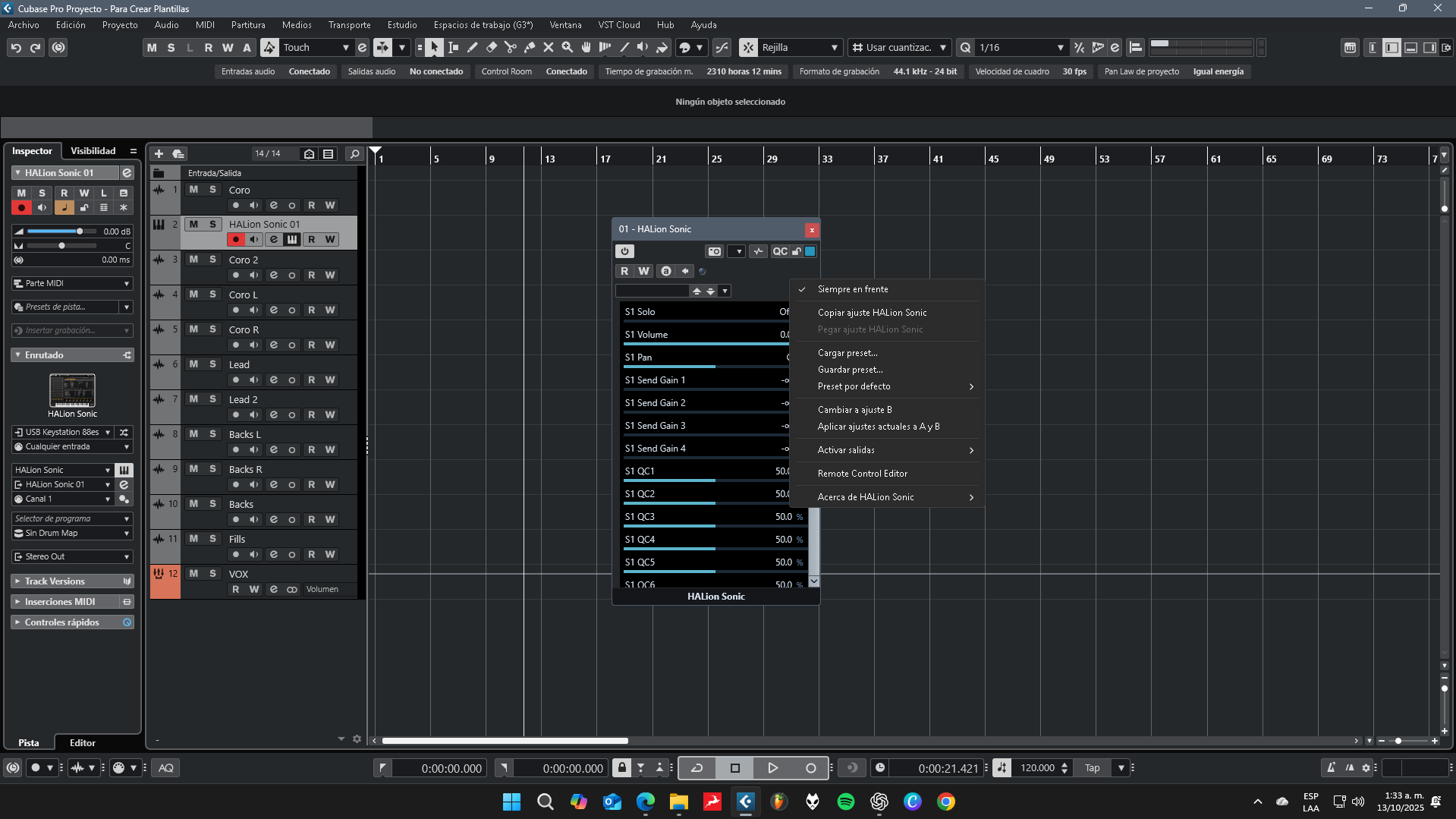
I have this weird bug, but only with Halion Sonic in Cubase 14 pro. But in HALion Sonic standalone and other DAWs it opens just as it should. I tried uninstalling and reinstalling both HALion and Cubase, but the bug is still there.


Hi,
Right-click on the plug-in header and from the drop-down menu select the last option: Switch to Plug-in Editor.
Thank you for your suggestion. However, if you look at the first image, that option isn’t available to select — that’s actually the bug itself.
I tried uninstalling and reinstalling as an administrator — using the Steinberg Download Manager and also directly from Windows — but nothing helps. I also tried running Cubase in Safe Mode, and the issue is still there. I really need to finish several projects for artists this week.
Hi,
The solution seems to be available in this post.
Hi, thank you for your comment. I’ve gone through all the posts related to this issue and tried every suggested solution, including this one, but unfortunately the bug still persists. I’ve always produced in FL Studio and used Cubase for recording, editing, and mixing successfully. This year, I decided to start producing directly in Cubase because the new tools in version 14 Pro caught my interest — but I’m starting to regret it a bit, because the Sampler Track has another bug too. 
For anyone experiencing this bug, I was able to fix it thanks to Eric Chabane from Steinberg Support.
-
Uninstall Cubase and HALion completely from your system.
-
Search your local disk for any remaining Cubase or HALion files and delete them manually.
-
Then, install the latest version (14.0.50) from this link — and it worked again!