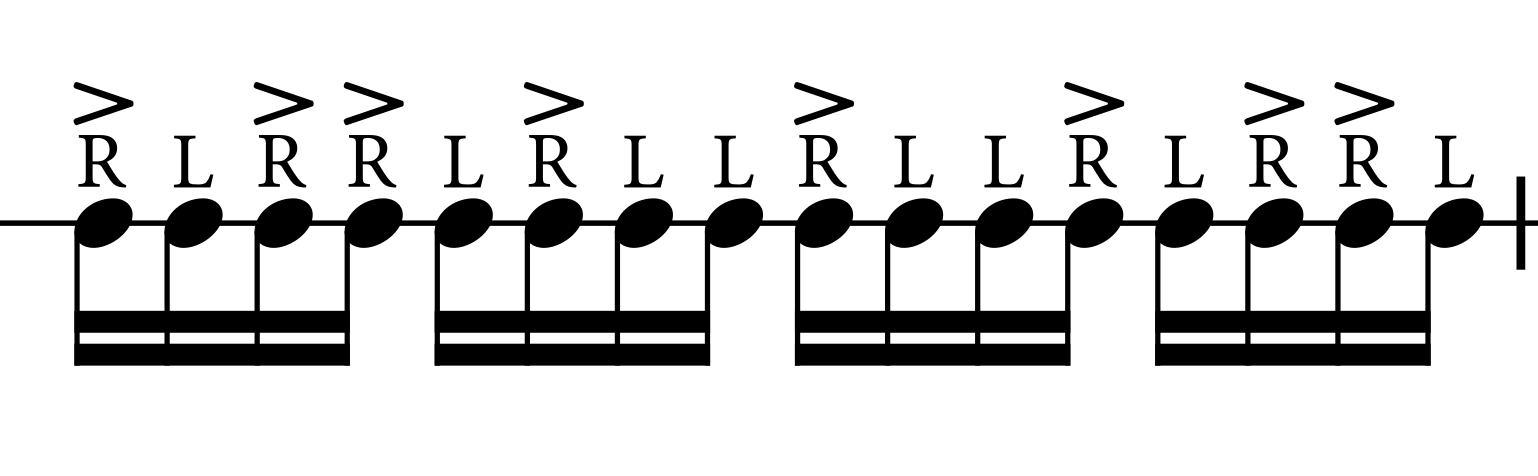
I was working in Dorico to create some practice sticking exercises, and I ran into a slight issue when working with Technique markings (LR Sticking markings) and accents.
When adding the accents afterwards, they kind of tuck themselves under the R L markings, displacing the playing technique Sticking and compromising the readability thereof.
Is there a way to add or move the Accents on top of the playing techniques instead of underneath them?
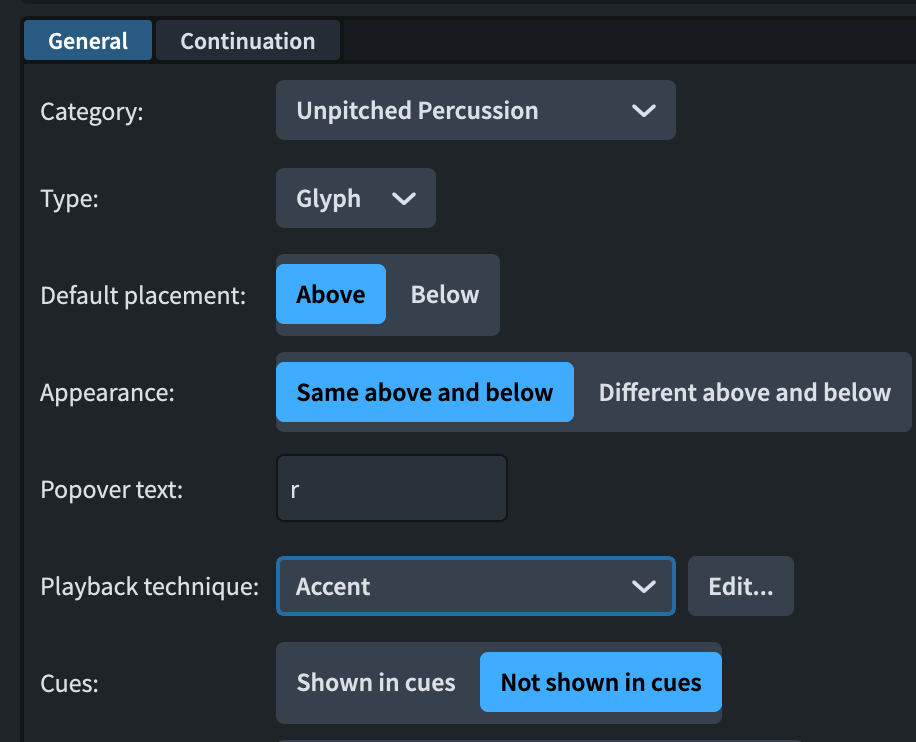
The best way I can think of, if you want both the accents and the stickings above the staff, is to create two more stickings playing techniques that include the accent. Otherwise, you need to move them in Engrave mode. You need to have the regular L and R as glyphs also to match the position.
This is absolutely the solution, thank you! If you were to create another playing technique with accents, will those accents be included in the playback or is there an option to make it do so?