Hold down rotary button 1 while powering on. faders 1-8 can be adjusted, I don’t know how to adjust fader 9. Now, this is the sensitivity of the motor, not sensitivity of the touch, I don’t know how to adjust that. If you even can at all
1 Like
Ho, thank you so much for your time.
The se sensitivity touch, that’s my main question. I hope the Icon guys will make an update.
When it comes to the Plug-In Mode on the P1-M, it is currently skipping 3 plug-ins when I try to insert a plug-in.
Is this a MCU Issue or is it the P1-M? Any one know?
Hi, if you are trying to add a plugin on a insert slot, I found it very difficult to use the knobs to select a plugin in the full list of plugins, and activate it.
What I am doing in this case is use the “flip” function and use the fader to select my plugin. Not ideal but it works.
But are you able to find all plug-ins in your list? For me it skips every 3rd plug-in. I Can only “choose” 25% of the plug-ins this way. Even If I prefer using the keyboard, id still prefer it to work.
Is this the same for you? Can you access all your plugins using the knobs or the faders?
I will check again but I believe that with the fader it doesn’t skip plugins. It does with the knob (or moves too fast).
Ok, I tried again and can confirm that it doesn’t skip plugins with faders if I move slowly. It does skip some on the knob but not every 3rd plugin
What I cannot seem to do though, is allocate a plugin to a slot just with the knobs. I have to flip to faders and first select one, then I am able to change it with the knob and turn it on.
Then I’m not the only one.
Are you saying you cannot select which slot you want to insert a plugin with the P1-M?
No - I can select a slot but then I have to flip faders in order to select a plugin and turn it on.
I am a little confused by your formulation. Do. you select a slot with the encoders or the faders?
Sorry it’s a little difficult to explain.
I push the “plugin” button, select a track then I am able to select the slot by turning the left most knob. Then I cannot really to anything, either with the 2nd left most knob (normally turning on / off the slot) or the 3rd left most knob (plugin selection).
If I flip the faders, then I am able to select my plugin with the 3rd fader. I can then flip back and use the knobs to turn on / off or change the plugin.
Which version of cubase/computer are you using?
12.0.70 on OSX 12.6.8
P1M firmware & iMap are up to date.
Also are you using Cubase or Compatibility in Mackie Control?
Cubase. Compatibility is far too limited imho.
Yes I agree.
This is strange since I can do this.
I select the slot with the 1st encoder, and which plugin with the 3rd encoder (but it skips every 3rd plugin)
It is a little sad - the product feels good but the software is so wacky and weird. People are having all kinds of issues. This is my biggest concern at the moment, and I will talk a little about this in my video review.
Can’t wait to watch your review. It seems the last update broke more things than it fixed, at least for me. It became rather unstable.
Still, I am able to do many things with the soft keys, but it is never really straightforward, and the whole thing takes place in different programs (iMap, Cubase Generic Remote, MCU, Cubase MIDI Remote, BOME…) so it’s a little complicated.
I am waiting for an Avid Artist Control to complement the P1-M, for things that MCU doesn’t do. Been rather unlucky so far, I am waiting for the third one to arrived… But as I am preparing my setup with the Avid Control app, it seems rather promising.
It should be out soon. I am in the final stages of editing, so should be up next week.
Perhaps I did the right thing not updating yet. I am still on 1.05 firmware and 1.06 in imap.
The whole Icon Pro Audio situation is unfortunate. I think the company is serious and want to perform. But obviously now there are ISSUES - and what bothers me the most is that Icon Pro Audio is silent about it.
I mention this in the review - if they would ensure the customers with some sort of public statement that they will do everything to fix the issues - then I would not feel so troublesome at the moment.
My P1-M Works very very well generally - but these stories I read (yours for example) makes me “uncomfortable” in recommending the P1-M.
The review is up!
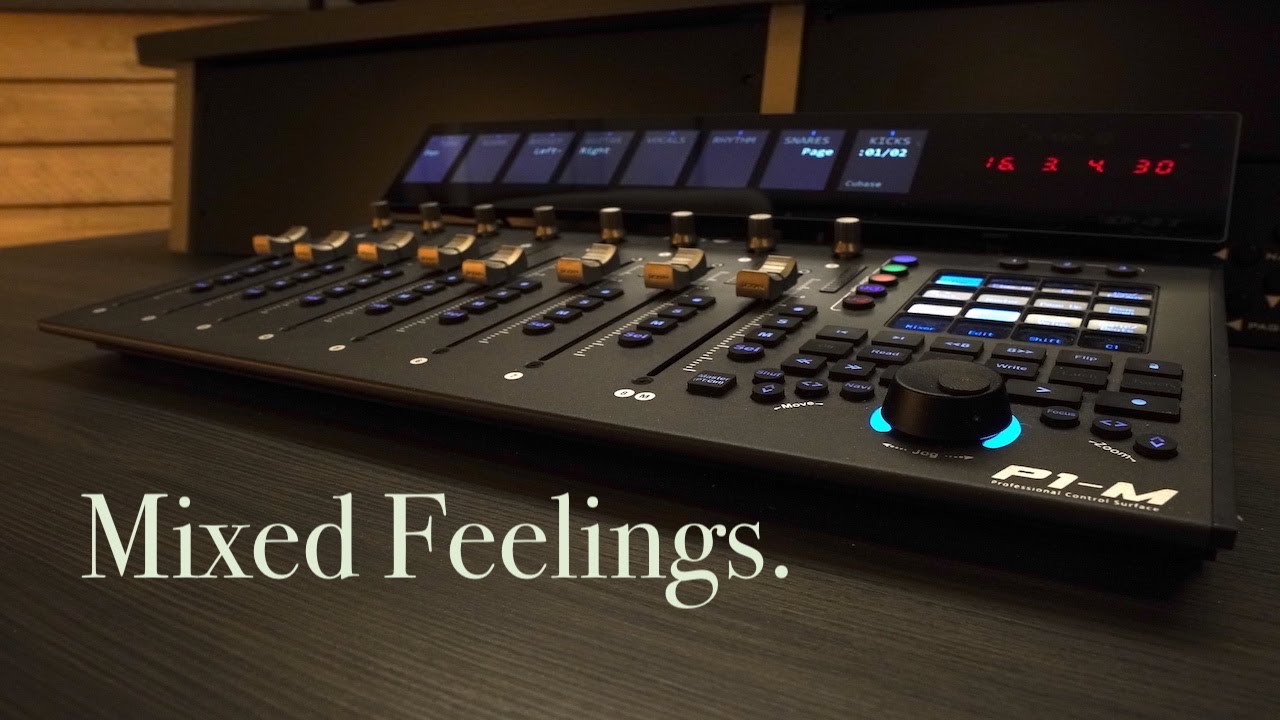
2 Likes
Thank you, very interesting!
1 Like