Ok, here’s a doricolib file that should get you started anyway. Unzip the file, and place it in your user DefaultLibraryAdditions folder. In Windows this lives at Users\yournamehere\AppData\Roaming\Steinberg\Dorico 5\DefaultLibraryAdditions. If you don’t have that folder, go ahead and create it. Make sure you unzip the file to get the doricolib file contained inside. (We can’t post those directly on the forum.) chordsymbolfingering.zip (3.0 KB)
That should get you the default glyphs and positioning I was using above in combination with the following settings. You’ll need to set Engraving Options to use the “Nashville” style:
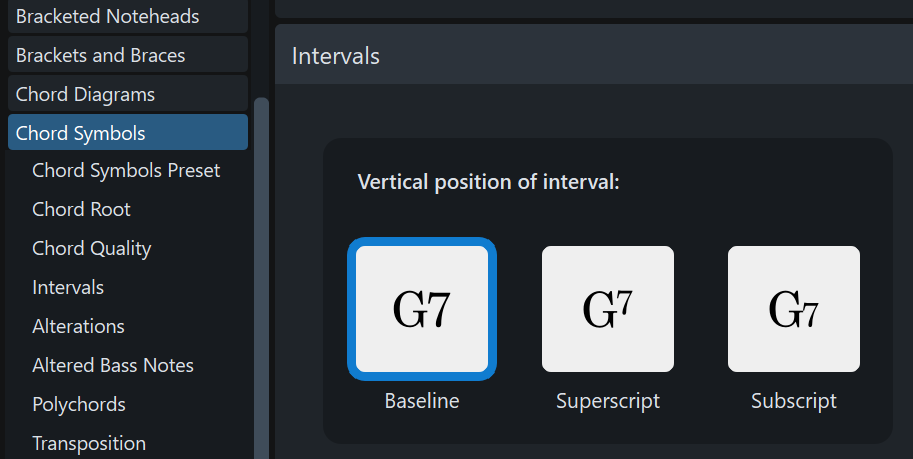
You’ll want to change this setting to uncheck “align across system” if checked, and you’ll want some small values for these distance settings. I was using 3/8, but you might want to go even smaller.
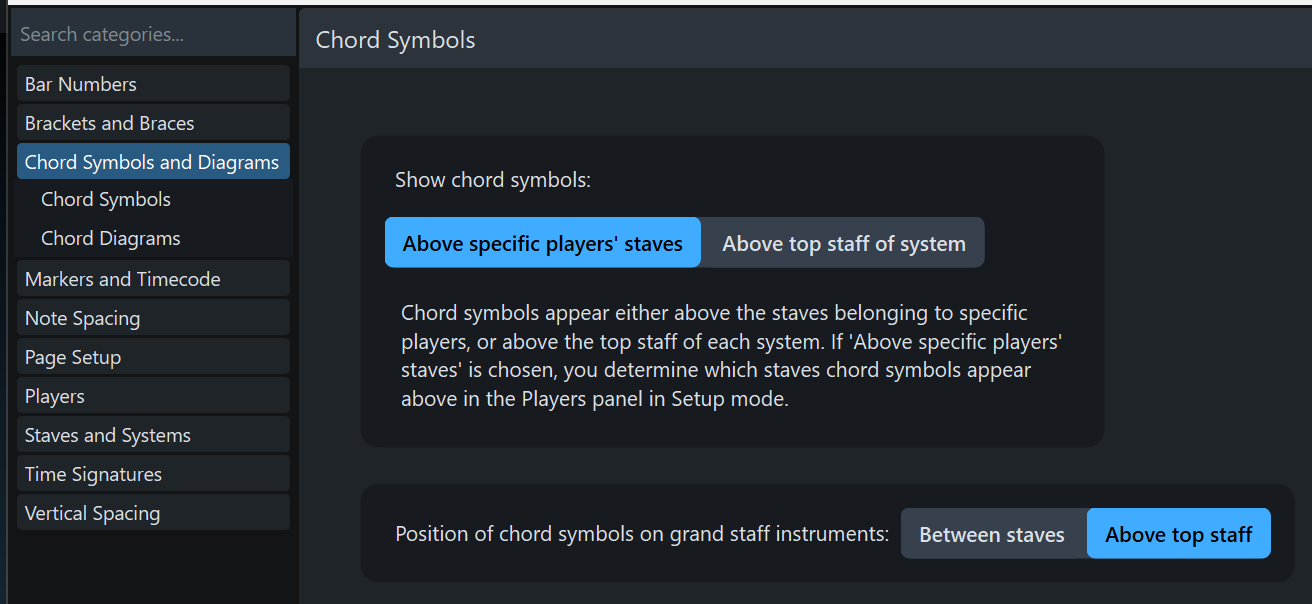
A catch with using chord symbols here, is you can only have 1 chord symbol occupy any given beat. This obviously will be an issue with fingerings simultaneously on both hands. You also can only show chords on 1 system of a grand staff Piano. It’s definitely not ideal, but hopefully can work in tandem with actual fingerings to more easily get you what you want. You’ll probably want these Layout Options:
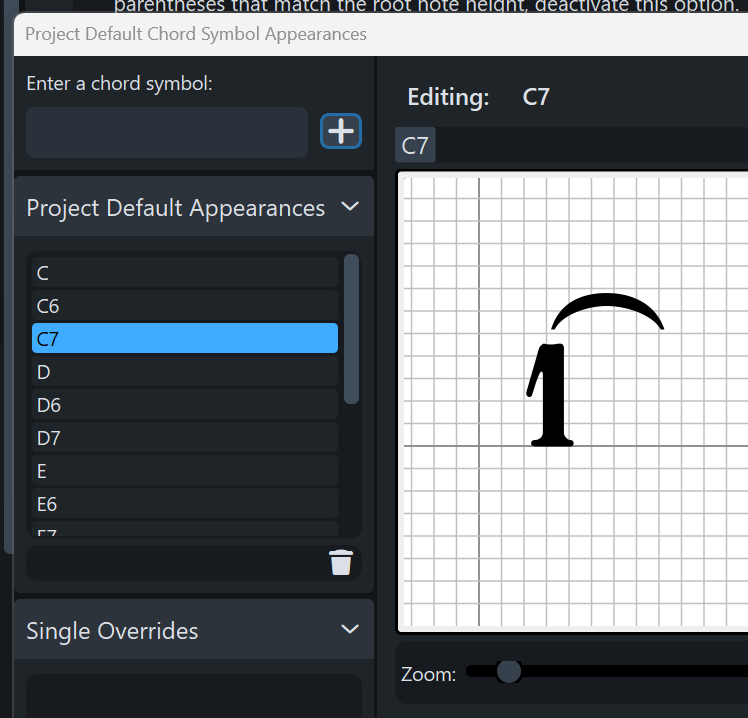
So all of those were entered using syntax like 26, 37, etc. Feel free to edit Engraving Options / Chord Symbols / Project Default Appearances to tweak the positioning to the way you want it. You can of course add any additional glyphs there too, just pick any other chord suffix other than 6 or 7 and redefine it to be what you want. Feel free to send me a PM if you can’t get it working. If you ever actually do need chord symbols in a project, you can just move that doricolib file out of that folder before starting Dorico.
Bravura does have the space character, but in order to see any glyphs the From box must have a smaller number than the To box. (This seems like a bug to me.)
To obtain the space character in the Edit Music Symbol or Edit Playing Technique dialog, I click on Unicode in the right column, enter U+20 in the From box, press Enter twice, select the empty “glyph” just below the word From, and click on Add Glyph at the bottom of the right column.
FredGUnn. I guess my enthusiasm was premature. The various provisos about one symbol per beat etc. rules out this solution. But thank you for your efforts which did cause me to investigate chord symbols and get to know more about Dorico. I had been able to do the settings you show above and also substituted the Maestro font.
However, I hadn’t worked out how to make the popover show the Nashville numbers after I had input the numbers. I would type 3, get a 3 in the score and then get a G or something when I went back to edit the number. Nor could I get it to go from note to note instead of beat to beat. And I came to a screeching halt in trying to edit a chord symbol. Couldn’t get beyond a blank Project Default Chord Symbol Appearance window, unable to to get anything into to it or to an editing frame. Very arcane.
(I use a Mac and couldn’t open the file you posted or find a place to put it.)
Thank you for the unicode information, johnkprice. I see that you have posted about the centering issue previously. Still wondering how you were using the Music Symbol editor and using the resulting symbol in Playing techniques.
I might have worded that poorly. It’s one per any rhythmic value, but yeah, it won’t be a comprehensive solution as you can’t have multiple entries at the same location. You could use “regular” fingerings and then use the chord symbols as a supplement for the ones you need customization.
If you select Nashville from the dropdown in Engraving Options, then hit apply, it should switch the chord nomenclature to numeric rather than alphabetic. The doricolib file then should override the numbers with the fingerings. You will still see a letter in the popover if you go back to edit it further though. CDEFG = 12345. You can delete the letter and reinput the number or just know that a C in the popover will be a 1 in the fingering font.
Instead of inputting with the spacebar, just use the right or left arrows to advance to the next or previous note.
Yeah, I’ve spent a zillion hours with this editor, and generally hate it, LOL! Since C=1 with this nomenclature, you can enter C7 into the top input box, hit the +, then that symbol will be available to edit.
Oops, forgot you were on Mac. Maybe someone else can confirm but from a quick search it looks like it lives here: /Library/Application Support/Steinberg/Dorico 4/DefaultLibraryAdditions. I’ll have to double-check, but most of the time doricolib files are only going to work on a file created from File/New, as those settings get loaded then, or in an existing file when settings are transferred in via the Library Manager.
It’s the user library so the path would start with ~/Library (this library is hidden by default so pressing alt while using the Go to menu in the Finder might be important)
In post #13, I used the fingering popover and the Edit Music Symbol dialog to change the fingering digit 7 to appear as the digit 3 with a lower elision.
Since the fingering popover does not provide ten extra choices to combine an upper or lower elision with the digits 1-5, this is when I suggested using playing techniques instead.
That’s where I looked, but don’t seem to have a folder called DefaultLibraryAdditions in Dorico 4 or 5 Application Support for some reason. Perhaps because I am using a trial version? Or am I somehow missing it? This is what I see:
I don’t know anything about a doricolib file. Is it something I need to click to unzip or do I just place it in the specified folder (if I can find the folder)? And do I really need the doricolib file if I create the desired symbol combinations myself in the chord symbol editor?
I was inserting the Nashville number in the editor, which was why I was not getting anything to edit. For some reason, it didn’t occur to me that it would keep using the standard chord symbols as the basic nomenclature after I had switched to Nashville numbers.
Thanks, johnkprice. I get it now. Since I don’t know much about Dorico, I always need to confirm this stuff. I will continue to experiment with your solution.
Just create it. Mine was created when I installed VSL stuff (expression maps and playback templates that they offer to their customers, contrary to other brands that rely exclusively on their customers to do that…) and I found it really interesting to use it to store my own playback templates and expression maps and percussion maps!
I posted the zipped up doricolib file with the chords already configured as fingerings earlier in the thread. You can drop it in the DefaultLibraryAdditions folder so they are all ready to go, or just ignore it and recreate them all yourself. Doricolib files aren’t really documented or supported, but are very powerful ways to customize the program, including some elements that don’t ordinarily have any user-accessible editing interface. I use a lot of them myself. Now that I’ve gotten more comfortable with them, there are many things I just go ahead and do myself rather than wait for a feature request to maybe get implemented at some point in the future. Working with doricolib files certainly isn’t necessary though, unless you want a more advanced level of customization.
Me want a feature request to get implemented or a high level of customization?
But I think I’d better learn the basics of Dorico before I get involved with doricolib.





 For some reason, it didn’t occur to me that it would keep using the standard chord symbols as the basic nomenclature after I had switched to Nashville numbers.