Ok, I see your confusion. The etiquette/guidelines in this forum is a different one: As the developers read every topic here in the forum, it’s not necessary to create seperate threads for that. You argued for this as a feature request in the first thread, and this is enough. Also then, the discussion (and possible useful tips) are concentrated in only one topic, unlike now, where they are spread out and it’s hard to see what already has been suggested/discussed.
One pass is what I grew up on as a hand copyist and it is definitely the best way to go for accuracy by hand.
However, at the moment I am editing imported files that have the notes already in place and I have to go through the music in stages. First I have to check the notes and other aspects against the sources, adding articulation and dynamics, making changes to the notation here and there, then the fingering, then the critical notes etc… It is impossible to do this kind of work in one pass and I find the mouse to be essential.
Then, I might suggest another workflow:
If you like working with the mouse, just keep the dynamics panel open on the right, and with “select” disabled (upper most “mouse” symbol on the left side) you can just click the dynamics on the right and click on the correct spot you want them to be in afterwards.
Thanks @klafkid That is exactly what I do when entering many dynamics at once. But it is not as efficient as entering dynamics (or anything else) with keyboard commands, because of all the back and forth.
So I support the request for direct keyboard commands for all elements in Dorico.
@John_Ruggero: you referred to an old topic that I started in 2016 when I was first getting used to Dorico and missed the speed of Finale’s metatools. At the time I ended up using Keyboard Maestro to create macros for entering dynamics and it turned out to be almost as quick and easy as it was in Finale. I’ve mapped Ctrl-number keys, in other words, the same as my metatools in Finale but with Ctrl added, and I can still do this with one hand. Nowadays in Dorico I switch between entering dynamics by Alt-clicking from existing dynamics and entering them with the macros. I generally use the popovers only for combination dynamics, something that is much faster in Dorico than it ever was in Finale.
Interesting that some people say, it’s faster with the mouse, because you can move faster to a far away position…
I do likewise. Alt-click is the tool to use (and also works for selections of dynamics, whether grouped or not…)
Regardless of the availability of different working methods, I think the basic idea of being able to assign a shortcut key to a specific popover command is worthwhile. For example, if you’ve got a 5/8 piece that goes back and forth between 3+2 and 2+3, it’s nice to have a shortcut key to avoid Shift+M, ([2+3]/8). Yes, I can select a previous signpost for this change and copy/paste or Alt+click it, but there may not be one nearby.
Thanks @Vaughan_Schlepp I was glad to see your old post and plan to read the thread carefully. I have done a bit of KM remapping for fingering which has increased my speed in that area enormously.
I think this is a fair request! Popovers are pretty quick, but it would be advantageous to have a single key combination available for this.
You could make yourself two scripts by recording them, then name them to your liking and then call them from the jump bar. The only thing to know is: you have to restart Dorico once after you’ve created your scripts to make them accessible from the J-bar,
How do you do that exactly? Scripty things are seemingly not in the manual.
I will try to make a short example in another post. But basically you chose :

and after you made the things you want in the macro:
 .
.
then you will be presented with a file save:

…where you can rename your script.
Later on you can access your script in the jump bar J with its name, but you have to restart Dorico once to find the newly created scripts.
Creating two scripts:

RESTART Dorico
Applying them:

You can inspect the scripts later and learn to modify them (they are just text files).
For example the two scripts created in this example look like this:
• to create the [2+3]/8:
local app=DoApp.DoApp()

app:doCommand([[NoteInput.CreateTimeSignature]])

app:doCommand([[NoteInput.CreateTimeSignature?Definition=[2+3]/8&UseLocalOverride=0]])
• to create the [3+2]/8:
local app=DoApp.DoApp()

app:doCommand([[NoteInput.CreateTimeSignature]])

app:doCommand([[NoteInput.CreateTimeSignature?Definition=[3+2]/8&UseLocalOverride=0]])
Many thanks!
You’re welcome - give me a 

I did some experimenting, with help from @meixner.
It is possible to set up the jump bar to do this, with a bit of work, with a more natural set of keystrokes, in my case jf(enter).
It’s a slight saving compared to (shift.d)f(enter) but for me it definitely is quicker. Key combinations are longer to type than single keys, so I expect this is probably as quick as (option.f)
The method is to record a script of adding an f dynamic and attach a jump bar alias of f to it.
On Mac, at least, I don’t even need to relaunch Dorico. The Script menu is updated as I record, rename, and edit macro files.
Here’s an easy solution:
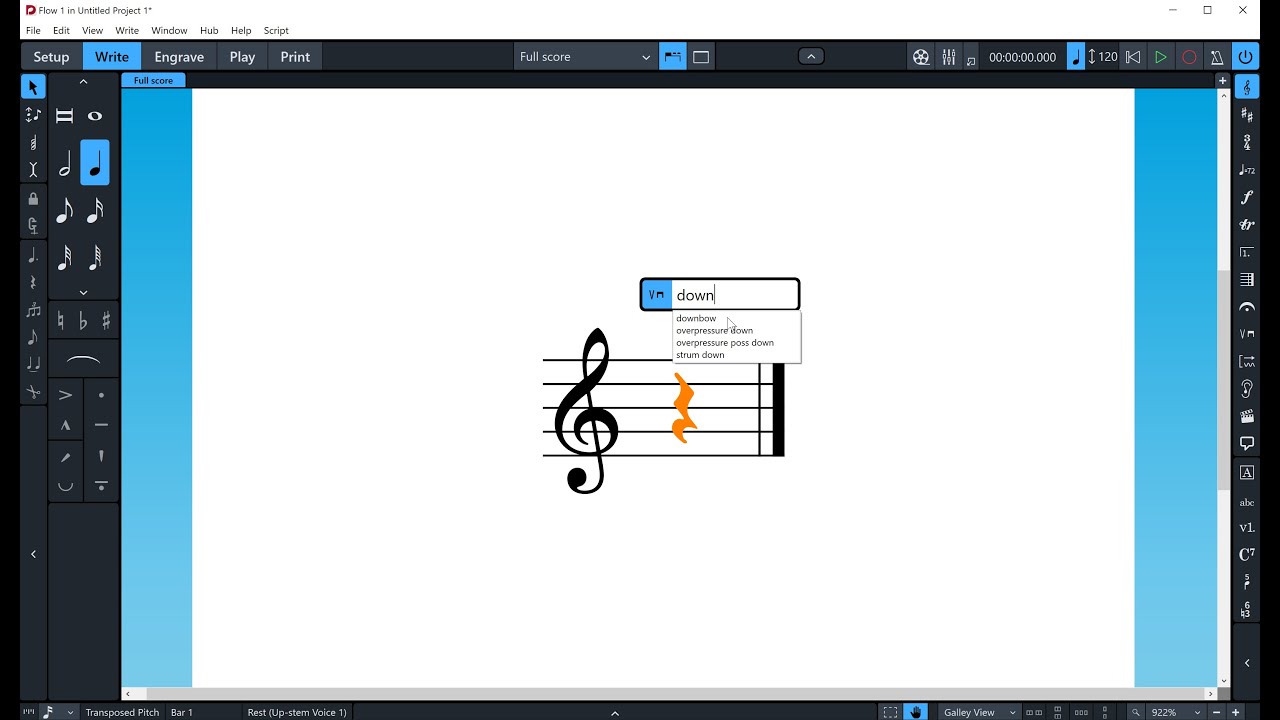
Yes, here is an example script for creating a piano:
local app=DoApp.DoApp()
app:doCommand([[NoteInput.CreateDynamic]])
app:doCommand([[NoteInput.CreateDynamic?Definition=p&UseLocalOverride=0]])
If you name it just p.lua you can invoke it with jp, as Richard said. Of course you can do also long and intricate scripts this way. For example I made one for my early notation needs, which helps to create a note straddling a bar line:
local app=DoApp.DoApp()
app:doCommand([[NoteInput.StartTupletRun?Definition=1:1]])
app:doCommand([[UI.InvokePropertyChangeValue?Type=kTupletKeepTogetherAcrossBarline&Value=string: "true"]])
app:doCommand([[UI.InvokePropertyChangeValue?Type=kTupletTextContent&Value=string: "kNone"]])
app:doCommand([[UI.InvokePropertyChangeValue?Type=kTupletBracketVisibility&Value=string: "kHidden"]])
Another tip would be: if you need a special macro to call often and really fast, just name it j.lua or jj.lua etc.