I’ve installed Version 2.2.69.474
Progress….
Live is now reporting a host name.
By default Bidule VST3 only announces 2 input buses (4 ins), and 2 output busses (4 outs) to a host.
Users can change this behavior on a ‘per host’ basis with a registry or plist hack.
That’s why we needed a proper hostname posted, which we have now 
So I’ve set up some registry strings like so:

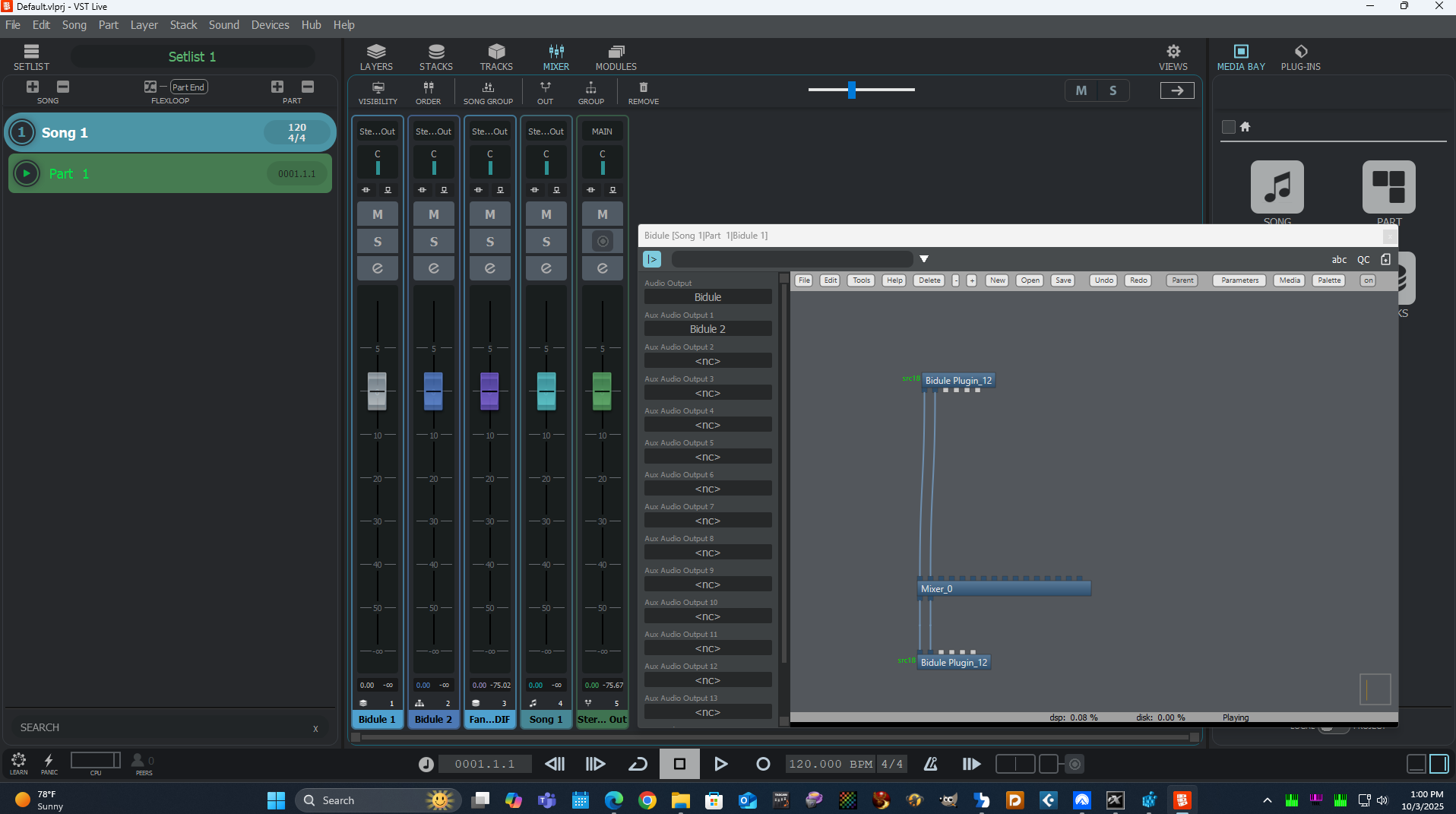
Live shows the audio busses when I pop out the left pane; but, for some reason bidule is not providing pins to use them.
I believe the host is supposed to hand-shake with the plugin when the host is ready to use the bus? I.E. If I set up a new stack, group, or output on the Live console and then use the left pane of a bidule instance to connect to it, the plugin needs to be informed of this? I.E. If I choose to link it back to the Main/Master of the plugin, shouldn’t Live register the bus, activate it, and throw a new fader for it on the Mixing Console?
Here I tried adding a group bus renamed to “Bidule 2” on the Live Console and doing a reInit in bidule but it won’t add the pins.
I also tried feeding some outputs back to the main “Bidule” bus (hoping Live would automatically activate the new busses and throw up faders for them in the Mixer). No dice…
Note, when attempting to activate extra audio outputs in HALion hosted directly in Live (new layer, or as an endpoint to a MIDI Track) I get this…

If I link back to the same instance of H7 in the left pane the “!” icons go away, but I don’t get any new faders for the bus on the mixing console. Seems like I can manually create a stack, group, or out fader and get it working that way, but only with HALion 7 (Not with all instances of Sonic [Some report as SE? I’ll do a sperate thread on that], and I haven’t yet tried it with Groove Agent).
If I try the same thing with an instance of H7 bound to the output of a MIDI Track, I get the same icon and message. In the left pane there is an option to link back to the same instance of H7, but NOT with all Sonic 7 layers. The only options are existing groups/outputs on the console, and the Master slot cannot be changed to anything that can show up on the Live Mixing console.
Also, I don’t see a way to get instrument plugins attached as end-points for a MIDI track to show up on the Mixing console at all unless it’s passed through manually configured secondary busses and linked to an existing stack/group/output.
It’d be nice to have an option to get track instances of plugins on the mixing console more or less automatically in a future version. Either add interfaces similar to Cubase for activating busses, or do like Dorico, set them all, and provide options to ‘hide’ unused clutter on the Mixing console.
Of course we can use multiple instances of HALion instead of activating new busses, but sometimes there are advantages to combining some things in a single instance. It makes things a bit easier to port among different hosts, and adds the potential to tie more things together via LUA scripting.
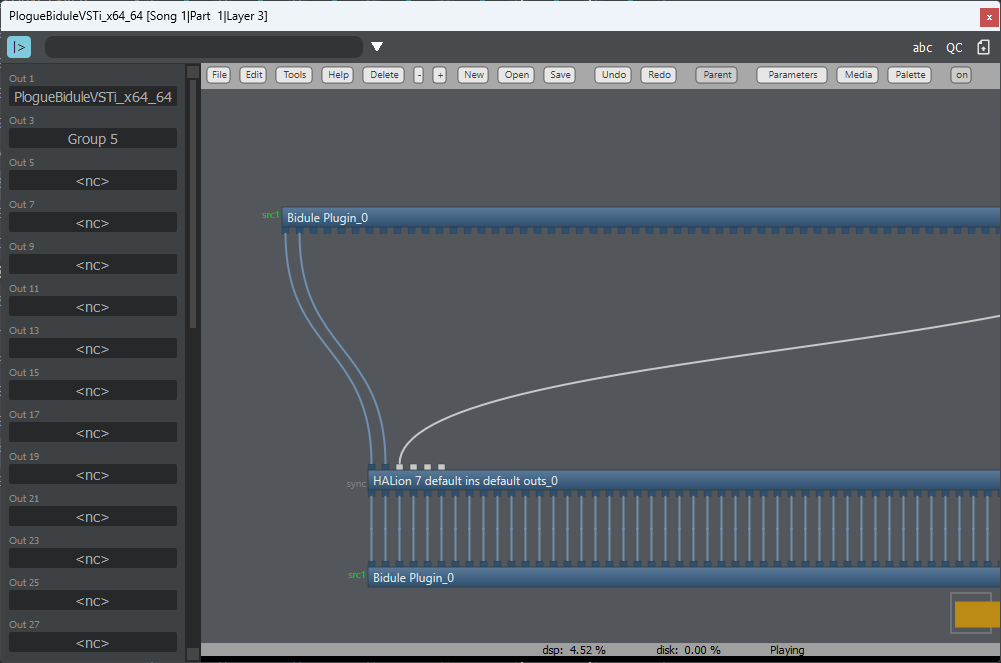
With Cubase the pins are registered, but don’t show up in bidule until I add the busses to the Cubase mixing console using these host-side features like so:
Right-Click in the Cubase tool bar area of a plugin’s window for this popup to add busses one by one, or all in one go….
Then Cubase and bidule does this:
To get the input pins in bidule I click a sidechain button in the Cubase host, and bidule adds the pins for the number of stereo busses asked for in the registry hack and makes those connections available throughout the rest of the host.
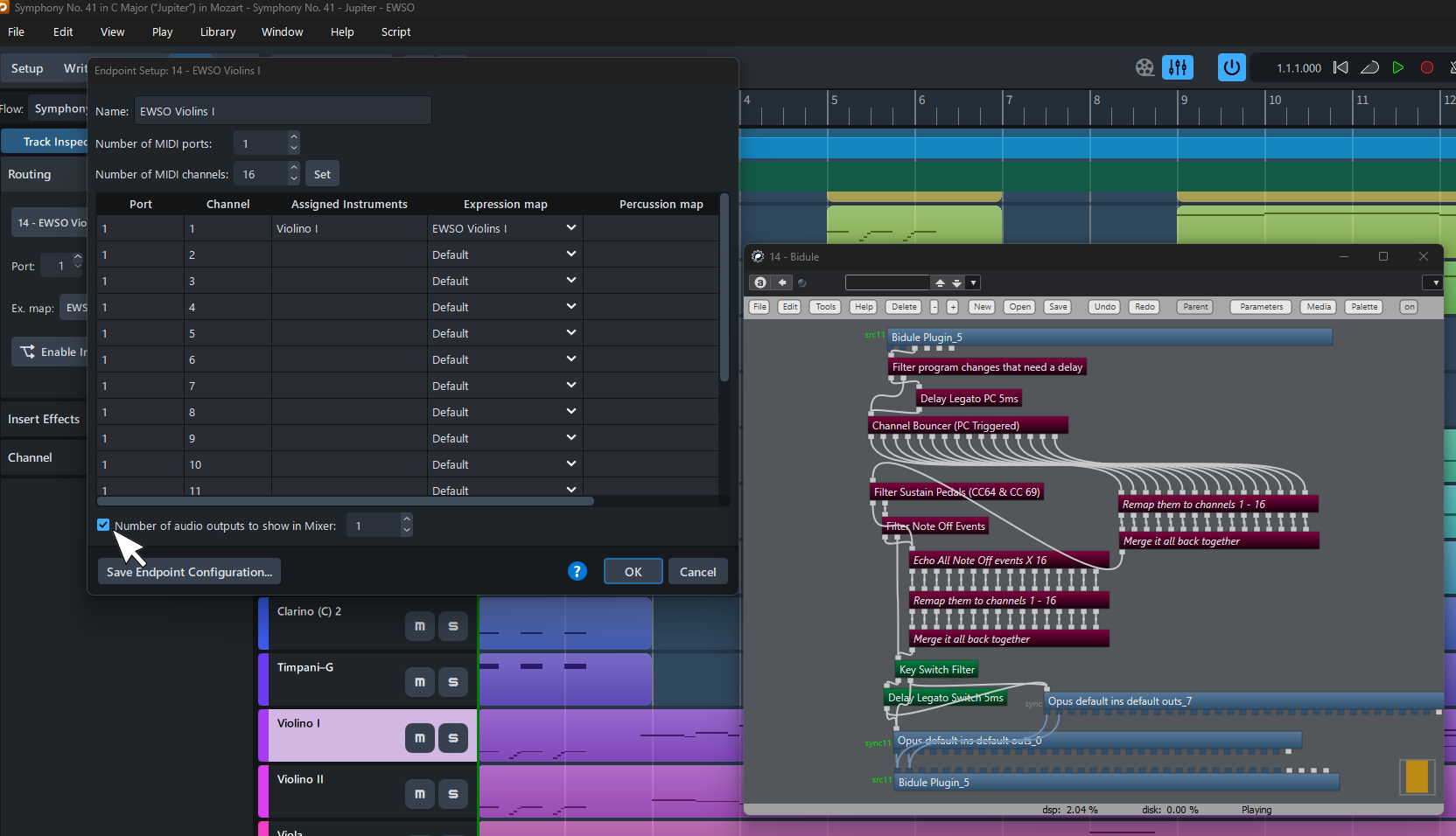
Dorico automatically registers all the busses with plugins and puts them on the mixer. Bidule opens with the 32 audio output pins exposed right away. If only using a single stereo output, the user gets an option to manually hide excess/unused busses from the Dorico mixer in endpoint settings:
Dorico currently does not support audio bus side-chains, so no extra audio inputs at this time.
In the long term, it’d be nice if Live works a bit like Cubase for multi-bus plugins. Have somewhere in the Live UI to claim the busses, and also grant that side-chain option for audio inputs into a plugin. It’d also be nice to get all of the MIDI and Audio of plugin in/out listed as options for both input and output when setting up layers and MIDI/Instrument tracks.
I’ll see what Plogue has to say on their end about this, but it seems like some code dealing with multiple busses in VST3 plugins has yet to be implemented in Live.
Note, with the VST2 version in Live I can get multi-bus plugins working, but it’s a bit weird so far as I have to make groups or outputs on the Live mixer and attach them manually in that left pane of the plugin window.