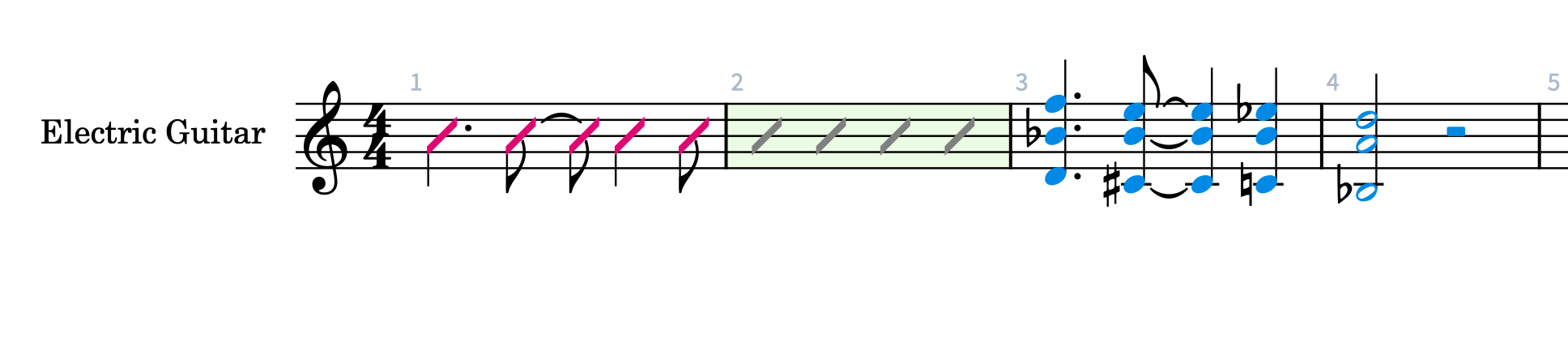
In my latest chart I’ve completed everything except the guitar part. As with most big band charts the guitar player uses predominantly slash notation. However, in this particular tune I want to use comping slashes, rhythmic slashes and actual pitched notation. For most of the chart I used comping slashes and rhythmic slashes, but at the end of the tune I’d like the player to play specific pitches, but when I enter it I get rhythmic slashes. How do I shut of slashes to see actual pitches. I thought the solution might be in the properties panel but it doesn’t seem to be there. Help! Thanks very much for your assistance.
2 Likes
Hey! Did you by any chance use option 4 as from this post? If so, I would avoid that, since it changes everything everywhere to slashes…
In all honesty, I think the team should remove this option, or display it less prominently since it usually leads to the exact issue that you’re having!
Best, Benji
P. S. I’m just noticing that the original post was a reply to you…  I’m sorry for repeating myself….
1 Like