Hey gang. Strange MIDI situation this morning. ChatGPT and I can’t figure it out, and I’m hoping y’all can!
Symptoms & clues:
When I open an instrument track, and select a device to trigger it (say, the Sub37 beside me), I get no track activity when I press the keys. No blue meter, no sound from the VST. If I use the mouse to depress keys on the VST, I do get sound.
When I open a RACK instrument, however, and select an instrument to trigger it (sub37), I DO get MIDI activity on the track. The blue MIDI meter bops up and down accordingly. Unfortunately, still no sound.
This is the case no matter which MIDI device I select as the trigger. I feel I must have clicked or unclicked a setting somewhere, and am hopeful someone can decode the clues so I can successfully trigger MIDI instruments again.
Thanks to all – Paul
I am working in Cubase 14, on a mac Mini, my various midi devices all running through a MioXL. All was working fine last night, naturally.
Hey Martin,
thanks so much for the reply. To answer your questions… I don’t use ALL MIDI INPUTS, no… I typically select the controller I’m after. That said, ALL MIDI INPUTS also doesn’t work.
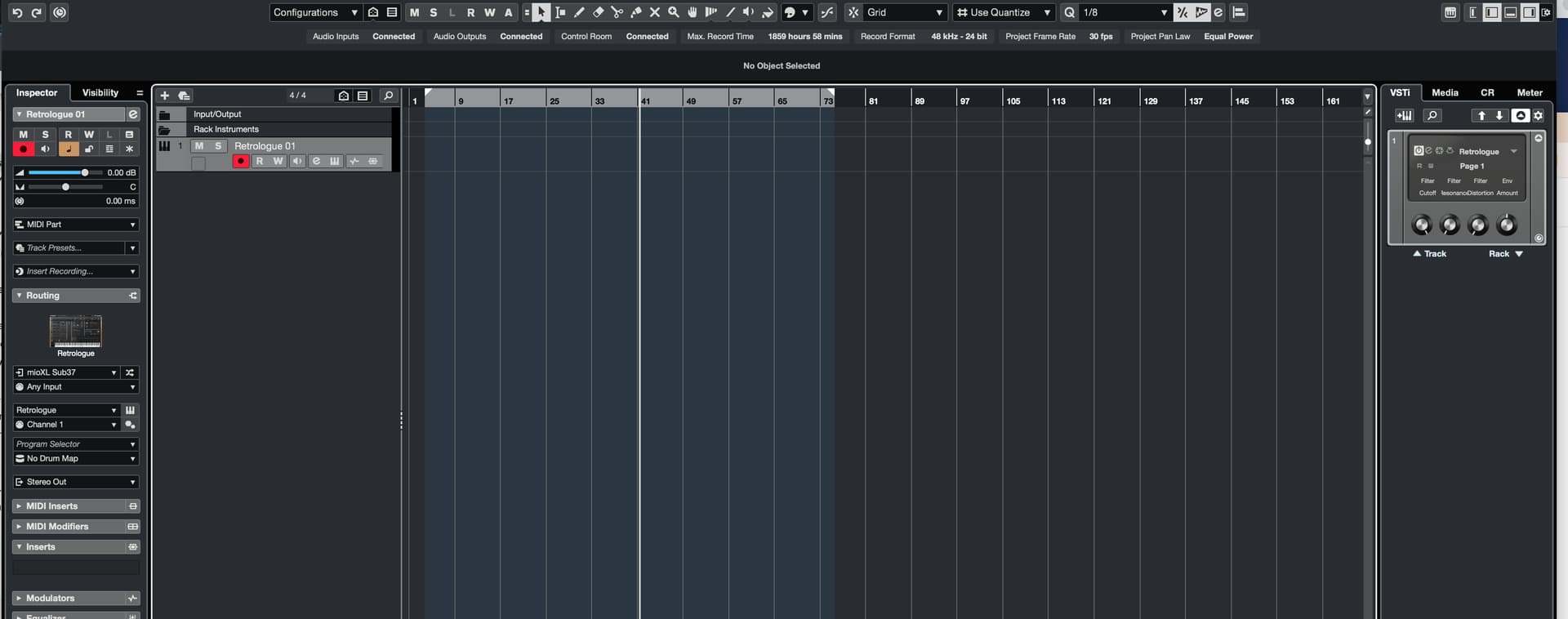
Here are two screen shots. One with a rack instance of Retrologue. You can see the midi line bouncing, but no sound.
The other is an INSTRUMENT track (right-click, add instrument). For that, no midi info OR sound.
On the Instrument Track, the meters don’t show the MIDI data, it shows the Audio Return Channel signal. Can you add the MIDI Monitor MIDI Insert to see, if the MIDI data arrives to the track, please?
Appreciate the clarification on the meter. I added a MIDI Monitor to the instrument MIDI Insert. I’ve never used a MIDI monitor before, but I am not seeing any action. I tried selecting Capture Events, but that also didn’t result in any movement on the monitor.
that is correct… I was playing the keyboard. I am actually able to enter midi notes as well (see image below), which the VST then plays back if I hit play. Perhaps not surprisingly, this works w both Rack instruments or Track. However, I still am not receiving any LIVE sound from any of the VSTs when i press keys, etc. Any idea what could have caused this? I have restarted lots of times. Thanks again!
Good lawd… after all that, the issue was that MIDI THRU ACTIVE had somehow come unchecked inside Settings. How does that even happen?! Anyhow, thanks so much for you help in narrowing down the issue. All the best!