Je suis débutant sur Dorico, et j’ai un peu de mal avec la tête de lecture. J’ai trouvé l’option qui permet de la faire apparaitre à l’arrêt. Mais il n’est apparemment pas possible de la manœuvrer avec la souris, ni de la voir se placer là ou je sélectionne une note. Résultat: quand je sélectionne une note, impossible de la situer dans le temps via le timecode de la barre de transport. J’y parviens en démarrant la lecture via la touche P, en lisant rapidement le démarrage simultané du timecode. Mais ce n’est pas très pratique.
Y a-t-il un moyen d’avoir le timecode précis d’une note sélectionnées à l’arrêt? Pour info, je cherche à caler mes notes à l’image près sur une vidéo, cela me serait très utile.
Hello,
I am new to Dorico, and I am having a little trouble with the playhead. I found the option that allows it to appear when paused. But it does not seem possible to move it with the mouse, nor to see it move to where I select a note. As a result, when I select a note, I can’t locate it in time using the timecode in the staff bar. I can do this by starting playback with the P key and quickly reading the simultaneous start of the timecode. But this isn’t very practical.
Is there a way to get the precise timecode of a selected note when paused? For your information, I’m trying to sync my notes to a video frame by frame, so this would be very useful.
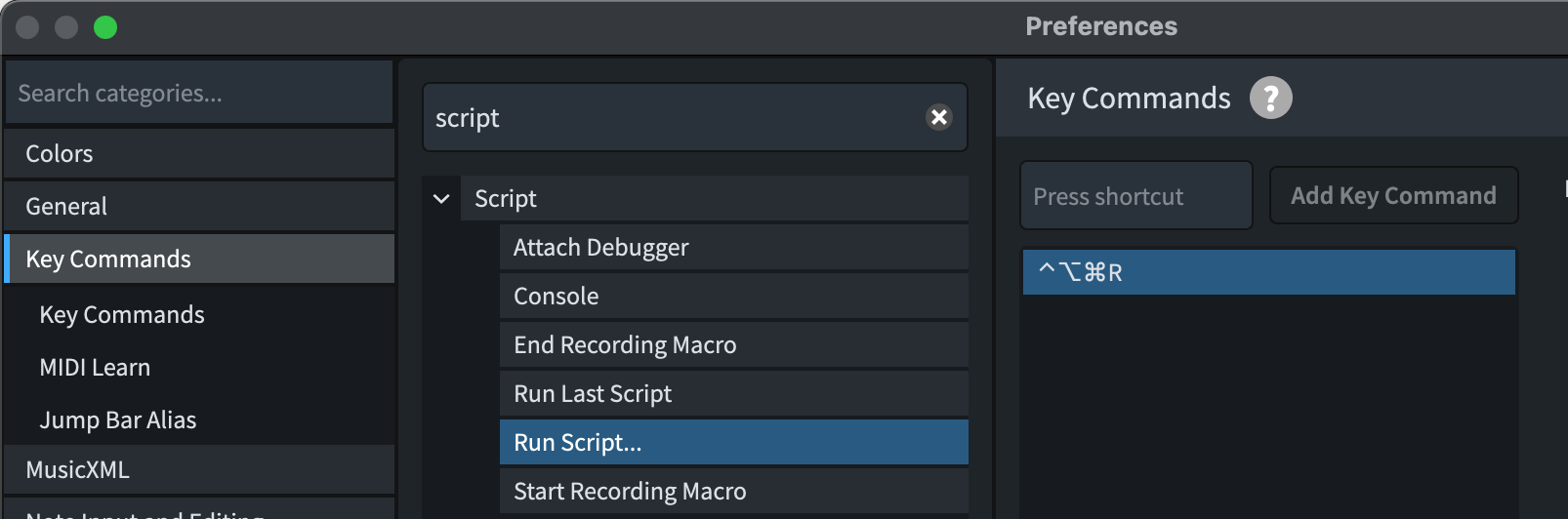
Alt+P is used by Windows on French keyboards, and it takes priority over Dorico (same behaviour here with the Script Menu) . But you can add another shortcut to this feature in the window @jesele showed above.
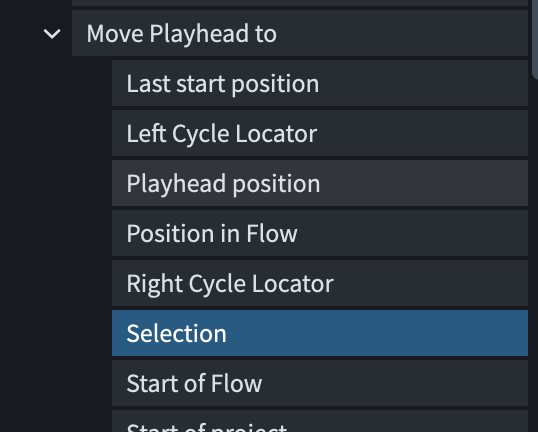
So Alt + p is indeed assigned to “place the playhead on selection.” But… it doesn’t work. Charles-piano must be right; there’s a conflict between Windows shortcuts and Dorico.