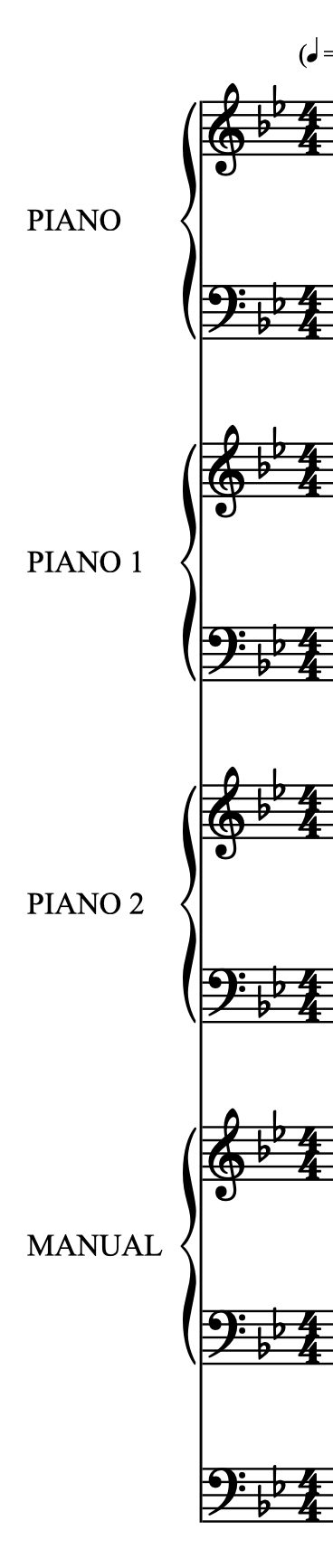
I have a piece for either Piano 1 (solo) + Piano 2 (piano reduction) OR Piano (solo = Piano 1) + Organ (organ reduction).
I want 2 layouts
Piano 1 (Solo) + Piano 2 (piano reduction) with labels PIANO 1 and PIANO 2
Piano (Solo) + Organ (organ reduction) with labels PIANO and ORGAN
What is the best setup?
Should I make a “full score” with
Piano 1
Piano 2
Organ
and 2 layouts where
Layout 1 has PIANO 1 and PIANO 2 as instruments and labels
Layout 2 has PIANO 1 and ORGAN as instruments and labels and remove the 1 at printout
or
should I make an extra empty PIANO
and copy Piano 1 to Piano*
Layout 1 then has PIANO 1 and PIANO 2 as instruments/labels
Layout 2 then has PIANO and ORGAN as instruments/labels
I’m not sure how to ‘resuse’ the same music (Piano 1) in 2 different layouts with different instrument names. Is it possible?
* I would prefer not to have duplicate music to maintain
TIA.
It’s possible with just the three instruments.
Change the Player Name (remove the number) of Piano 1 by right-clicking its label in Setup Mode.
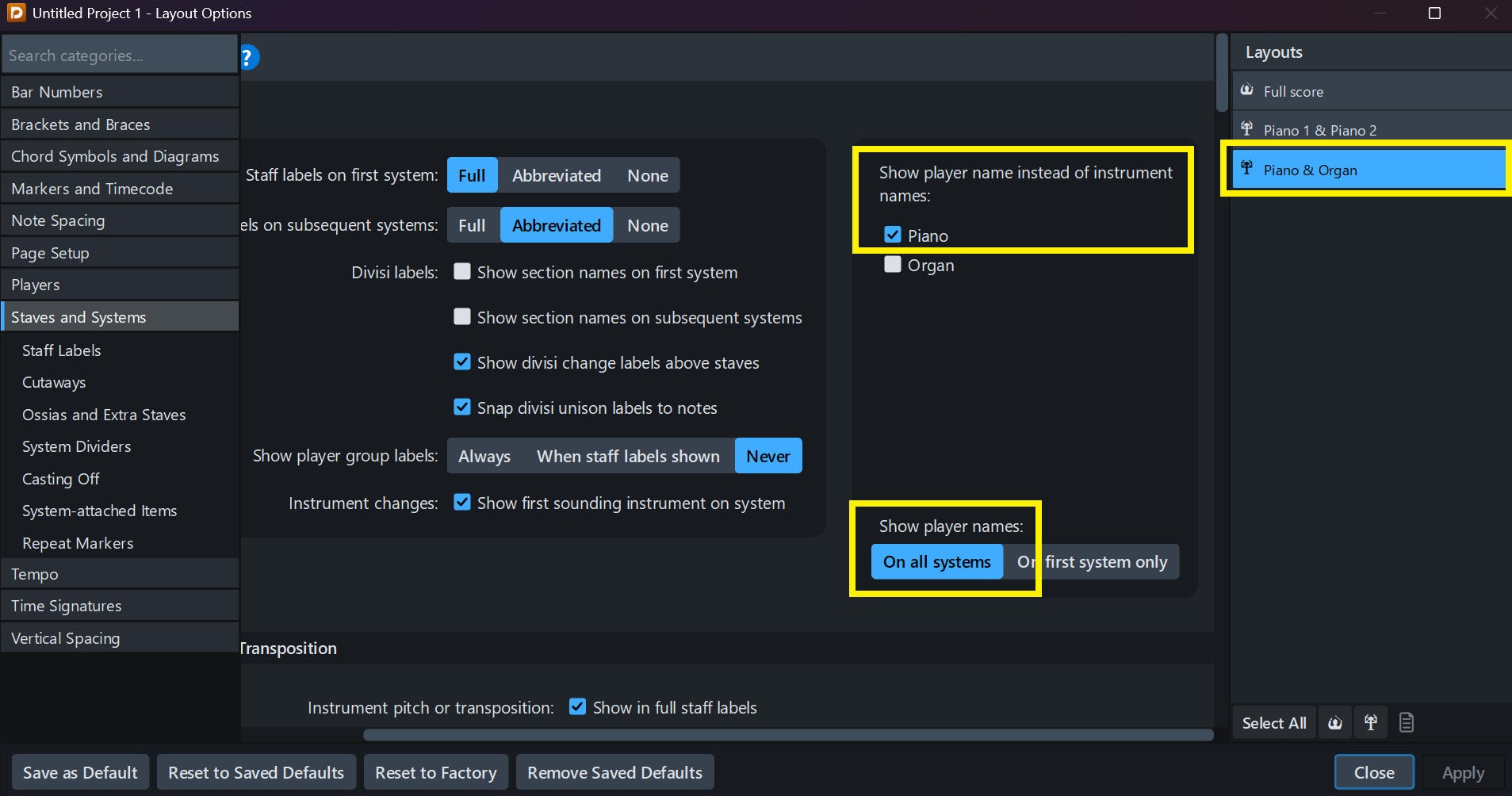
Then, in Layout Options, select the Piano+Organ Layout and choose Show Player Name instead of Instrument Name for the piano.
You can also manually change the Layout Name if needed.
4 Likes
Thanks.
When I created the two layouts (Pno/Org and Pno/Pno), I selected “Full Score Layout” instead of “Instrumental Part Layout”. Is there any difference? (I don’t need different pitches.)
They can be Score Layouts, for sure. The differences are about Layout Options (rastral size, multi-bar rests, spacings…), page templates, spelling prapagation… But if you want them to look like Full Scores, you did the good choice 
1 Like
OK. I seem to be able to change Rastral size, Minimum gaps (between systems) etc., individually for Score layouts as well.
Yes of course, you can costumize as much as you want! I was meaning that the defaults were not the same.
2 Likes