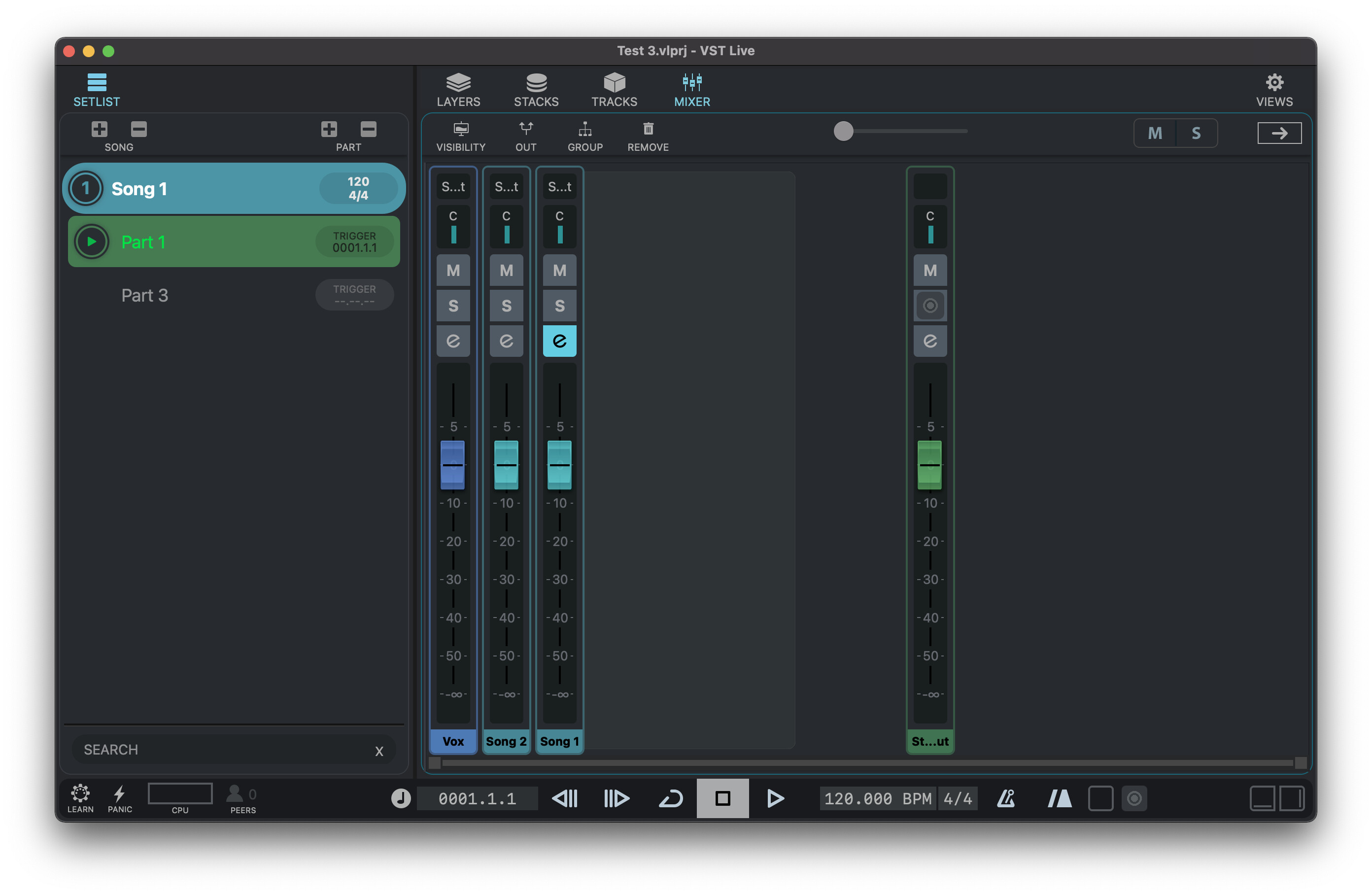
So Stacks seem to be overkill for microphone inputs. I tried Tracks (which is similar to Cubase). At first there were no channel strips for the tracks in the Mixer. It took awhile to figure out that clicking on the “e” symbol of the Song would make channel strips for the tracks unfold to the right. But they unfold along with the rack for the Song, so it takes up some extra room. So if I have 48 mics that will take up some room and the Song rack will consume space as well. It seems odd the track channel strips are not persistent.
Then I tried duplicating the Song, the duplicate had no Tracks. So I would need to completely rebuild the “Mixer” setup for each Song, even if I’m keeping all the same tracks, just changing levels.
I can reorder tracks in the Track view, but it has no effect on channel strip order in the Mixer view. I cannot reorder channel strips in the Mixer view. And there is some odd behavior which causes clicking on the Song “e” in the Mixer, after a move in the Track view, causes there to be empty spaces where the channel strips should be. Adding and deleting songs leaves left over channel strips in the Mixer.