I think you’re mistaken, I hope you take no offense at that comment.
The Replace command in Logic uses NumKey / and my (slight) understanding from the doc is that it starts recording a new file from the cursor position.
I think you’re mistaken, I hope you take no offense at that comment.
The Replace command in Logic uses NumKey / and my (slight) understanding from the doc is that it starts recording a new file from the cursor position.
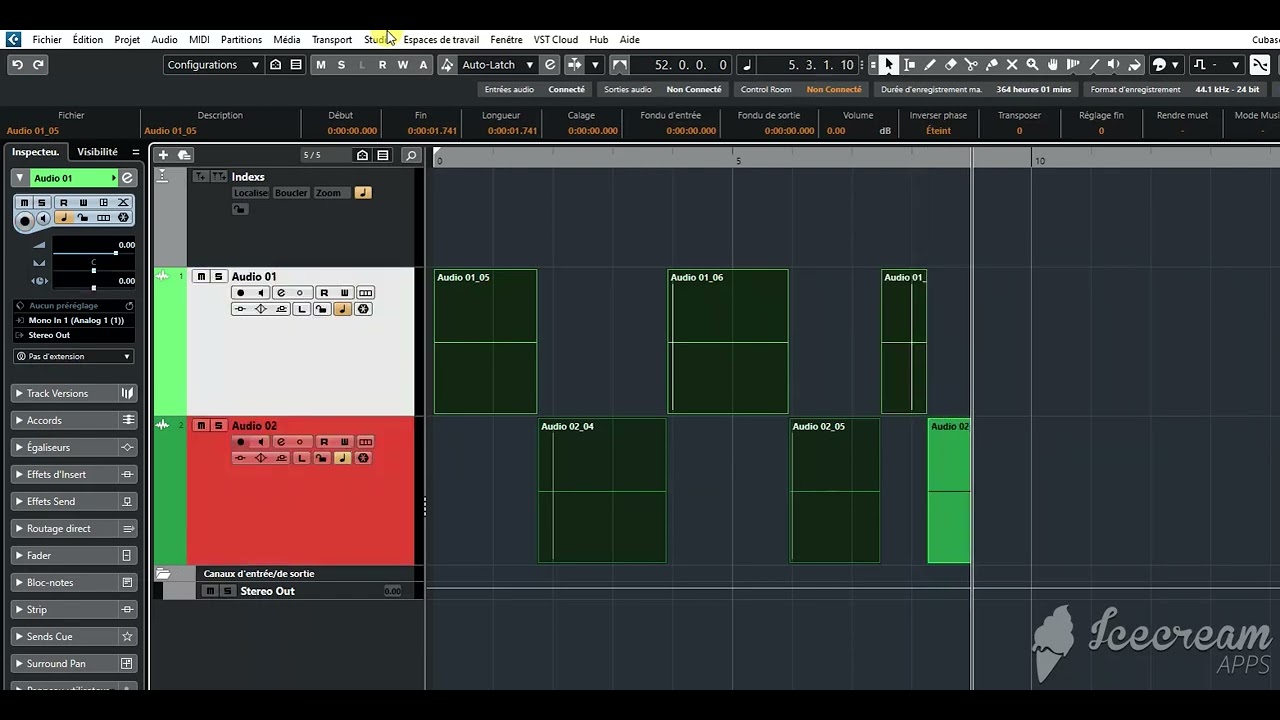
@Martin.Jirsak 's method works pretty well. The Macro below assumes the Track is both Selected and a Recording is in progress. It then (despite what the command words say) Toggles Record Enable off & then back on. This does leave a small gap as shown, but all the Audio seems to get Recorded. If you drag the lower left corner of the 2nd Audio Event forward you’ll find the file actually does contain the Audio.
Hi guys !
@philom it’s very easy to do, no need of macros, look at my video here :
(EDIT : I’m using ‘R’ key to swap, I’m not using the arrows keys)
Hi,
@leonardm nice idea! Thank you
Hi! thanks I literally just thought of this too on my way home!
Question is… can you do it running two tracks!
Hi,
Yes, you can. You will just use the arrow up/down to switch the tracks. Once the track becomes selected, the Record becomes enabled automatically (with the default Cubase settings) and it will start the recording to the given track.
You could control it from MIDI by using the MIDI Remote. The script could track if you are on the top or the bottom track and switch the finality automatically. So you could control it by using only one button.
Of course, there will be no pre-recorded signal (if any gap would appear).
Of course ! Even with more tracks if you want 
you don’t need to use arrow tracks, just use the key ‘R’ to swap between tracks “record enabled”
And there WILL BE pre-recorded signal, just try 
Hi,
How, please? The “R” Key Command enables the Record of the selected track. So if you keep one track selected and press the “R” you would disable/enable the Record, you wouldn’t switch the tracks. Or am I missing something?
Hi,
Oh, you are right. Because you are using the same Audio Input on both tracks. You are right.
Hi Martin
Hi,
Oh, that’s smart!
UPDATE!
I tried the last recording to insert markers.
The problem is that a marker track stays fixed and doesn’t move with my edits so the marker track system is a bit useless.
The second system of pressing up/down to change tracks is better but that has the problem that at the end of 100 edits in an episode, my speech tracks are spread over two and it takes ages to get the right speech track back into position.
The ideal would be to either add a marker on the active track or make it split the file in the current position without a stop/start macro…
any more ideas?
Thanks!
I take it that the method shown in REAPER is what you really want to achieve:
The workaround that @leonardm showed is probably still the best approach in Cubase though
