OK, I loaded the same kit you have there, and like you, it doesn’t expand. Perhaps that feature is limited to the ‘agent kits’ that have the pretty macro in the edit tab.
Give it a try with an agent kit such as “Break Me Down” from the Studio SE library. It should work for those kits.
So, with the open kits (by open, I mean tweakable pads/samples, no dancing drum set macro, mixer that can be edited) like “Alive” in the Beat Agent Library, you’ll want to create some new output in GA, and use the mixer tab to reroute the bits you want to a different ‘output’ where you can add your own plugins.
Say you want to process just the kick drum by itself from this Alive kit.
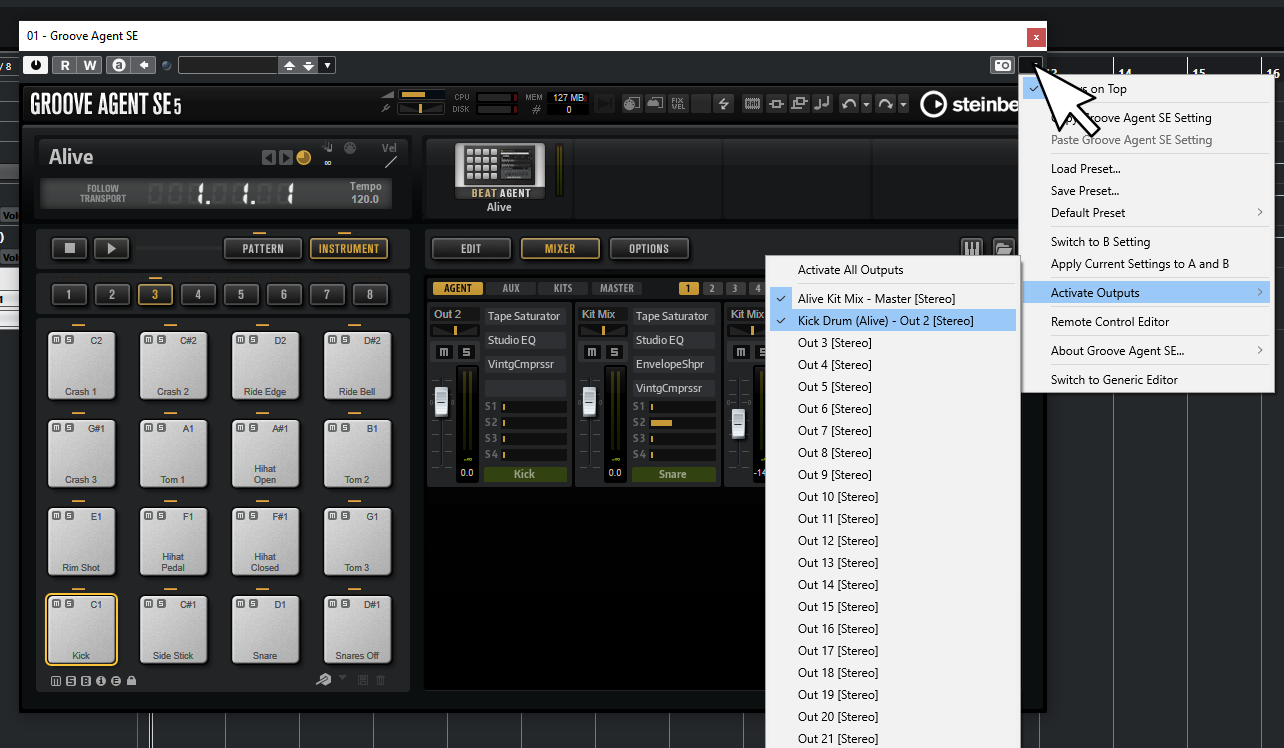
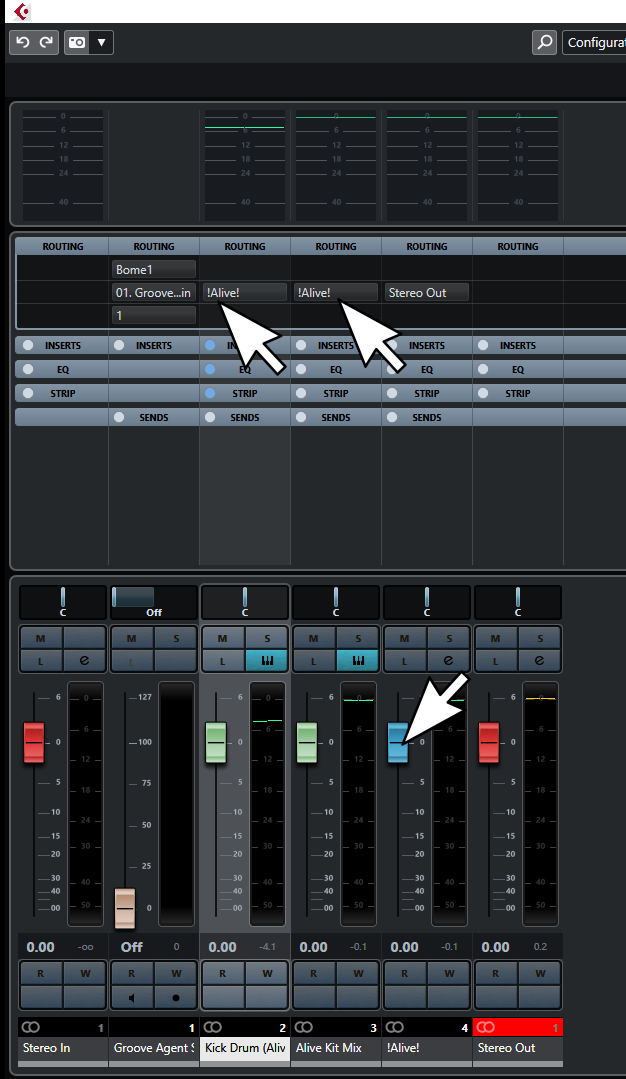
- Click the top right corner of your GA instance. Add another set of outputs. They should show up in your project view and on your mixing console right next to the original full Kit Mix. If you like you can rename/color/etc. the channel so it’s easier to pick it out. You could also change the order of the outputs if you wish by dragging them around in your main project view.
In the image below you can see that I’ve already enabled another pair of outputs and renamed it from the default “Out 2” to "Kick Drum (Alive).
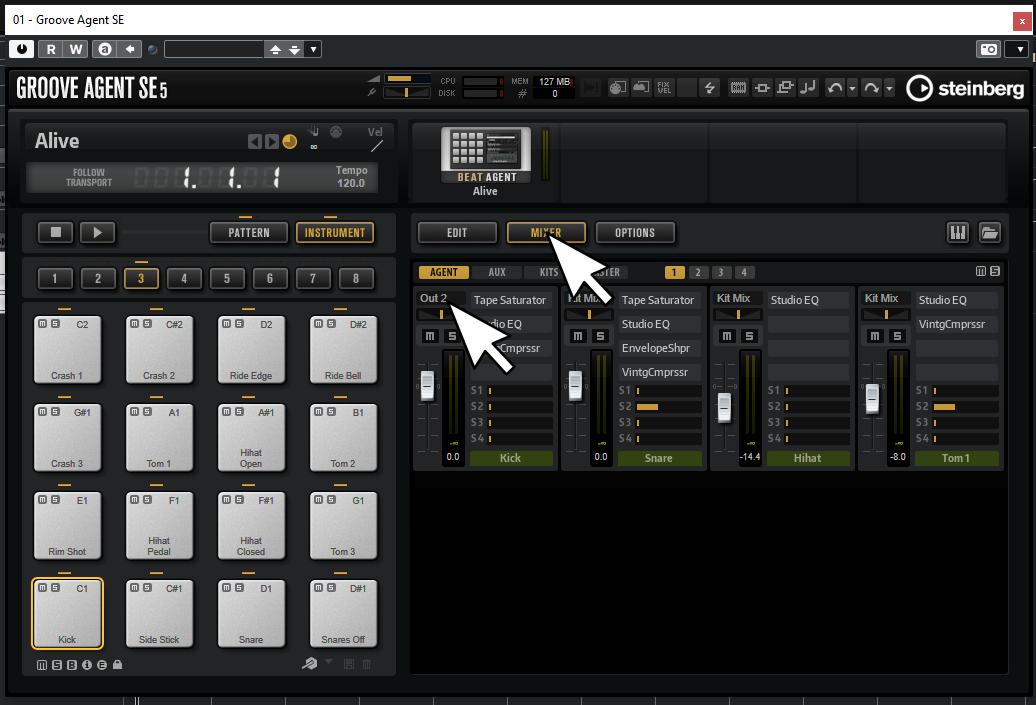
- Click the MIX tab, find your kick drum channel, and remap it to the output you’ve just created.
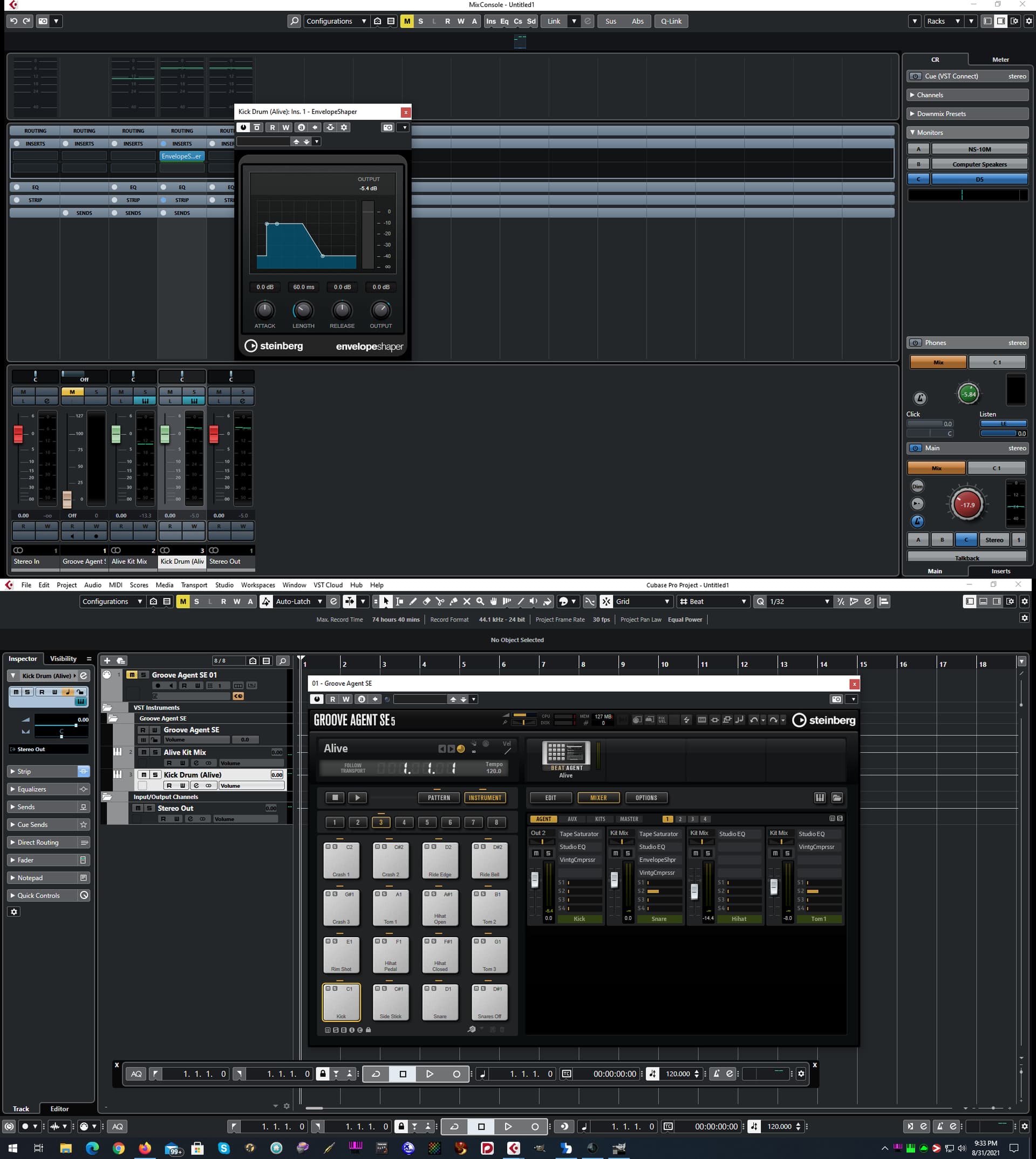
Now you can add your plugin effects to the new channel. Here I’ve added a dynamic envelope plugin that’d be a pretty common thing to use on a kick drum.
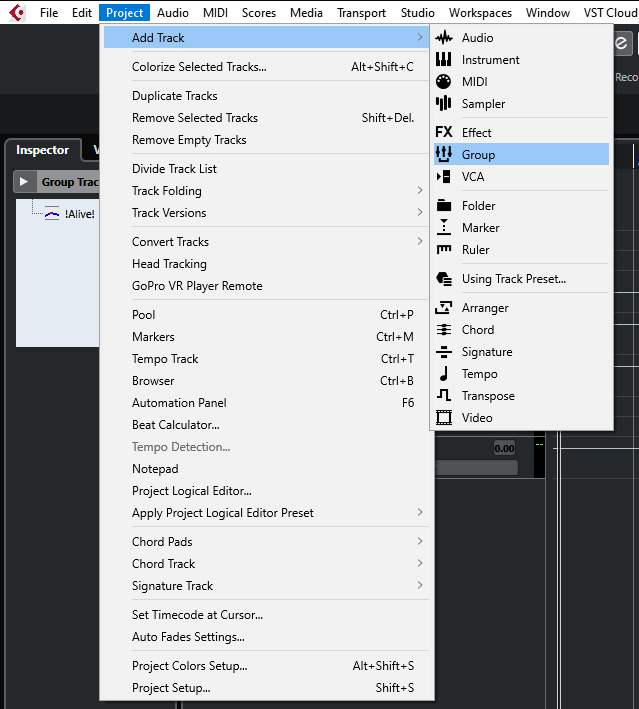
If you do this to several instruments and want to have an easier way to keep it grouped under a single fader as well, you can always add more “Group” tracks to your Cubase project and route it all through them.
Note that in some cases you might want the effects applied inside GA to come ‘after’ effects you’ve entered in the Cubase inserts instead of ‘before’. In that case you might want to bypass/disable the the chain of effects inside GA and rebuild them in the Cubase mixer inserts/strip.

In some cases you might not find an effect you used in GA in the mixer strip, but there is usually a very close Cubase plugin match for the insert slots. In fact, they often are ‘identical’ in terms of sound and controls, they just might simply have some GUI differences. I.E. Reverbs, filters, etc.
Finally, if you want to send all the channels of this kit into a single bus you can add a “Group” track and route them through it.
Hope this helps.