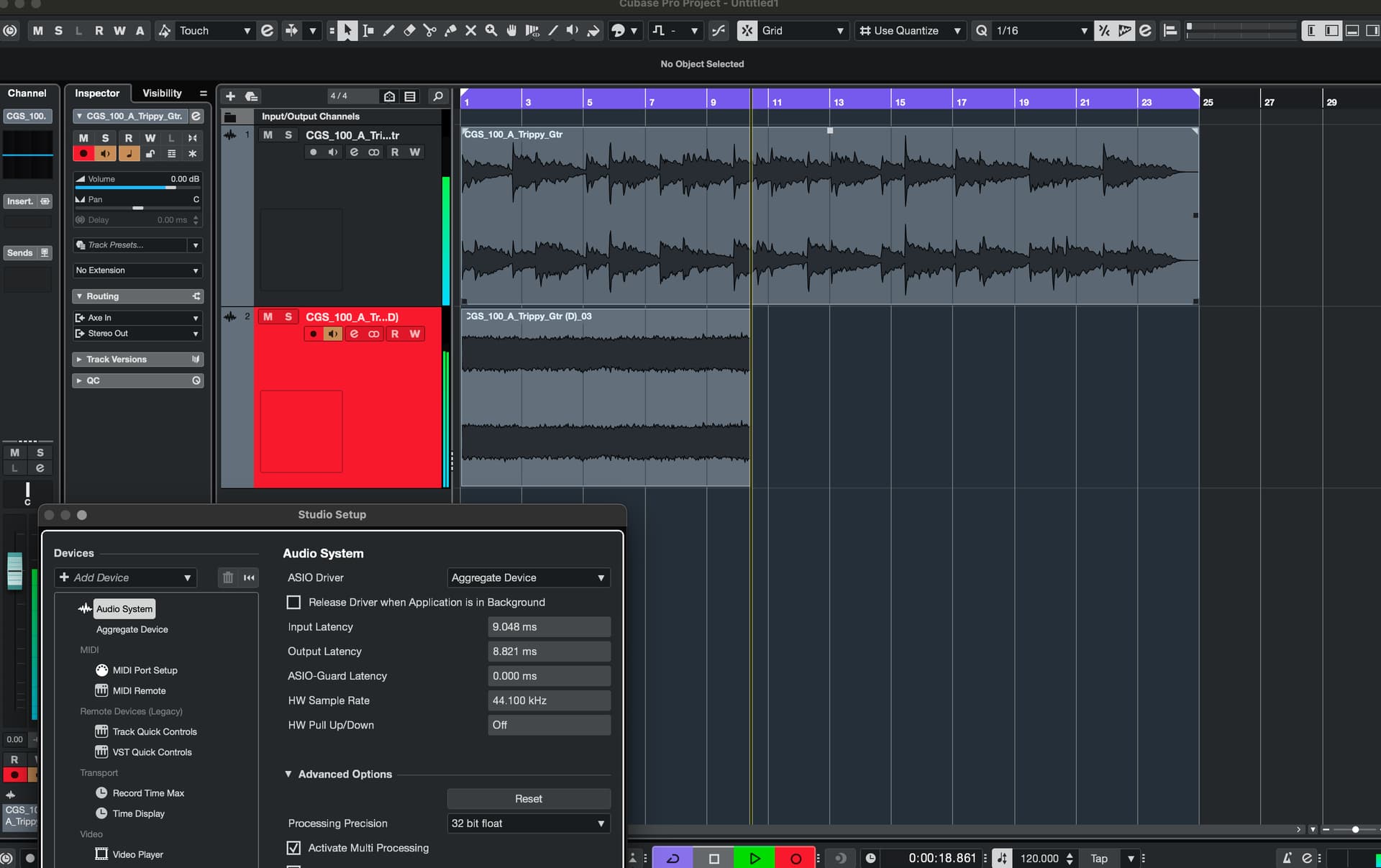
Hey guys I was wondering how to setup 2 audio interfaces at once? I think its called aggregate audio interface but i couldnt find anything for Cubase setting up with RME UCX & Axe FX III (guitar amp modeller).
at the moment RME is my main interface in which the axe fx is routed to but both are connected to my laptop via USB
ok nevermind I got this working thanks:
SOLUTION (Mac):
Step 1) click launchpad → search “Audio MIDI Setup”
Step 2) click “+” on the bottom left and click “Create aggregate device”
Step 3) click on that aggregate device and first check box RME UCX (main interface) and 2nd click checkbox on Axe FX III (secondary)
Step 4) Clock source set as your primary , in my case RME UCX which is my main audio interface
Step 5) Go to cubase and go to Studio Setup and select Aggregate Device
The only problem with this regarding my setup is that Axe FX III goes off 48kHz but my RME interface is 44.1kHz . But im not sure if this affects the reamping sound or quality.
That uses on-the-fly SRC, which can affect audio quality. Also, an aggregate like that is prone to clock drift. Unless you’re being forced to use 44.1 in your project by a client, it’s better to use 48 kHz.
ok so I did an experiment and reamped my DI using 44.1khz and then switched to 48khz to compare the quality and they were identical. even the waveform was the exact same i can send it to you if you want.
I find this interesting
does the axe FX have a digital out? in that case use that into the RME . Aggragate devices are at best a ‘get you home’ way of working as you’re basically neutering your RME as the agregate will take the ‘worst’ device and use that for it’ s buffering etc. So you’re hampering your RME’s great drivers/performance by doing it this way.
TBH you’re better off going analogue into the RME even if it doesn’t have digital outs.
Also bear in mind you want the RME to be the master and NOT slave if you’re going digital, so that ‘may’ mean you’ll have to use analogue if the axe FX can’t clock as a slave.
I would humbly disagree. Yes, you can connect an Axe-FX to the UCX via spdif. See configuration #5 in the Axe-FX recording guide above for details. But that makes re-amping (which is the whole point of using an aggregate) far more complicated.
As for hampering the UCX, if you’re monitoring your Axe-FX direct (and you should be), it will have no effect at all when recording the Axe-FX. And the effect when recording other inputs will be extremely slight…the quality of the digital signal you get from the excellent converters on the UCX will be unaffected.
Using an aggregate IMHO is your best option, but if you want to explore using spdif, you’ll find instructions in configuration #5 in the recording guide linked above. But I’ll warn you, it makes re-amping a lot more complicated.
OK cool.
Both my usb connections form RME & axe FX 3 usually stay on my laptop (i.e. I dont unplug them). I find it weird however that when I turn the axe FX 3 on Ihave to unplug the USB and replug it otherwise aggregate devices doesnt work. does htis happen to you guys or is it just me lol


 .
.