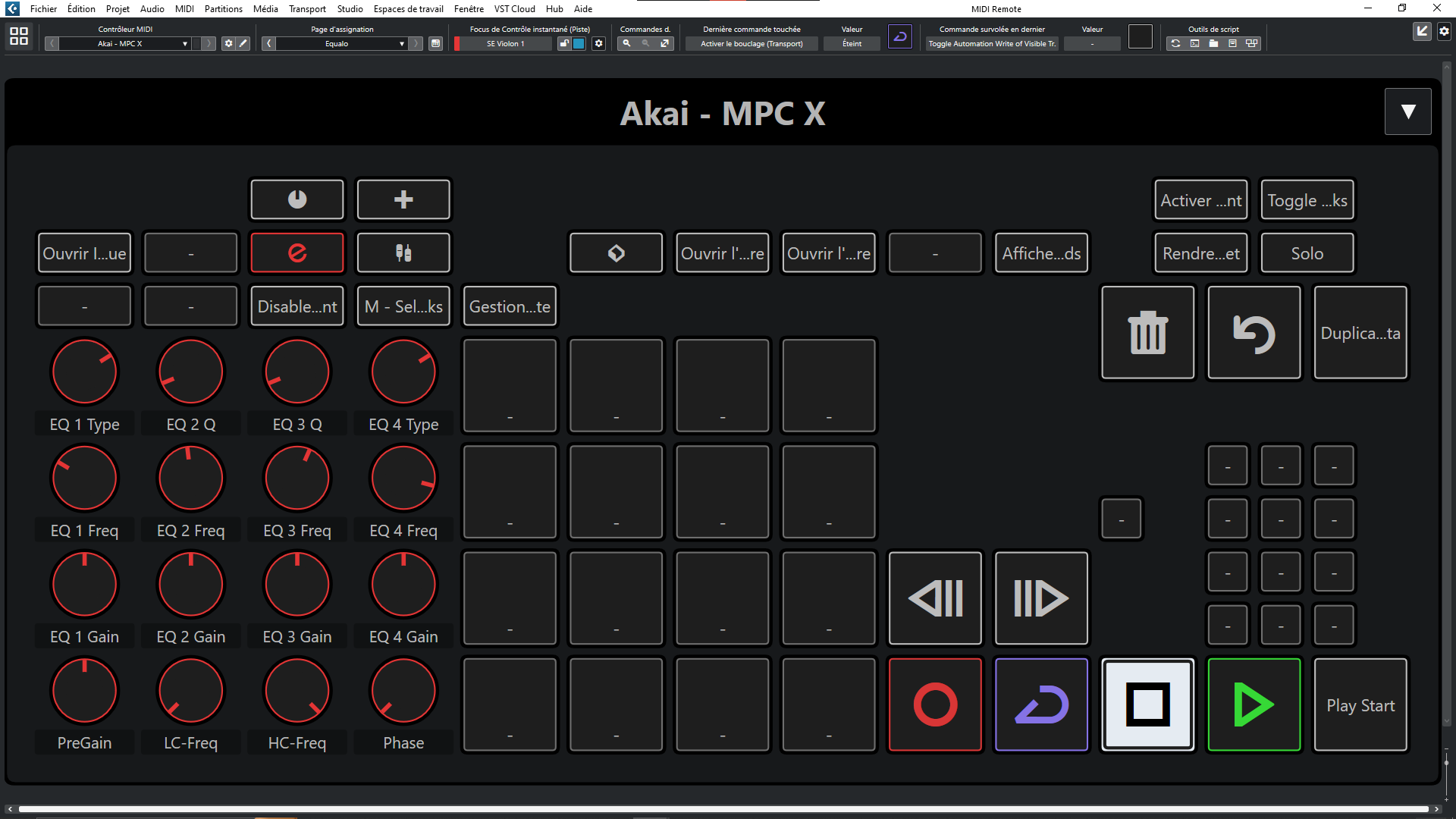
Still in development . I use this panel for Orchestral Template with Vienna SYNCHRON-ized SE, EO and Audio Imperia Nucleus my pads for Expression Map C-2 to B-1 channel 1 no velocity and no Aftertouch on mpc software plugin and C0 C8 channel 10 Vel + Aftertouch. Knobs ch16 .
This script is based on Tracks Activate / Desactivate Select all Tracks without content , Folders with 50 Tracks in each and Switch Folders .
Page 2 based on Eq 4 from ChannelStrip need some Next Page button and put Comp / Gate / Tape…
FX routing too …
This midi remote try to keep same fonctions in same place.
Would be nice! but for now looking too for a solution when I try standalone no connection.
Need some help for start communication with midi remote.
I see and test the Ableton Live Control for Bitwig and the same guy made for Reaper too.
In standalone mode, the MPC has no way to communicate with the DAW unless you plug in MIDI cables.
Or you can plug in an ethernet cable and use the Network MIDI app that comes with the MPC. In that case, you use the “Akai MPC DAW” virtual MIDI ports in Cubase, and on the MPC you send stuff to the ‘Remote’ MIDI port to talk to the computer.
Don’t work for me with Daw Control and remote ports need some script . For Audio ports you can try Dante Via (16 i/o) or Dante Soundcard (60 i/o) low latency Ethernet connection.
Hi , before update 12.51 I made Page Equalo with Qlinks , buttons previous and next page and numbers for select open/close folders.
And until then I was stuck with 12.51 and bugs from remote midi . I update only today 12.52 and rework now I will update this nextweek with 3rd page and maybe the logical editors scripts and projet mpc.
Hello I m still on it ! Rework on default page first for easily duplicate for Eq , Channel strip, FX etc…
I would like : qlink touch sens, return data midi on mpc X , Colors pads
I added lot of stuff and I need to modify UI morelike MPC.
Hello sorry for the long time delay the midi controller.mcn is for your project MPC in the plugin data [YourProjectName]_[projet_Data]. The 4 with M are for your "Documents\Steinberg\Cubase\User Presets\Project Logical Editor
ANd the KEYSCommands are Macro here C:\Users[youruseratyou]\AppData\Roaming\Steinberg\Cubase 12_64
For now it works with Mpc Software and the midi cc page in it . So still the desktop software in beta we have no plugin mpc software 3 . Hope it will be realesed this month . I don’t have gen2 still with the X and I don’t know how they work in Cubase and with midi remote too ! Wait and see…