This is a really simple question which must have been asked many times before, but I’ve searched, and can’t for the life of me find an answer.
What I have is simply a song for voice and piano, with NotePerformer as the playback template. How can I make the piano consistently quieter than the voice, without manually marking all its dynamics down? In other words, how can I make NP behave as real performers would?
I’ve messed about with the sliders in the playback mode, but this does not achieve what I want. I know little about MIDI.
Thanks.
1 Like
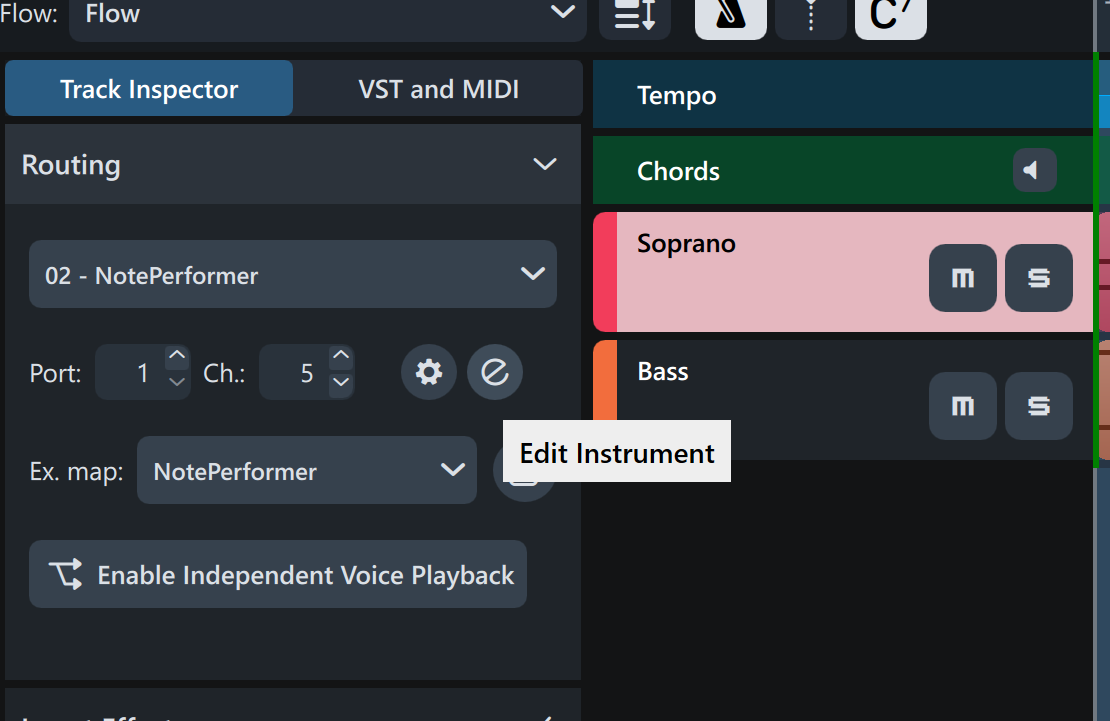
In Play mode, click on the “e” to edit the instrument.
The Dorico mixer or the NotePerformer mixer?
OK, thanks, I’ve found it now, the mixer window that opens when you press the mysterious ‘e’ symbol in the Note Performer row under ‘VST Instruments’. Not easy to find!
Subsidiary question, why do three sliders for ‘piano’ come up, but only the left one seems to do anything?
That probably relates to other piano instruments that have been added and then deleted from the project. For example, were you uncertain whether to add a piano and then change your mind once or twice? To “fix” things now, try re-applying the NotePerformer playback template found in Play—>Playback template and that should give you just the one piano. If the three pianos still show in the NotePerformer mixer, go to Dorico’s Setup mode and check that there is only one piano in your project.
1 Like