I’ve set 4 bars per system in Layout options > casting off. For some reason, however, if I take out the highlighted F#-7b5 the whole system shrinks to half the size, while I want it to horizontally cover the whole of the page. How can I control this?
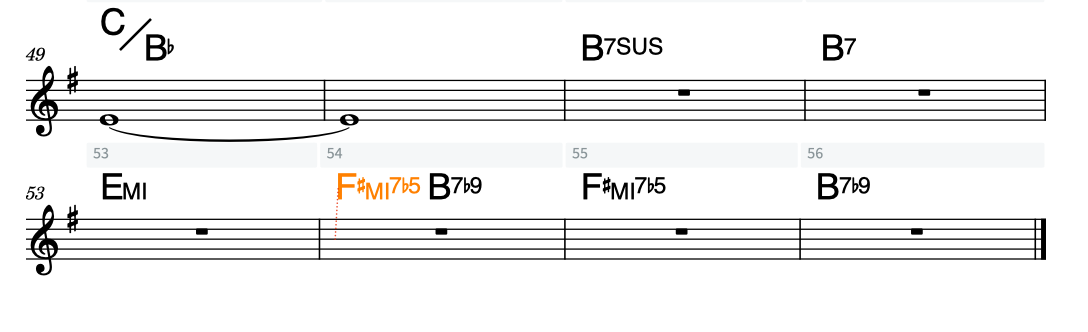
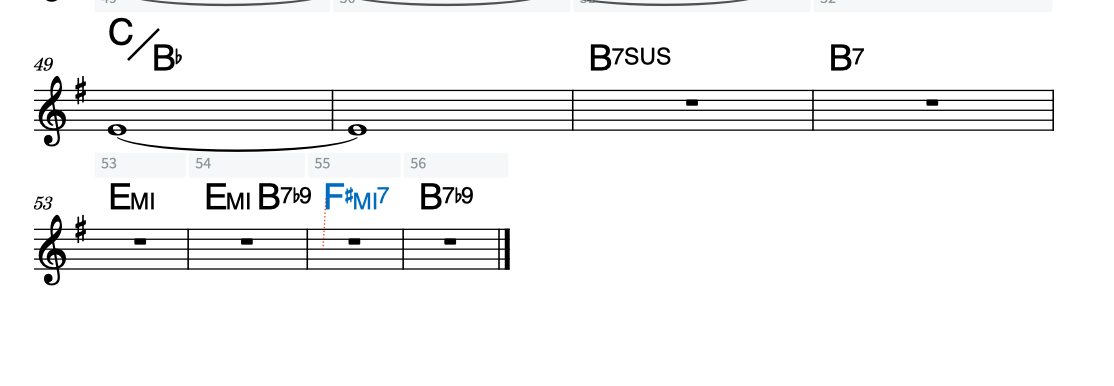
Go to Layout Options > Note Spacing, uncheck the Only justify final system… option or set the percentage lower.
1 Like
Thanks, that works! Needlessly complicated, I must say…
Is there also a way I can control the size of each individual bar?
There are various ways to adjust the horizontal spacing but you’ll have to be more precise about what you want to achieve.
For instance, if I want to make the pick up bar on the left smaller in comparison to the normal bars?

In the same settings window, try setting the Custom spacing ratio to something higher, i.e. closer to 2, see if that looks better to you. But know that 1.41 is the default for a reason.
Unrelated: is this Chopin via Peter Beets?
Thanks so much, this works. It’s not as easy as in finale to resize bars by dragging the bar lines, so I’ll just have to get used to it. And yes, it is indeed Chopin. I didn’t know Peter Beets has done an arrangement of it. I heard the tune at a funeral and it made me think of Jobim (How Insensitive) and then I thought, let’s make a bossa out of it. It doesn’t surprise me that more people had a sort of similar inspiration.