I confirm the issue.
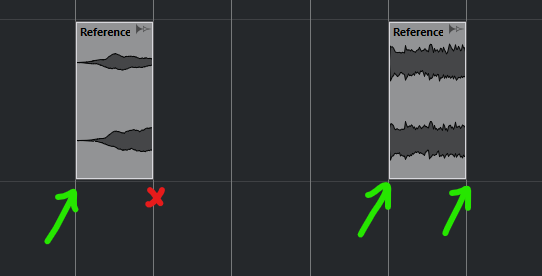
The following images explain it all.
When moving two Events that have a space between them over a Crossfade, the right side of the Left Event (marked with the red cross) isn’t taken into account for the Split/Replace, and instead deletes the whole part starting from its left side up to the Crossfade.
The Right Event must at least touch or go past the Crossfade for the bug to occur, however there must be some space between the right side of the Left Event and the Crossfade. If the Left Event touches the Crossfade, the bug won’t occur.
Images

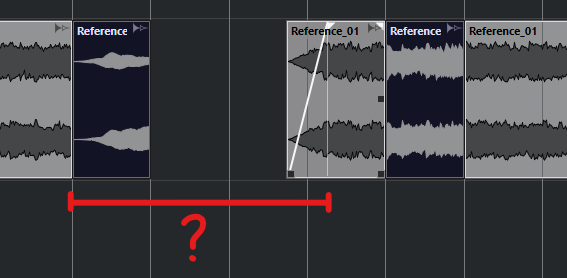


And not to mention that when we drop an Event onto a Crossfade (even when it just touches it from the side), the Event underneath won’t be replaced, even partially. The Crossfade will stay in place no matter what and prevents Delete Overlaps to work. This is exactly what you explained in your other topic, which I’ve already added to the issues list.
The Delete Overlaps preference should take precedence over the Crossfades, but since the Crossfades already are overlaps, there may be a code conflict…
The fact that it interacts badly when moving multiple spaced Events across the Crossfade indeed proves that there is something very wrong.