I would like to use Kontakt with Dorico. I don’t like the Halion sounds. I’m confused about the channel settings and instrument assignments. I assume that each instrument must have its own channel. Could you please explain the correct procedure for doing this?
Thank you for your advice.
Hi @Phroso, did you already studied this video series (with 11 videos)?, which will teach you everything about playback:
If after studying it, you have questions, please ask.
I didn’t know that. Thank you for the link.
Hello,
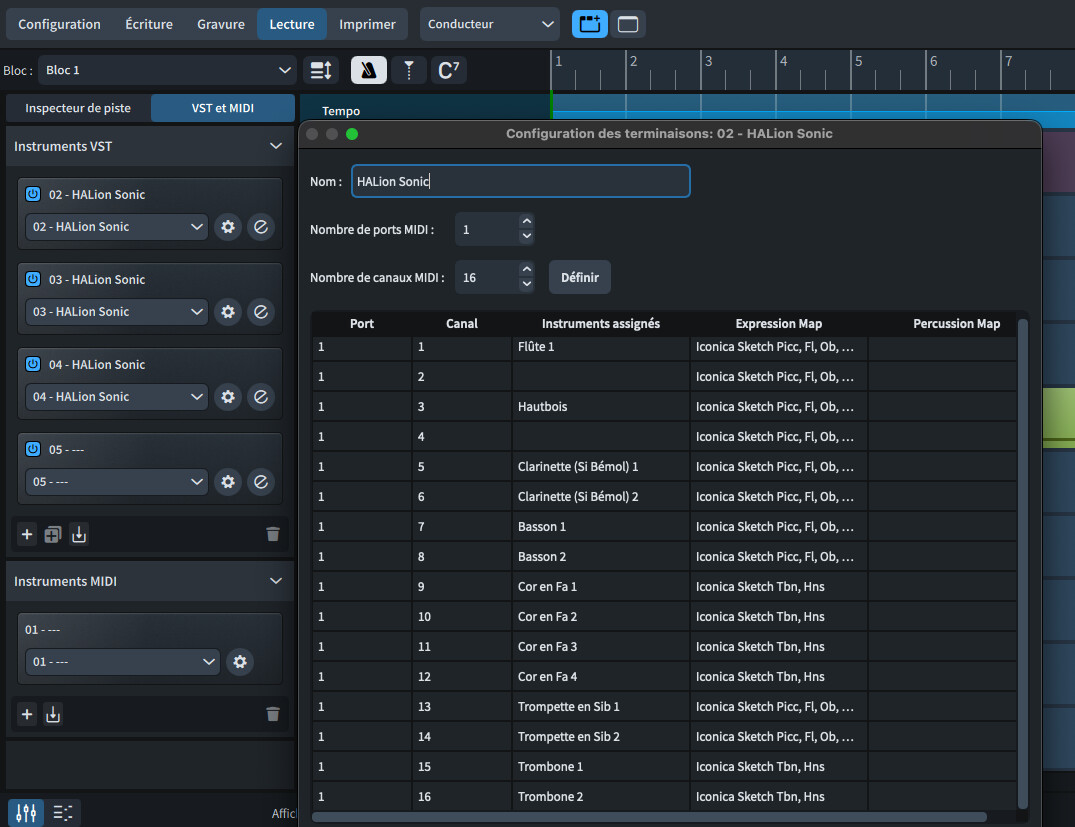
I followed the tutorial provided, but I need some additional information. By default, Dorico installs Halion Sonic for playback. My orchestral score has about 25 instruments. Their number exceeds the number of channels per instance. If I want to install another player (Kontakt for example), do I have to reassign all the channels (configure the endings)?One configuration for 16 instruments + another with 14 instruments? Organize them by family? What is the correct and most consistent procedure?
I am attaching a screenshot to illustrate my request.
Thank you for your advice.
The Dorico way would be to use a playback template that uses those Kontakt instruments… Going full manual in Play mode is of course allowed, but there are many parameters to set up accurately.
I’m only at the stage of installing Kontakt at the moment, not yet refining the expressions maps. I don’t see a template for Kontakt. Nothing here
Kontakt is a VST. It hosts a number of different sound libraries. You create the playback template for your chosen libraries.
(By comparison, Halion Sonic is the bundled VST in Dorico and Iconica Sketch, HSO and HSSE are the different libraries)
Thank you for clarifying the terminology.
I would like to use Kontakt’s VST, mainly with the Spitfire SSO library. But I would also like to keep some Halion libraries. Do I need to install the VST and then each instrument manually? The woodwinds one by one, the brass, the strings, etc.? Within the limit of 16 usable channels?
Thank you for your guidance.
The general approach is to load an instance of Kontakt in Dorico (Play mode) and, in Kontakt, load the Spitfire Instruments. (You can either load multiple instruments into a single instance of Kontakt, in which case you must configure Kontakt to output multi channels, else load a multiple instances of Kontakt each with just a single Spitfire instrument)
For each instrument, you must set the routing in Dorico (so it can be found) and assign a suitable expression map.
Once set up, you save as an Endpoint, which you can use to create a Playback Template. At this point you can mix with Halion libraries for specific instruments.
I’m not aware that anyone has done a playback template yet for SSO. But there is a Spitfire UACC expression map (search the forum) which should work for all spitfire instruments.
The whole process is relatively simple (in theory), but the devil is in the detail and I strongly advise you do extensive research on this forum to learn from others’ experiences. There are many here more expert than I!
Babylonwaves offers expression maps for SSO (Buy Dorico Expression Maps - Art Conductor - Articulation Switching for all major sample libraries and DAWs). I haven’t had the chance to try them out yet, so I can’t personally vouch for the results. However, for €99 you get an extensive collection of expression maps that clearly required a significant investment of time to create, and updates have been released quite regularly since launch.