SOLVED!
Good morning
Where/how can I create a new tempo indication/name and add it to the list of absolute tempo changes? e.g. ‘Lento’, ‘Adagietto’, etc.?
As I said, I don’t want it as text but as an absolute tempo change in the list of tempi!
SOLVED!
Good morning
Where/how can I create a new tempo indication/name and add it to the list of absolute tempo changes? e.g. ‘Lento’, ‘Adagietto’, etc.?
As I said, I don’t want it as text but as an absolute tempo change in the list of tempi!
Hi @Dennisqn,
Just in case: please consider that you can expand the ranges (Slower/Faster), from the Tempo panel, and Dorico will show much more tempi (including the two you mentioned):
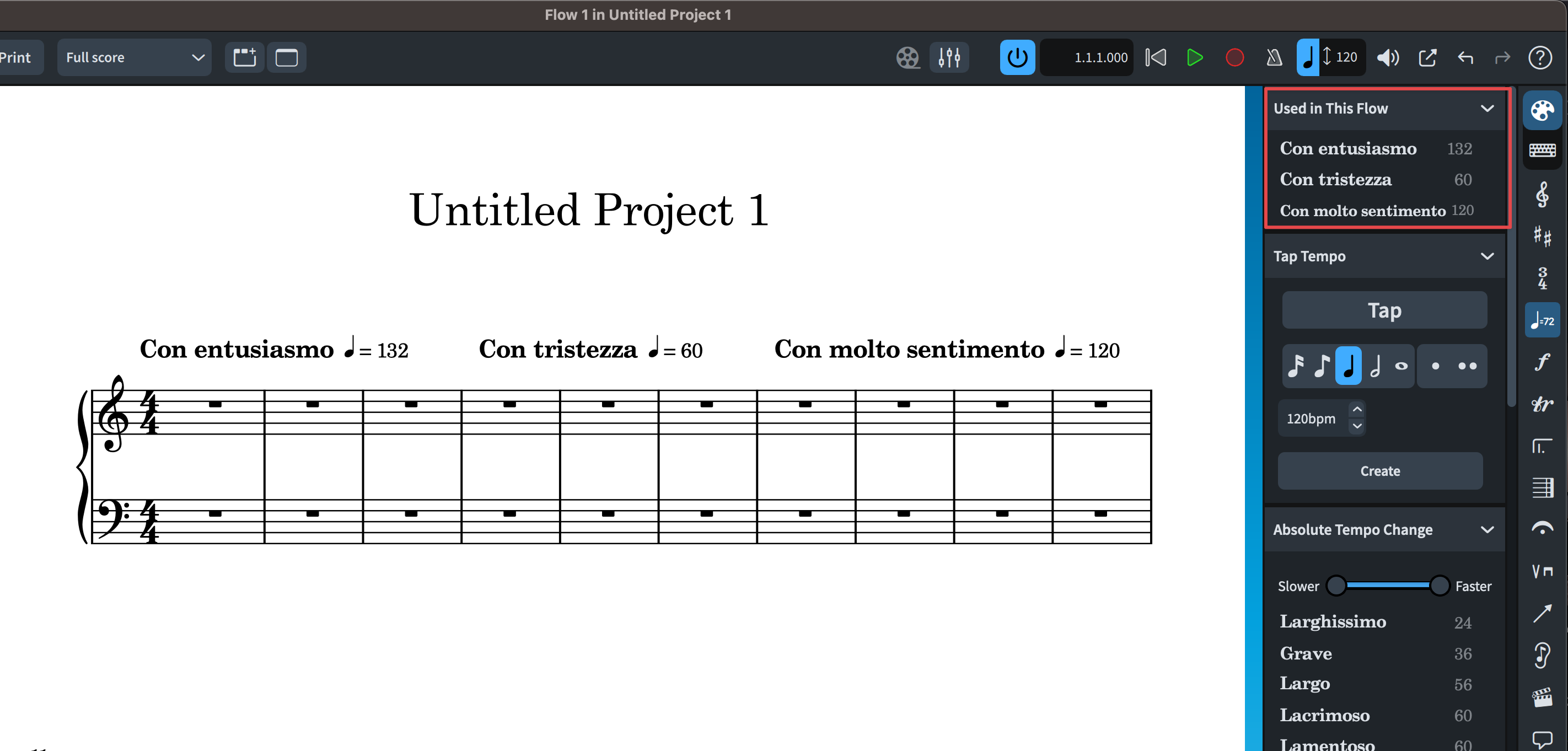
Also: all the tempi used in a project (also the ones that you have customised in the popover or from the Properties Panel) appear on the top of the Tempo panel (Used in This Flow) , and can be conveniently be used to put the same tempo in another place on the piece:
[EDIT]
See this post (for gradual tempo changes, but maybe it can be applied to absolute tempo changes. I am not an expert on doricolib files…):
https://forums.steinberg.net/t/can-cedez-be-a-gradual-tempo-change/963981?u=christian_r
If you need one that does not exist yet, choose one from the list and change the text and tempo in the properties panel.
Or just type whatever marking you want in the tempo popover?
Thanks so much dear Doricaners. Things are lying sometimes closer than one thinks. Actually it’ so easy.