PT’s GUI is great in one specific regard: strong consistency. I do think it looks “ugly” in a way but dang it, it has it’s own consistent, internal logic. This is really important to UX (user experience) because it allows users to more easily intuit and guess how to use the software.
Consistency is Key
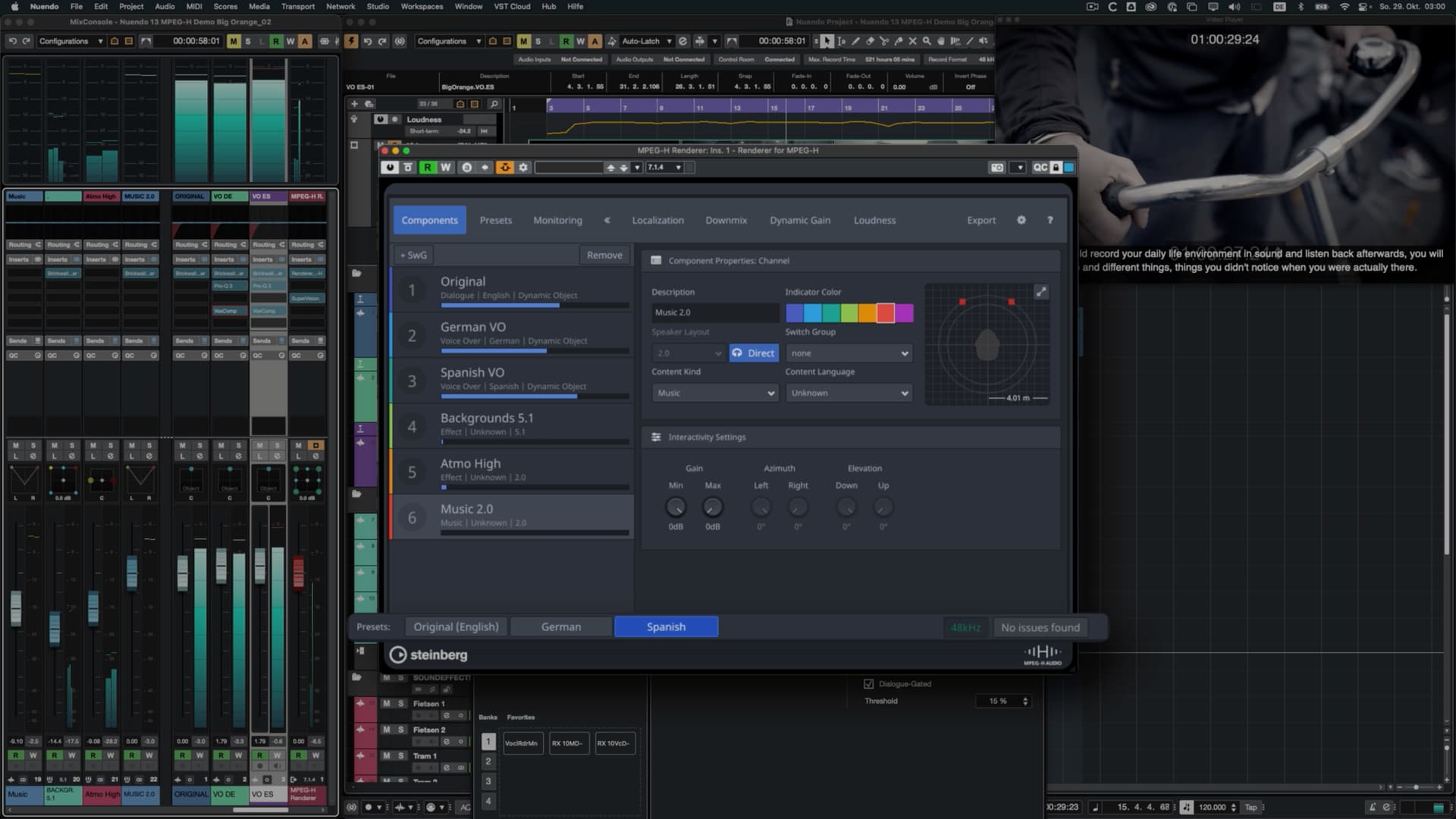
Cubase/Nuendo unfortunately suffers from inconsistency and I’m not confident Steinberg considers this a serious issue. One thing that bothered me with their new v13 Nuendo release is that they added another inconsistent UI to their software for MPEG H.
This MPEG H window looks fine (in fact, it looks good) but it doesn’t follow the system established by the DAW. Adding all of these exceptions to the rule creates a broken system that requires more comprehension on the part of the user. It also makes Steinberg’s job more difficult if they intend to fix it in the future.
MPEG H
.
Not Perfect but Also Very Clear
Going back to Pro Tools, consistency is key for them. Some of us, including me, may not be crazy about the style but we should all realize that creating a clear design system helps users.

.
The Problem with Inconsistency
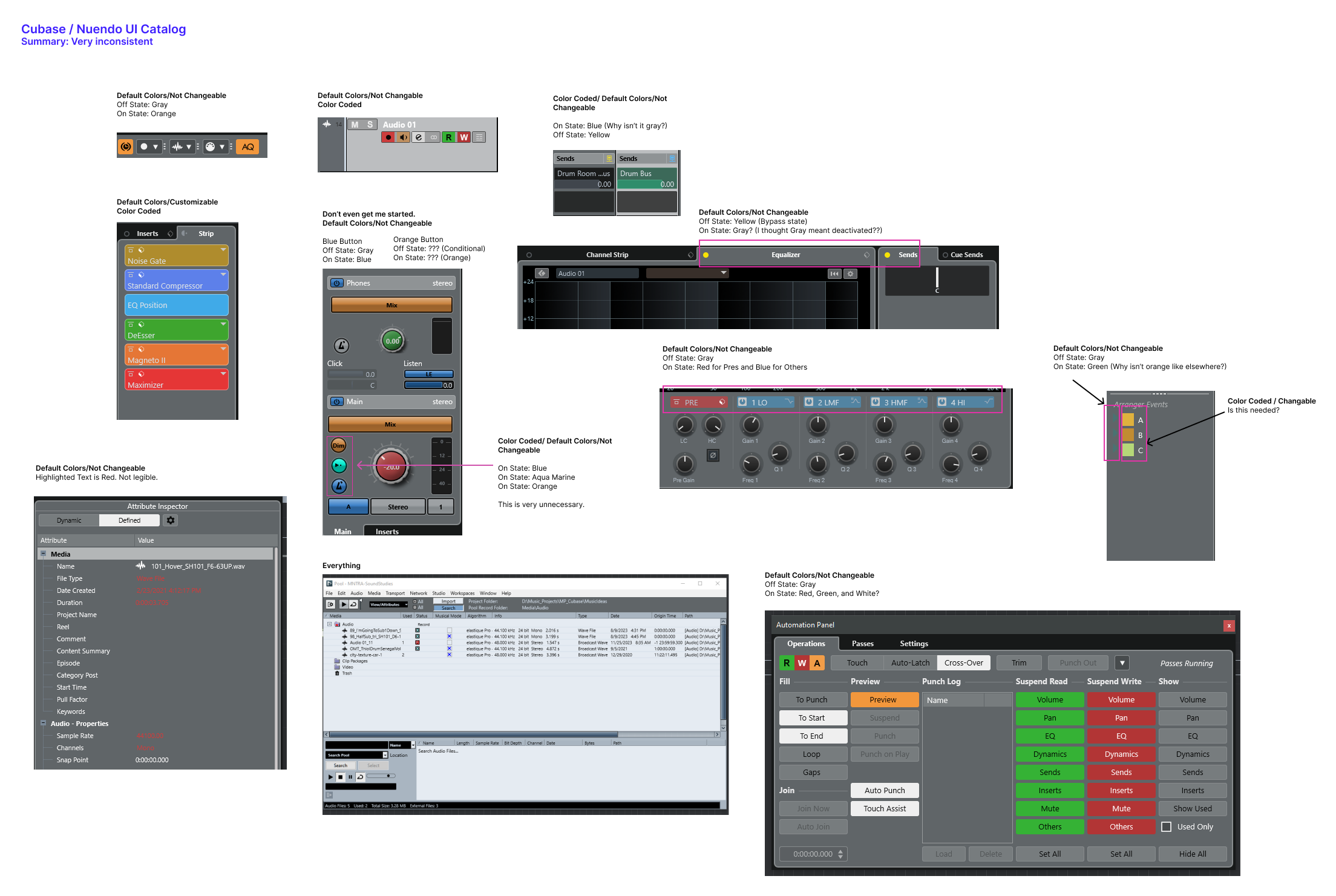
Cubendo has no clear internal logic. In other words, there are many exceptions to the rule. At times orange is used as the on-state color of components. Sometimes it’s yellow. Sometimes it’s blue. At times a color is highlighted as red to indicate importance (?) and other times it’s green instead. Sometimes you can color code information and then other times it’s fixed.
This increases the amount of effort required to learn the interface.
.
Summary
In addition to expressing concern about the design of the interface, let’s acknowledge that even a consistent design system would also help things move forward.