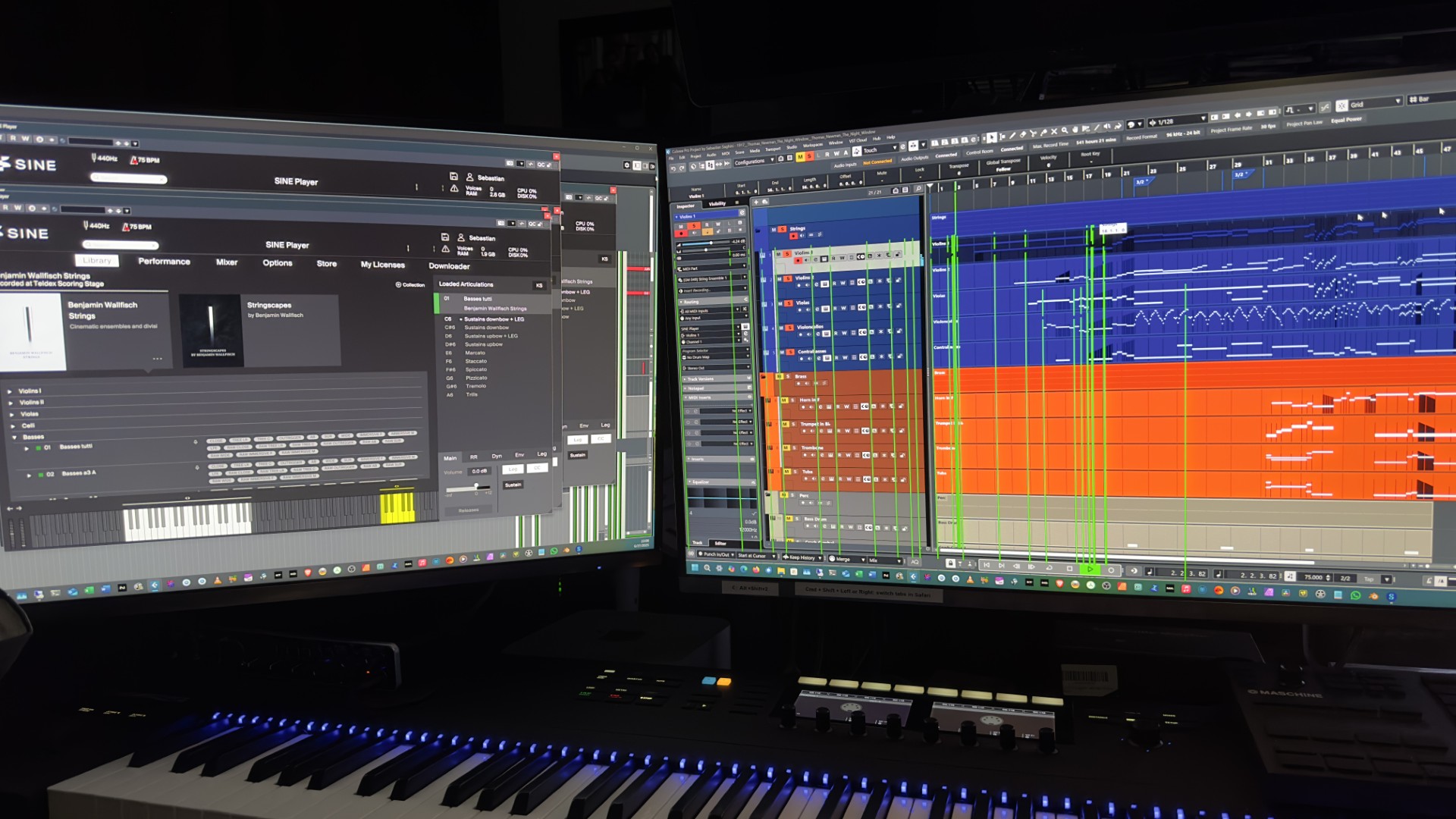
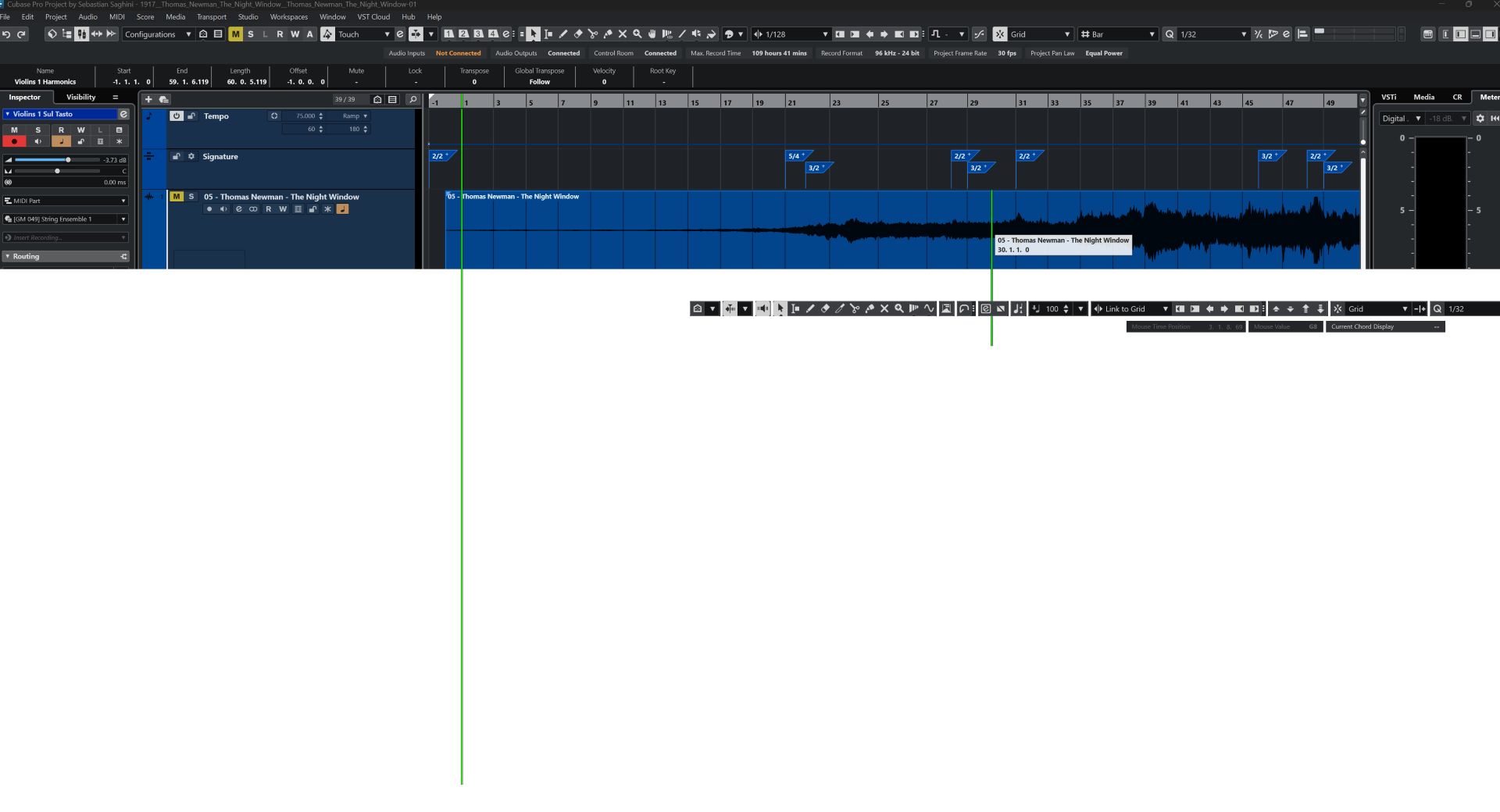
Cubase 14 GUI in Windows is absolutely broken

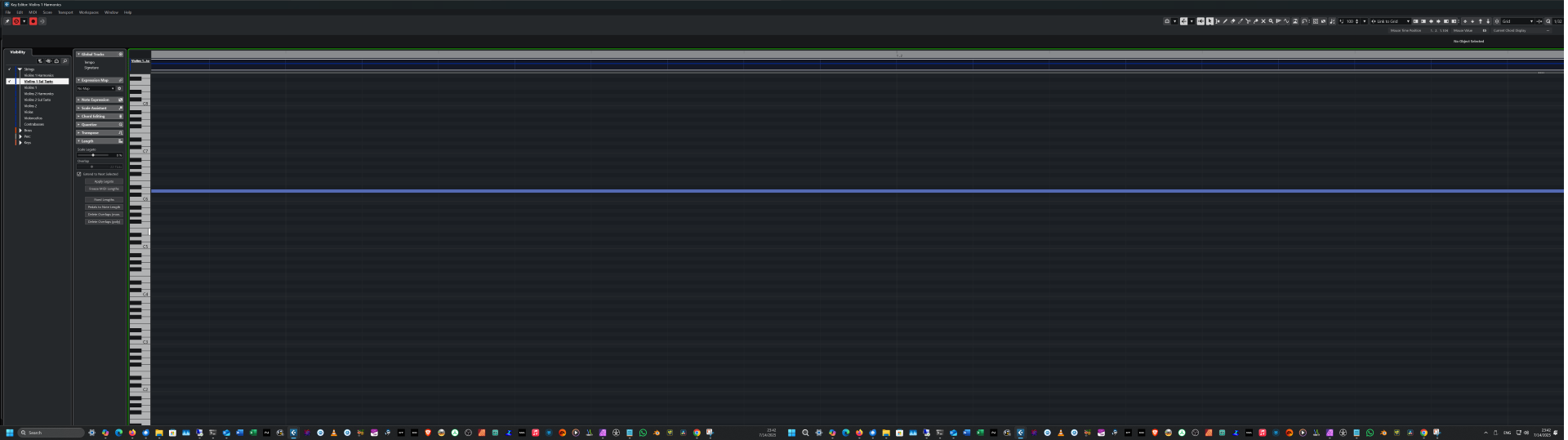
Unfortunately I haven’t had the chance to use Cubase as much as I would’ve liked this year. But the times I’ve used it, it’s been a pretty bad experience. By saying that the GUI is broken I’m not referring to any GUI design issues. I’m referring to the mess that occurs every time I double click on a MIDI part to open the key editor in a new window, which is supposed to be in the same window as the main Cubase GUI, meaning my main monitor, but it keeps insisting on sending it to the second monitor. So I have to click the title bar and drag it down to move it to the main monitor. What happens then? The key editor, which was in full screen in the second monitor, as soon as I pull it down, turns into a window that is 1,000,000,000 miles wide:
That’s only ONE of the things that happen. It’s as if I was using an alpha version of a new program by a new company, at least when it comes to the GUI. Here are some other chaotic shenanigans:

Up until December I had used Cubase only on my Mac Studio, and never had this problem. My PC has everything up to date, including the Nvidia studio drivers that I updated just days ago, and this doesn’t happen with any other program, and I have lots of programs.

Is anybody else having this issue? As it is, Cubase is unusable for me.

1 Like

Hi,

Provide some details about your system, please. Windows version, graphic card, the graphic card driver version, screens resolution, etc.

Sure:

Edition Windows 11 Pro
Version 24H2
Installed on ‎1/‎9/‎2025
OS build 26100.4351
Experience Windows Feature Experience Pack 1000.26100.107.0

CPU: Intel® Core™ i9-14900KF
RAM: CORSAIR VENGEANCE DDR5 RAM 192GB (4x48GB) 5200MHz CL38 Intel XMP iCUE Compatible Computer Memory - Black (CMK192GX5M4B5200C38) (the only RAM compatible with my motherboard at that size)
Motherboard: ASUS ROG Strix Z790-E Gaming WiFi II
Graphics card: Asus Dual GeForce RTX™ 4060 Ti EVO OC Edition 16GB GDDR6 (PCIe 4.0, 16GB GDDR6, DLSS 3, HDMI 2.1a, DisplayPort 1.4a) Studio driver version 576.80, released June 17, 2025
Internal drives: Samsung 990 Pro and Evo NVMe

I have 3 screens on an AMD system. My best practice to places certain windows in a certain spot is:
open a new project and place mixer and midi editor window etc. Do the resize you prefer and leave them in the spot you want.
Close Cubase.
next time I open a project both mixer and midi editor windows is in the last placed location. same for F12 performance meter and F11 instruments

plugins however, that is a different story

that atleast works for me

1 Like

That’s good, but this is not about common practices. The Cubase GUI system in Windows is broken. I have not a single program besides that does this. When you have any window of any program maximized in one monitor, and you click and drag down the title bar, that doesn’t cause that window to enlarge horizontally to the space of three monitors. That is clearly a giant bug that I haven’t seen any other program in my current PC or any of the several I’ve had for the last 30 years do.

And not only that, but what happens when you start moving that window around, all the weird GUI stuff that you see in my photos, I can’t say I’ve ever seen something so crazy before in any program. This is something that Steinberg has to get on top off right away.

Have you checked the correct preference for that?

Depending on the preference you can have it open in the Project Page or separate window. Sorry I’m not in the studio at the moment or I would show where that exists in preferences.

Sorry, when I said it’s supposed to open in the same window, I actually meant same monitor. Since I started using Cubase Pro 12 in macOS, then 13, then 14, when I would double click a MIDI part it would open also in the main monitor. When I started using Cubase Pro 14 in Windows 11, usually it was the same thing.

I’m aware of the preference to have it open in the lower pane in the main window, but I have that set to open in a new window.

Can anyone else answer this in the affirmative?
Because I’m not having any issues with Cubase’s window handling.


How I tested:
I plugged in a second monitor (4K), created a new project, added a VSTi and a MIDI part with a few notes. Moved the Key Edit window and the plugin to the second monitor, closed them, opened them again, they appeared where I closed them.
I quit Cubase, opened it again, with the test project, the windows opened as before.
I quit Cubase, unplugged the 4K monitor, opened Cubase with the test project, and the Key Edit window and the plugin appeared on the main monitor.
It’s also impossible for me to “drag” a maximised window.
All those glitchily-drawn windows were common with the release of Cubase 13, they got fixed before 14 released. For most of us.
I’m also surprised at how many people buy a GPU aimed at gamers.
Fire away…

Are you on Windows 11? I can’t even remember if Windows 10 allowed this, but on Windows 11, you can click on the title bar of any maximized window, drag it down and move it anywhere. If you drag it to the top of any display, it will maximize automatically and stay that way.

As opposed to what? GPUs aimed at musicians? My specific GPU is not a typical gamer one, although it works pretty well for games. I’m not even a gamer, I bought this card mostly for the amount of VRAM, because when you render from Blender, you need as much VRAM as possible. But I was also very surprised at how good it works with games. it had been over ten years since I had played any video games, and this ones handles most of them like a champ.

Kinda what I said.

I have different issue. When, always by accident, I de-maximize full screen key editor, everything is going bonkers. Key editor window is becoming super small and hidden somewhere under the other apps. The entire system is going crazy, I can’t click on anything anymore, everything is visually frozen. Opening Task Manager with a keyboard shortcut doesn’t do anything.
Only computer restart can solve this issue.

But I’m not looking for a solution, definitely not here. Just reporting that I’m also getting strange issues. Two screens: standard laptop screen + 4K screen. Both set to 125%

Well, even if your issue is slightly different than mine, it falls in the same ballpark. Meaning, it’s the GUI acting erratically. What you have is definitely worse than what I do, since my problem doesn’t cripple the whole machine needing a restart.

Why aren’t you looking for a solution, and why not here? You should, and this is the best place to look for a solution.

There are just too many variables that could be causing these issues, and honestly, troubleshooting it all here would take a lot of time. I’m also pretty burned out dealing with replies from people who don’t experience the same problems and end up blaming my PC, setup, or whatever they’ll invent— even though the exact same issue doesn’t happen in Cubase 13, which I also have installed.

At the beginning it wasn’t such bad. Window was simply disappearing and I could find it minimized to just the top bar. It got worse after 24H2 update. Now it looks like this one issue is causing cascade of the other glitches.

My guess is that it’s related to scaling + two different resolutions on two monitors. So many issues happened because of scaling and 4k monitors, from 3rd party plugin interfaces, which I think is mostly solved, to other glitches.

I feel you, and share the same frustration, but that happens in every single forum. The people who are not experiencing the issue always say it’s something wrong with your computer, or your setup. Which a small fraction of the time it’s true, but not most of the time.

But as much as Windows sucks, to me this seems like a Cubase problem. When you take any window from maximized state, it definitely should not resize to a miles-long window.

Here’s another example, this time with screenshots. I opened Cubase Pro 14 about an hour ago. As usual, for whatever reason it opens in the secondary monitor, no matter how many times I close it with the main window on the main monitor, and the mixer in the second monitor. But OK, as always, I click and drag the main window to the main monitor. I’m working on a mockup I downloaded from Musescore, so I double click a MIDI part to open it in a new window and start recording MOD and EXP automation among other things.

The key editor opens in the secondary monitor, as usual. This was never the case in macOS, although to be fair, I have not used Cubase Pro 14 in macOS, at least not for long periods of time.

So like I mentioned, I click the title bar and drag it down to take it out of maximized state. Then it becomes a window not about the same size it was before, but the size of almost three monitors side by side:

Just to clarify, the third monitor that is at the very right is my TV set, which is always connected, and even when it’s off, it tells the computer that it’s on. Regardless of that, a window that goes from maximized to normal state should not magically become a window that spans all the monitors connected to the computer.

If I’m lucky, once it turns into a giant window, as long as I drag it to the top of the main monitor to maximize it, it shrinks down to the display’s normal size. But that’s not what happens every time. Many times you see the chaos that I’ve shown in my photos of the screens where everything turns white, and many other disasters.

Just to reiterate, this is not happening in any other program. I stress tested my PC build before I installed all my stuff to make sure that nothing was wrong. I’m not saying I’ve never had a single crash in this machine, I’m just saying that it’s not very often,

Back when I posted this, I emailed both Steinberg US and Germany to report this bug, and sent them plenty of screenshots and photos. Their reply was very disappointing:

“After reviewing the various photos provided, I can tell that there is a major issue going on with your graphics card. We can only suggest to contact your graphic card manufacturer for assistance if you have completely uninstalled/reinstall Cubase. As for the monitoring, technically it should open on the monitor you had it on, but using windows monitor management can be the quickest way to switch it. Since Cubase moved to floating windows instead of having to drag the background window across all monitors there hasn’t been a way to lock it.”

The worst thing any company can do is wash their hands of a problem caused by them and blame it on somebody else. If I tell you that this ONLY happens in Cubase and no other program, don’t blame it on the card. Besides, I may not be an engineer but I know enough about computers to know that if you de-maximize a window and suddenly said window enlarges horizontally to the space of three screens side to side, that’s not a bug in the graphics card, it’s your software.

This wouldn’t upset me at all if they would’ve said “OK, send us the SysInfo file and we’ll look into it”. Instead, they wash their hands. And I don’t know what they talk about when they say that “moved to floating windows instead of having to drag the background window across all monitors there hasn’t been a way to lock it.” What does that mean? In Windows 11, Cubase windows behave like any other windows, they can be minimized, resized and maximized. But obviously they missed something so when you drag a window down from the title bar to move it to another monitor (usually because it opened in the wrong monitor), it turns Cubase into a colossal mess.

But let’s go back to them blaming my graphics card. When I posted this, I was still using my old RTX 4060 Ti 16 GB. Recently I bought an RTX 5070 Ti 16 GB, and this happened just the same. Then I decided to return the 5070 and get a 5080. And it also happens with the 5080. So that’s three different cards that have no issues with any other software but Cubase.

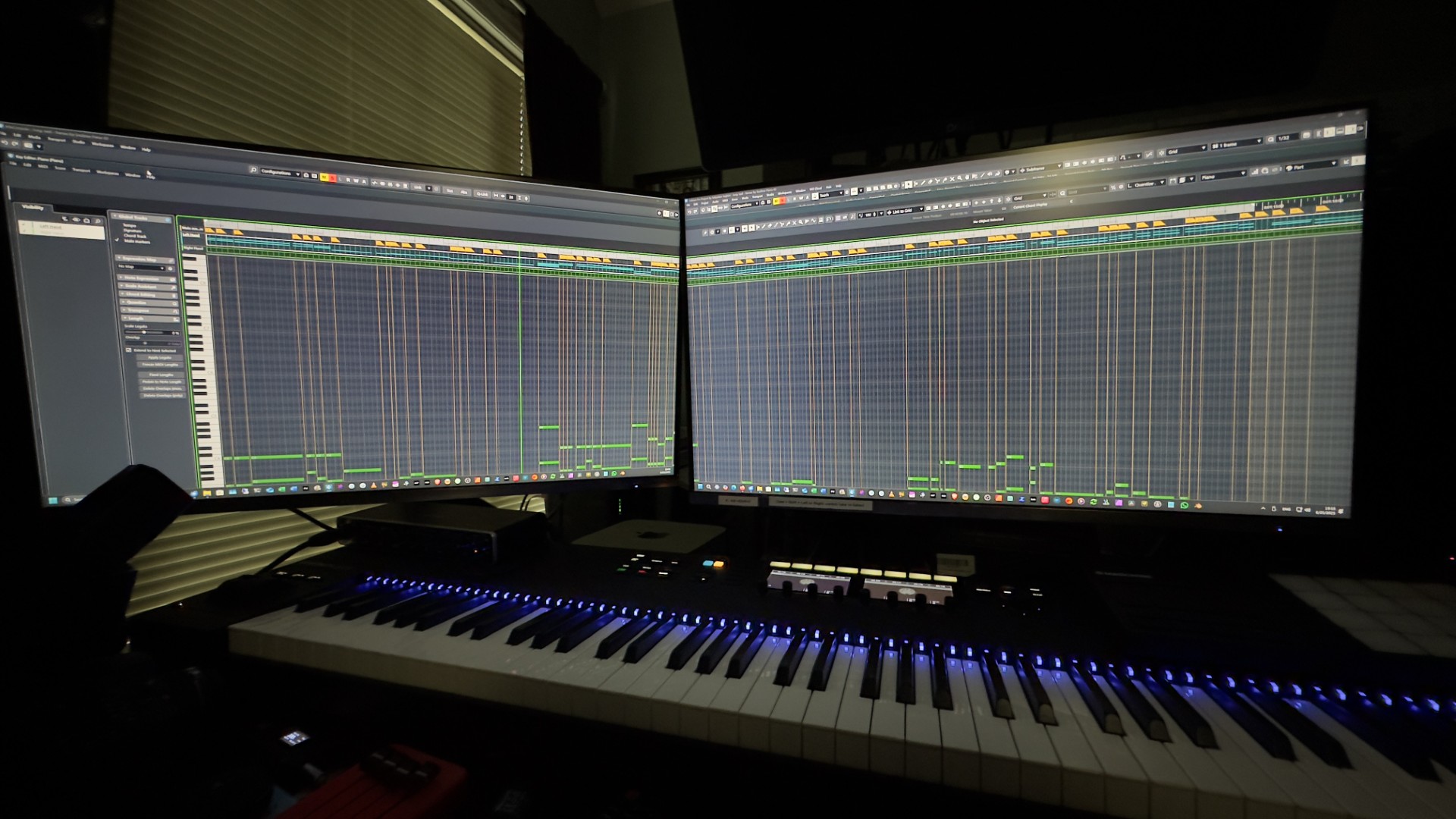
Want proof? Here are more screenshots and photos:

But sure Steinberg, it’s MY graphics card.

In my roughly 25 years of using DAWs professionally not once have I seen anything like that and the problem being the program. Every single time it’s been either a graphics card hardware malfunction, or a problem with a driver or the OS, possibly a BIOS/mobo problem.

You’ve tried different drivers?

3 Likes

What´s all the specs of your computer? What kind of power supply are you using?

One thing is certain. No graphics card, or its driver, or any other hardware component, is going to cause a window to enlarge horizontally to three times its size. I have been using Windows since 1994, and I’m a computer geek. Like I said, I may not be an engineer, but I’ve known computers for 30 years, and I’m very good at troubleshooting and fixing computers, both Windows PCs and Macs. Now, if some of these glitches (not the window enlarging) were happening in at least a few other programs, I would be willing to entertain that there could be something wrong with my computer.

But when the ONLY program having this bizarre behavior is Cubase Pro 14, that makes it dead obvious that it’s Cubase. To me what’s happening here is obvious. Cubase’s code is old, at least part of it, and uses some API for Windows management that perhaps was fine with Windows 7, and hasn’t been updated, so when you de-maximize a window by pulling it from the title bar, which I think wasn’t possible in Windows 7 and I’m not even sure about Windows 8 and 10, then Cubase doesn’t understand what’s going on and goes berserk.

Yes, there have been a few driver versions since I first came upon this, and I’ve tried both Game Ready and Studio versions, same thing happens in both.

i9 14900 KF
Asus ROG STRIX Z790-E GAMING WIFI II
CORSAIR VENGEANCE DDR5 RAM 192GB (4x48GB) 5200MHz CL38
1 Samsung 990 Pro NVMe
3 Samsung 990 EVO NVMes
ASUS TUF Gaming 1200W Gold
ASUS TUF Gaming GeForce RTX™ 5080 16GB GDDR7 OC Edition

it could be to do with your 14th gen Intel CPU. They are known to be problematic, and I’ve had problems with mine as well.

What is the current core ratio your CPU is running at?

Try getting the Intel Extreme Tuning Utliity, and reduce your CPU core ratio incrementally (for example, if you are running at 59x, try reducing to 58x, etc), to test. It could be an unstable CPU core ratio that’s causing such wild visuals on Cubase.