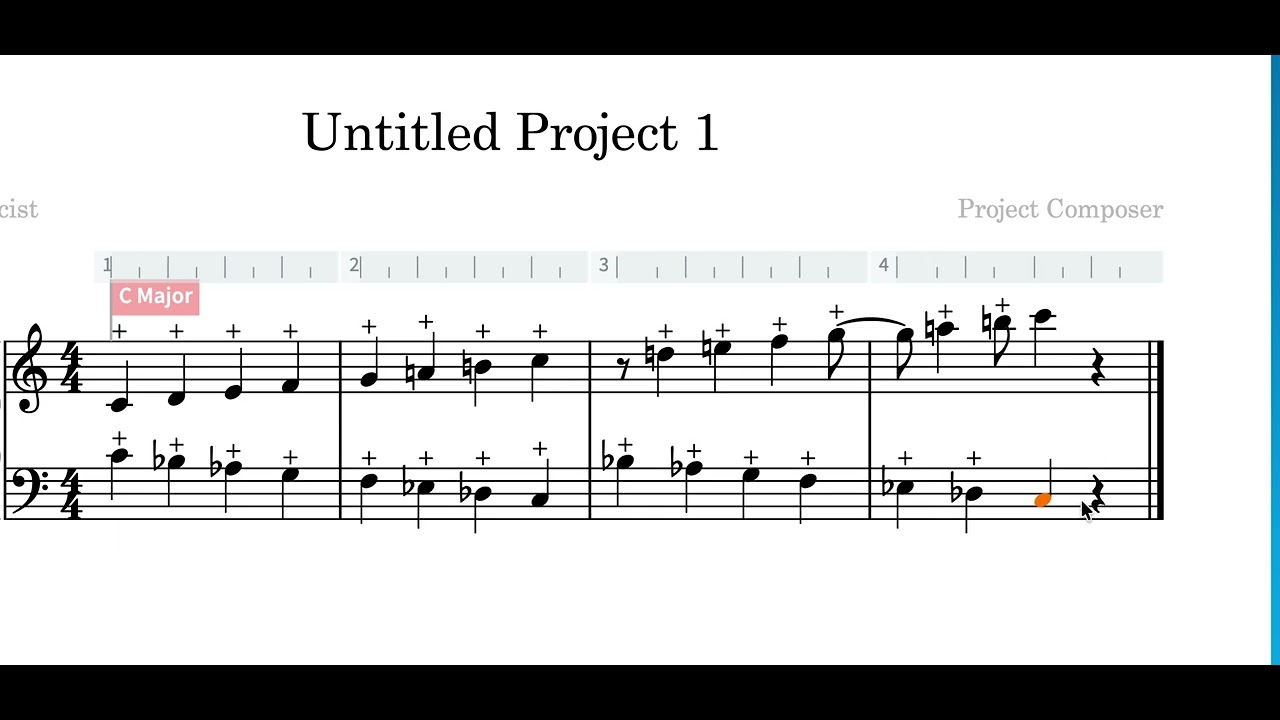
I am notating a “dead stroke” technique for a Marimba by adding a plus symbol above the note (like a stopped not on a horn). I either borrow it from the playing techniques menu from a different instrument family, or I created it.
The problem is that the symbol in not “glued” to the note itself. If I select the note and move it, the plus symbol stays there. Is there a way to fix this?
Secondly, is there a way to attribute a muted sound to it for playback?
All (or almost all) notations are attached to specific rhythmic positions. If you delete a note from that rhythmic position then things like playing techniques will remain.
I believe the only way is to re-define the glyph for one of the articulations (that you don’t use elsewhere). “Stressed” and “Unstressed” are popular choices.
It feels a bit counterintuitive, wondering if this is something that can be implemented in the future - so that they behave like a rhythmic dot or an accent
Library>Music Symbols… pull up the edit music symbols dialog
Open the articulations section and choose an articulation…
Delete the existing glyph (put it in the bin)
Find your new one and click add glyph.