Dialogue Transcription

It appears you’re running into a significant marker timing issue with the Dialogue Transcription feature in Nuendo 14. Here is the English translation of your report, along with some context from other users.

It seems that when I use the Dialogue Transcription feature in Nuendo 14, the generated markers can be significantly misaligned.

In the attached image, the clip contains only dialogue, and the audio starts from the very beginning of the file. The quality of the transcription itself is satisfactory. However, the resulting marker is created with its start point delayed by more than 9 seconds.

I work in an NTSC region, so I tried changing the project’s frame rate to 30fps to account for any potential influence, but the result was the same.

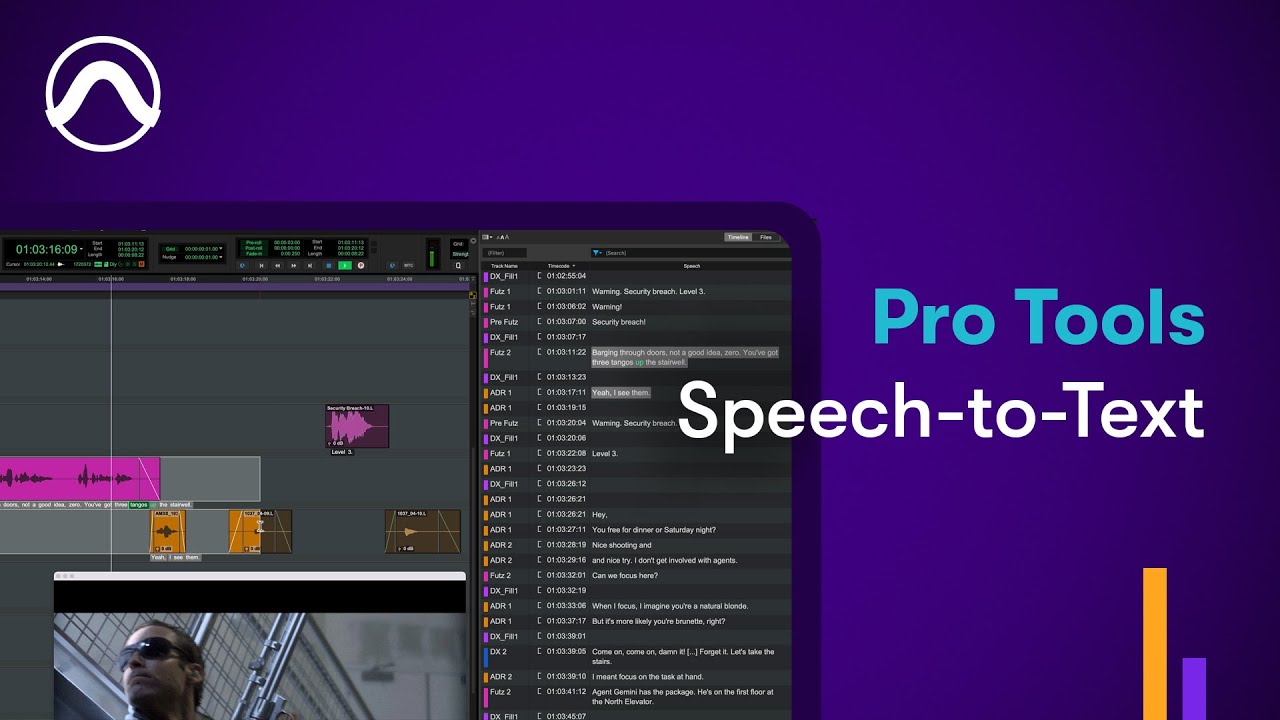
Pro Tools recently implemented a similar feature in its 2025.6 release to great acclaim. Am I the only one experiencing such a basic bug in my environment?

No. Nuendo dialogue transcription is indeed not in sync with the audio.

Thank you for your reply.

I wasn’t aware of that information.
However, it seems that with these specifications, it has now been completely overtaken by PT .

I sincerely hope that it evolves into a more advanced and user-friendly feature.
For example, I feel that speaker diarization has become a trend this year, and it’s a bit disappointing that NUENDO, which was a pioneer in implementing ADR functions, is falling behind.

Yes, needs refining.
However, if you define markers beforehand (which is the main goal (ADR) of the Dialog Translation), it works very well.

Fredo

This sounds like the same bug that was in at least Spectralayers 10. The transcribed text had location time recorded that was off (in exported text file of transcript). I haven’t this in later versions of SL or in Nuendo 14, but if the core technology in N14 comes from SL perhaps the problem is (was?) the same.

Somewhat disappointing.

I’d like to share some thoughts, in case it’s helpful.
I recently used the Dialogue Transcription feature during an ADR session.

In my case, I first created a marker track from the event clips and then ran Dialogue Transcription.
Because of that workflow, I didn’t notice the cycle marker misalignment that others have mentioned.

That said, when dealing with long monologues within a single event, it becomes necessary to manually split them into smaller segments,
which makes the feature less effective in such scenarios.

In ADR recording, we inevitably have to deal with things like actor misreads, cue timing requests, or last-minute dialogue edits—
all of which require manual intervention, so I don’t expect full automation to be realistic.

Of course, if there were no bugs, that would be ideal.
In the end, I still had to manually clean up and retype the text.
That said, even in its current buggy state, the feature helped reduce some time.

Since we’re working with human performance, the usability during recording is critical.
I also hope to see further improvements to the ADR Maker feature.

Personally, I’d love to see the Marker window docked into the right Zone.
Having multiple floating windows makes the workspace feel cluttered and hard to manage.

1 Like

Very good idea!

2 Likes

Yeah i asked for a docking option in the latest questionnaire.. i’d love to have it in bottom though or at least have options.

2 Likes

I’m pretty sure that Nuendo employs its own AI/machine learning model. Additionally, SpectraLayers Pro is marketed by Steinberg but remains independent from SB’s core Cubase/Nuendo development team… and is treated as a distinct application within its ecosystem

IMO this is likely to be the case.

SL Pro currently does a better general transcription job than Nuendo with regard to synchronisation - the results are automatically in sync with the audio. Also the new Pro Tools transcription shows how dialogue transcription should be done as a general purpose tool, and the results are of course in sync with the audio. Creating markers beforehand in Nuendo is an awkward manual workaround which IMO ideally shouldn’t be necessary.

I don’t have the current SL Pro but I agree that Pro Tools’ speech-to-text implementation is indeed strong for audio post-production and that might be because Avid utilities the OpenAI Whisper model for its speech-to-text transcription, whereas Steinberg employs its own proprietary machine learning model for AI-powered dialogue transcription. As a result, the implementation might proceed cautiously at the start but accelerate over time.

I use DaVinci Resolve as I edit on it and export the ADR script to Nuendo, and it works great. The reason I do so is that it supports South Asian languages, especially Hindi.

I recall @TimoWildenhain mentioning that enhanced transcription features are in development, as the most critical phase of training the model has been mastered, and the remaining aspects will follow automatically.
Nuendo was launched in March so updates may be on its way.

1 Like

That could be true. On the other hand if SL contains a model that works and SB has licensing that is extensive enough then why not repurpose it. Or license its extended use.

What I was talking about was what happened in SL when you transcribed and exported that as a text document. I had to do that because SL being active on dialog tracks on my computer just slows it down to the point of not working correctly, so it meant I would just pull up the transcript and type in the timecode location in Nuendo, and that would be wrong.

My reasoning then was that if SB had taken the SL model to get the text and then used the SL timecode to place the marker then that would explain the error in both.

I get that it is critical to get the training right, after all if the dialog interpretation is wrong it’s useless, but I’d say that in terms of pure programming getting from where SB is now to where Avid is will require a lot of work. That’s why I said earlier in another thread that with things like this it’s really just best to more or less rip off the ‘design’ of it all instead of starting that from scratch. And sometimes I actually do get the feeling that software designers look at the competition and go “Oh that’s a nice idea” and then develop their own version of it more or less from scratch, with not enough detailed consideration of what the others are doing functionally.

But regardless, we’ll see when we get there, and it can’t be soon enough.

I understand that the current discussion is focused on technical aspects such as transcription accuracy and marker precision.

With that in mind, I’d like to share a perspective from a practical ADR recording workflow standpoint.

The new ADR features in Pro Tools are certainly impressive.

Of course, enhancing automated dialogue transcription—such as Nuendo’s Dialogue Transcription—is also an increasingly important direction.

That said, from my position working directly in ADR sessions, I strongly feel that

Nuendo’s ability to handle the entire ADR process within a single application—unlike the setup involving Pro Tools and Non-Lethal Applications’ CuePro—is a major and unique advantage.

As someone also involved in production sound recording, I can say that ADR sessions differ significantly from post-production:

Real-time responsiveness and software stability are absolutely essential.

To maintain cast motivation and support more natural performances,

having a wide variety of visual cue types and flexible display options on screen plays a crucial role in session workflow.

In practice, cue timings often need to be adjusted on the fly, lines get rewritten,

and actors or directors frequently request to see upcoming lines in advance.

For these reasons, full automation is rarely practical—final adjustments are always made manually,

with the engineer adapting quickly through direct communication with directors and cast. That’s simply how the real-world workflow operates.

This is why updates that improve operational usability for recording environments—such as the ability to dock the Marker window in the right Zone—would be greatly appreciated.

In particular, if Nuendo could support cue styles similar to karaoke subtitles—with high visibility and easy-to-follow timing—

it would make a meaningful difference in both the efficiency and quality of ADR recording sessions.

1 Like

I don’t use dialogue transcription as much as you guys.

But I have this specific research project analysing days of audio material and was hoping Nuendo could transcribe text of a group of person and categorize them by character. It might be very niche as for adr you have one track per actor but it would be a great feature to analyse a scene with multiple actors and render markers with “description” and “character”

for the moment dedicated AI tools are better then this.

Also I don’t understand why in the transcription window there’s no option to limit amount of words per marker.. seems pretty basic function ?

1 Like

Try out Macwhisper pro for batch transcription. This is very reliable and not expensive.. mac only though

it´s so great. would like to see this in N too. and Clip Markers!

2 Likes