Hello, can someone please let me know if there is a way to list the MIDI commands / shortcuts I have created? I have created several that I have written down, but do not see a way to list them in Dorico?
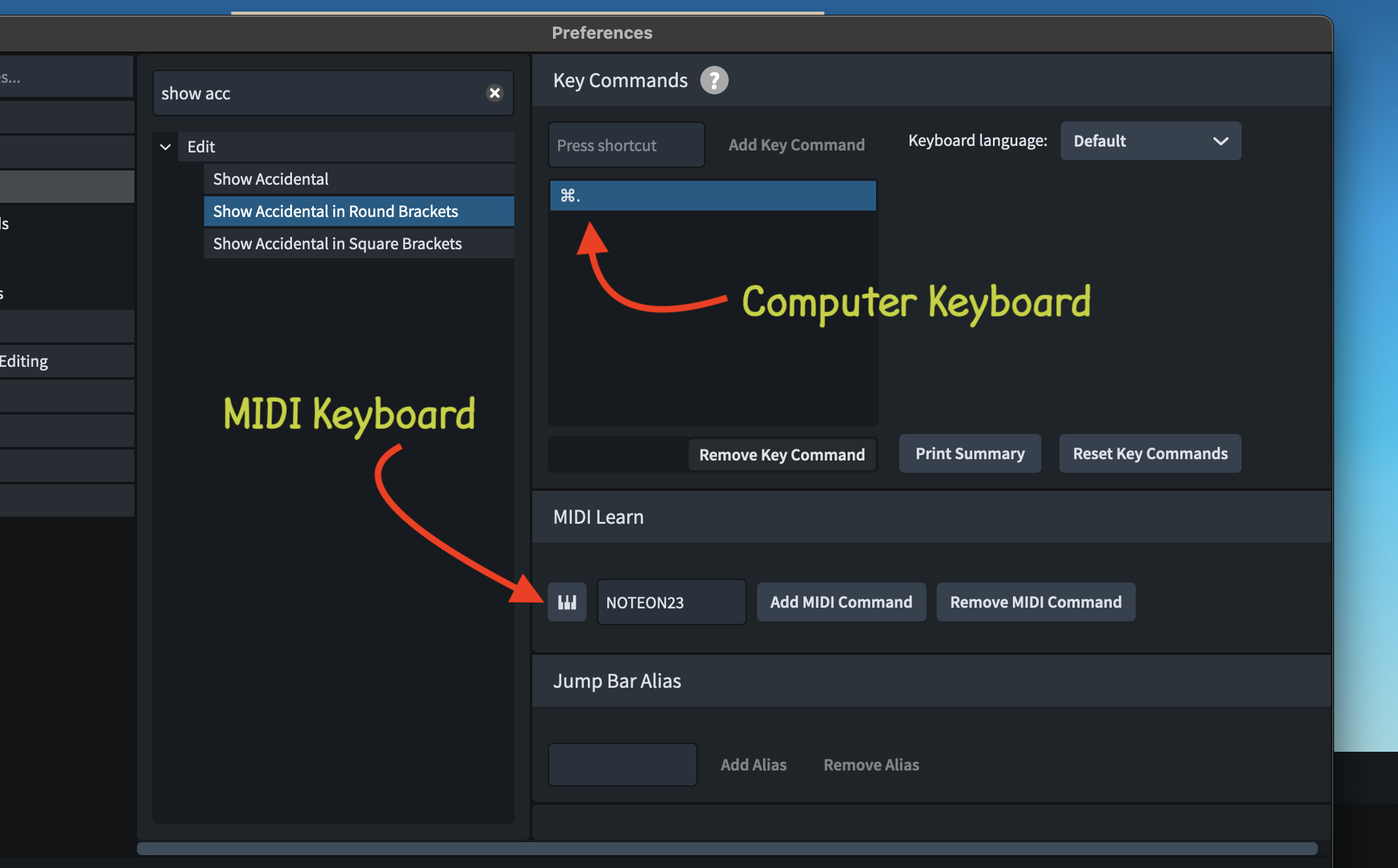
Hi Aaron, thanks for the reply. I am specifically referring to the keyboard “bindings” I have created to have my Korg MIDI keyboard issue specific commands in Dorico. I have done this using the Key Commands in the Preferences menu. Attached is a screenshot of one of the “bindings” I have created to remove rests. I have created several others. Is there a way for Dorico to list these customizations? Thanks.
Oh, interesting—I don’t have a MIDI keyboard, so I never paid attention to that part of the key commands dialog. I suppose they might be listed in the key commands json file in your user settings folder, along with alphanumeric ones, but I’m not sure.
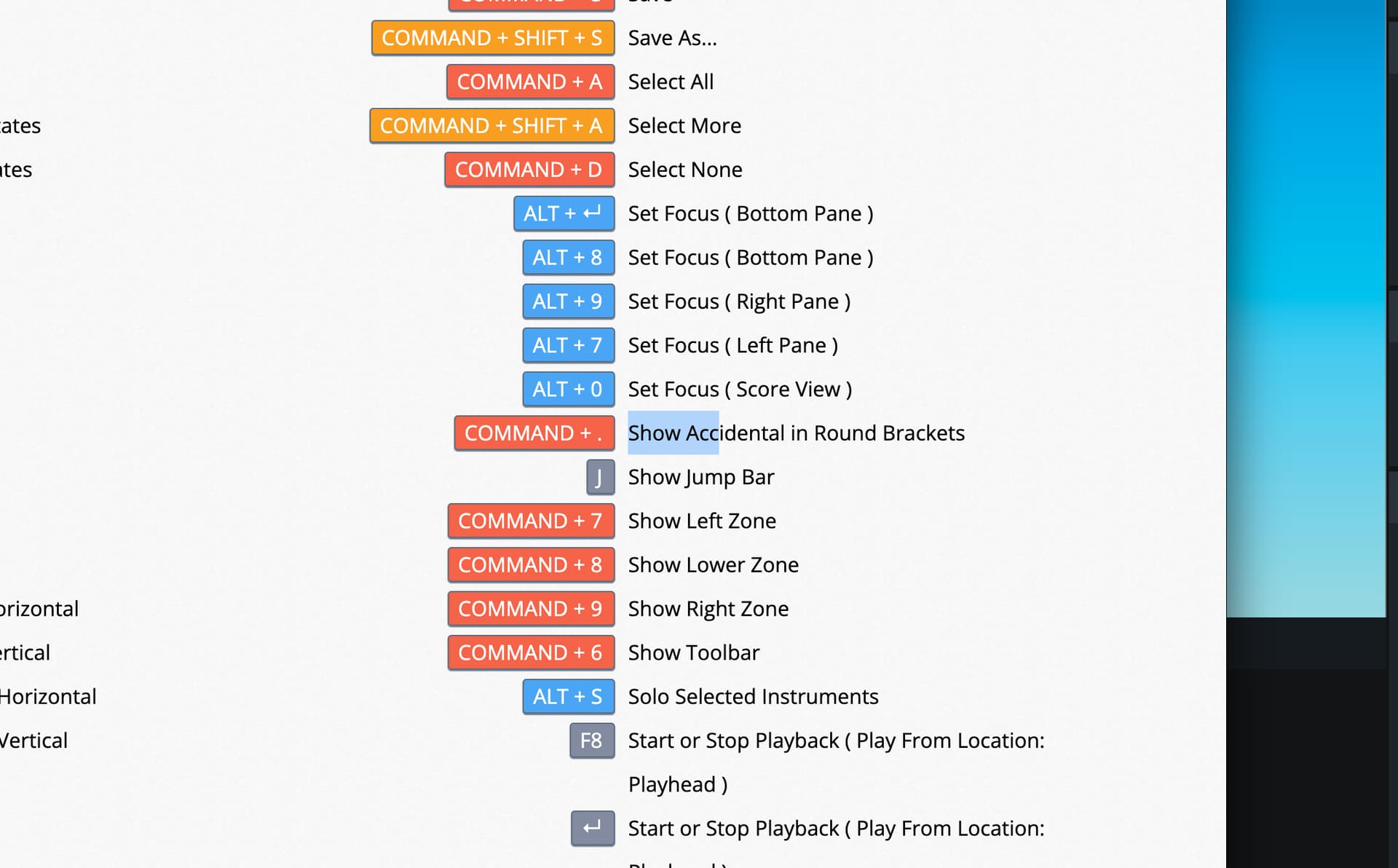
Hi Janus, when I display the current key commands (http://localhost:59087/dorico/keycommands/) I can confirm that I see the custom commands I have created with the computer keyboard (i.e. Command + . ) but the output does not list the commands created with the MIDI keyboard. Is there any other place I should be looking? I have attached 2 images. You can see that “Show Accidental in Round Brackets” is defined for BOTH Command+. and MIDI note 23. The MIDI shortcut is not listed in the output.
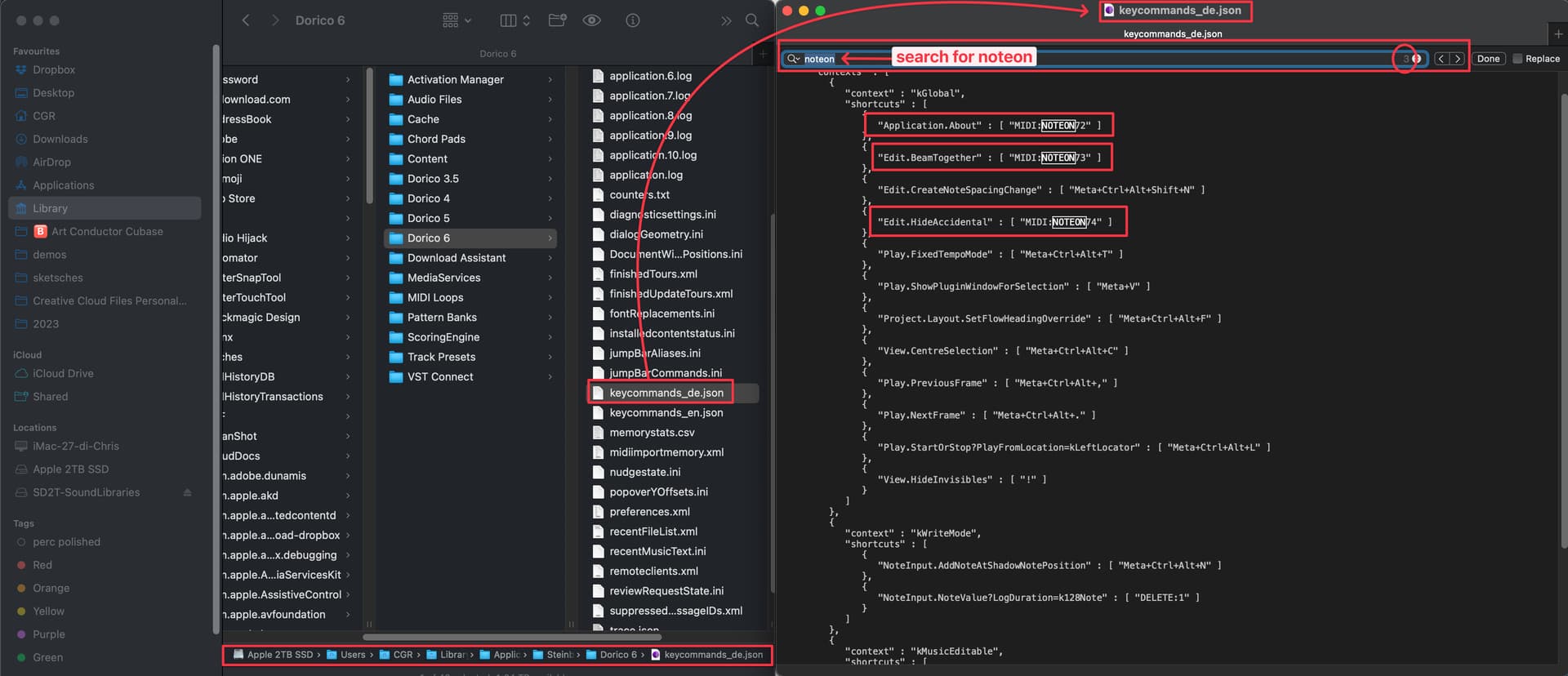
Hi @Peter_Bransche, as suggested, you can easily find all your MIDI assignments if you open the file keycommands_en.json (en is for English, it may vary if you use other languages for your key commands) that you find in your Dorio 6 folder (*). Open that file with a text editor and use the search functionality of your text editor to search for NOTEON strings: you will see which command is assigned and to which MIDI note: