is anyone else having this issue? I have set custom articulations and added them to the group. its all visible and working. but when on playback it sometimes ignores the key switch triggers and plays the default (first one)
Hi,
Which instrument and library do you use?
Could you verify in the MIDI Monitor if the articulation-switch MIDI Message has been sent?
Do you see the expected item in the “Sound Slots” lane but it just isn’t being triggered? The sound slots lane shows you exactly what slot should be getting triggered. If you’re also not seeing the expected slot in the sound slots lane then you’re probably doing something wrong.
The maps are generally pretty robust now in Cubase 15 and a lot more bulletproof than they were in the past, so chances are good that you’re not encountering a bug but are instead setting something up incorrectly due to not understanding something. There are a lot of misunderstandings around groups for instance - what a lot of people seem to think they do is not what they actually do.
You might want to share a few screenshots for the spot that isn’t working, showing the articulations lane with the sound slots lane visible, and a screenshot of your map in the map editor would also be helpful.

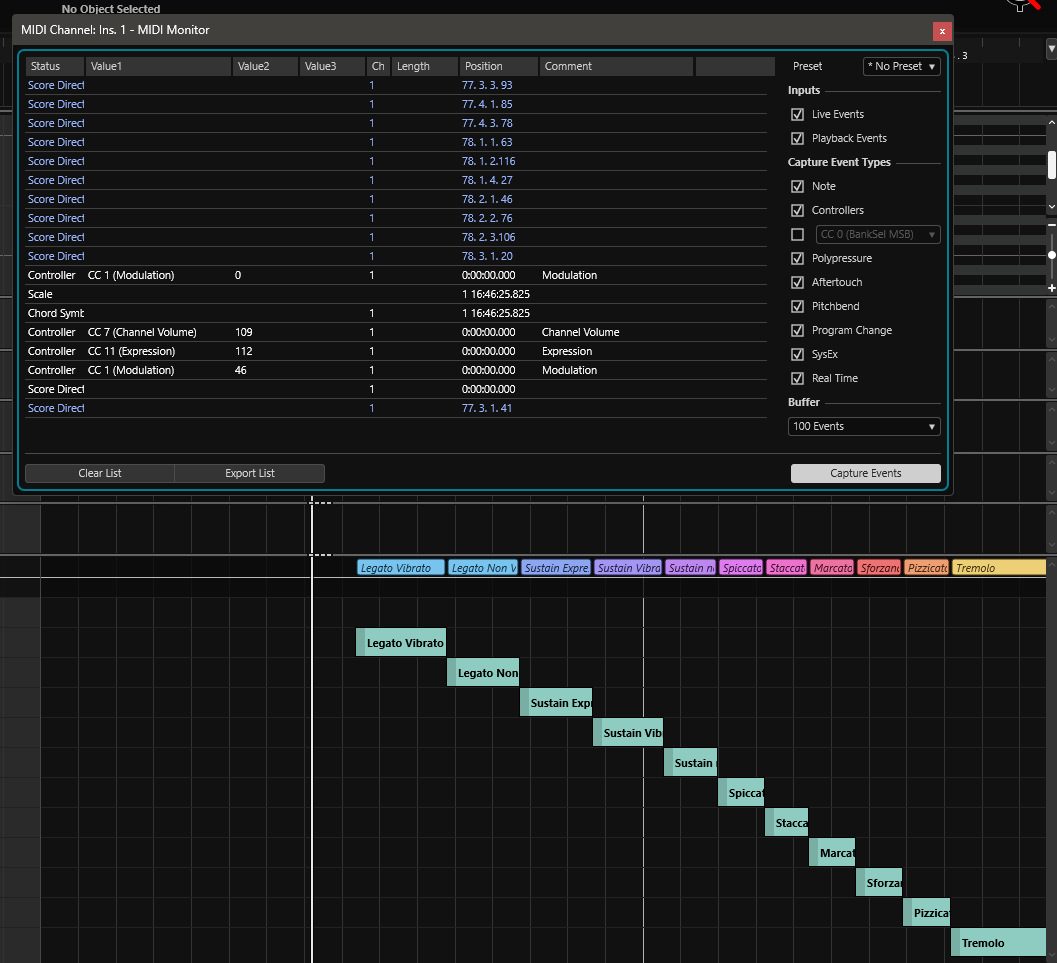
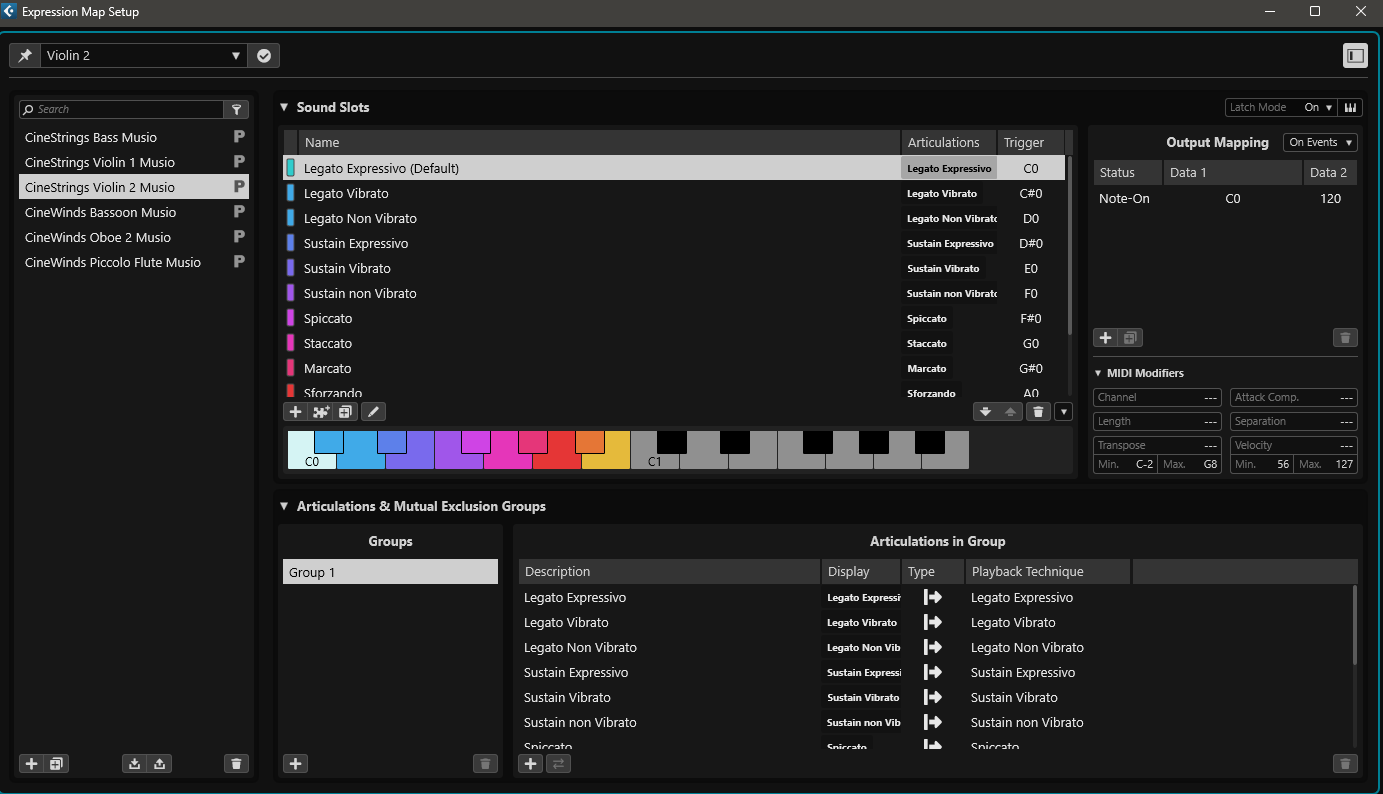
When i click on the articulation it works. just not reliably in playback. sometimes out of now where it starts to work again.
@mducharme @Martin.Jirsak I have posted the images, idk if those would notify you.
This looks like quite a simple map so you certainly shouldn’t be having any problems in that regard, but knowing Musio in particular, I know it isn’t able to change articulations instantly - the keyswitch has to be sent a certain amount of time prior to the onset of the note. If your direction is timed exactly with the note start (ex. quantized) then it might arrive too late for the change to be effective.
You should be able to use the new “separation” value to tell Cubase to send the keyswitch a certain amount of time before the direction entry instead of right at the spot where the direction is added.
I haven’t had any timing issues yet, but even so, it should change at some point right? its not doing anything at all.
In the output mapping are you setting the correct note for the note-on for each slot?
If no, that is likely the issue. If yes, send me an example project that isn’t working with a passage that isn’t triggering properly and I can see if I can figure it out.
I narrow down the bug, if I switch the latch mode (either from on to off or vice versa) it starts working. but if I use the keyboard to play something it stops working.
Have to switch that settings for it to work again.
Yes, i have the note on configured. should i send you a project?
Ahh, the latching I believe is a known issue already. See here: Expression Maps in Cubase 15 not sending output after external trigger
I don’t use the remote triggers at all and just manually enter things into the lanes so I wouldn’t experience that issue.
aaaah. its good that its already known. hopefully they push an update. I live play the articulation most of the times.
Yes, same problem not playing back the articulation after recording when using latch mode in the Expression Map Setting. Have to go back into Expression Map and switch it to off, then it will play articulations. Tested with Iconica Sketch expression maps.
Also tested if go back to latch mode will play again. Seems inconsistent.
I am on Win 11
cheers,
JDTune
Hi
I’m experiencing the same problem using C15 on apple under mac os Tahoe . It seems that it bugs with every Vst instruments using keysplits ,whatever I use Opus, Halion ,kontakt…. The new expression maps seems to be very powerfull , and the new function of automatic loading expression map instruments clicking on the “+” Symbol inside expression maps configuration window is very handy  When loading expression map BEFORE recording on track , ( I record live from my keyboard ) the record shows every keysplit in the articulation section from the midi editor ( within the group section ) exactly like on your secreen shot. but
sorry - as soon as I playback , the keysplit doesn’t play or love anymore blocked on the C0 ( usally the first keysplit key ) . if I unload the expression map in the inspector field , and re load it ; then it works  ,I h
,I h
yes, this bug has been reported, I am guessing they are working on it I guess.
I have noticed that when I save the song , if I close it and re open , the articulations work, but as soon as I record a following sequence , the circus start over again 
yeah…. i have production stopped until they fix it. hopefully this week.
I hope the will repair it soon !!! the new expression map will be a great tool when working !!