
Coming from Finale, I am accustomed to selecting a group of measures and then choosing a barline style once (e.g., a double barline). I just can’t believe that I have to change each barline manually in Dorico. Does anyone know how I can do this with one click?
Have a look at Library → Notation Options
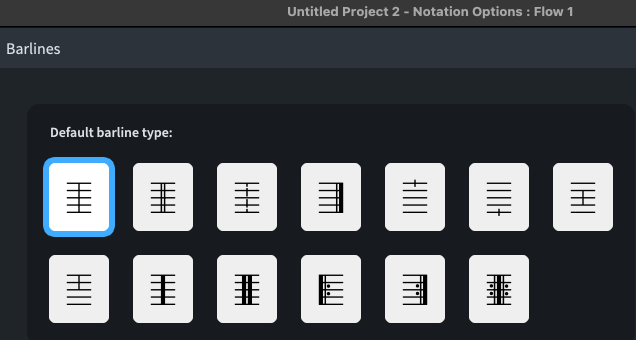
Edit: I see you wrote
then I think this is currently the best way as @jesele posted elsewhere