I have read the help file extensively, and now feel I am an expert at showing or hiding multi-bar rests. I can modify the width of the H-bar, I can have the number of bars written in any of 123 languages, I can do just about anything with a multi-bar rest except create one. No search term (like, “create multi-bar rests”) brings up the needed information. The answer to a previous question about how to create multi-bar rests is that they are on (created automatically) by default. That doesn’t help. Dorico doesn’t know that I want one, or where I want it, or how many measures it should be. Does anyone know how to create or insert a multi-bar rest? It’s the first six measures of the piece.
The other answers you’ve seen are correct. If a layout has multi bar rests enabled, then when the layout has a series of empty bars, Dorico will automatically create the appropriate rest.
If you’re not seeing that in your project, then you must have something in those bars (tempo mark, system text, chords, etc.) which breaks multi bar rests because Dorico needs to display it.
If you post a cut down version of your project that demonstrates the issue, someone can take a look at it and tell you what’s going on.
Here’s what the scanning program produced. It has the six measures of rest correctly inserted. I saved this as a music XML file and picked it up in Dorico. That’s when I lost the six-measure rest.
Hard to say what happened here, without seeing the MusicXML file. But you didn’t lose a 6 measure rest – you lost 5 measures.
Right – that will insert 5 (empty) bars, and then Dorico will automatically combine the 6 empty bars into a multi bar rest. Glad you’re all sorted out!
You’ll also want to add a bar number change in the first measure, so that it’s numbered 1 instead of 6.
They seem to be a little bit imported. If you look carefully, you’ll
see that the measure number of the first measure is six, and all
subsequent measures have numbers six too high. That was what was
throwing me off. I thought Dorico had the rests, so it should have
been showing. Manually adding them fixed it.
Can someone tell me how to get rid of this signpost so I can force the multi-bar rest into 5 instead of 1+4? ps the entire selection is in 4/4, there should be no meter change whatsoever. thank you!
I’m notating out parts for modern songs with pop forms (Intro, Verse, Chorus, etc.). I’m using rehearsal marks to show where the sections start, and often there are multiple measures of rests. When I go to export, the multi-measure rests show up alright; the problem I’m having is that I don’t see the multi-measure rests on the engrave tab, where I’m moving the section titles around to be readable. So when I go to export, measure rests are correct but my section titles are all jacked up. Is there some other way to create multi-measure rests within the write tab or to have them show in the engrave tab? Thanks.
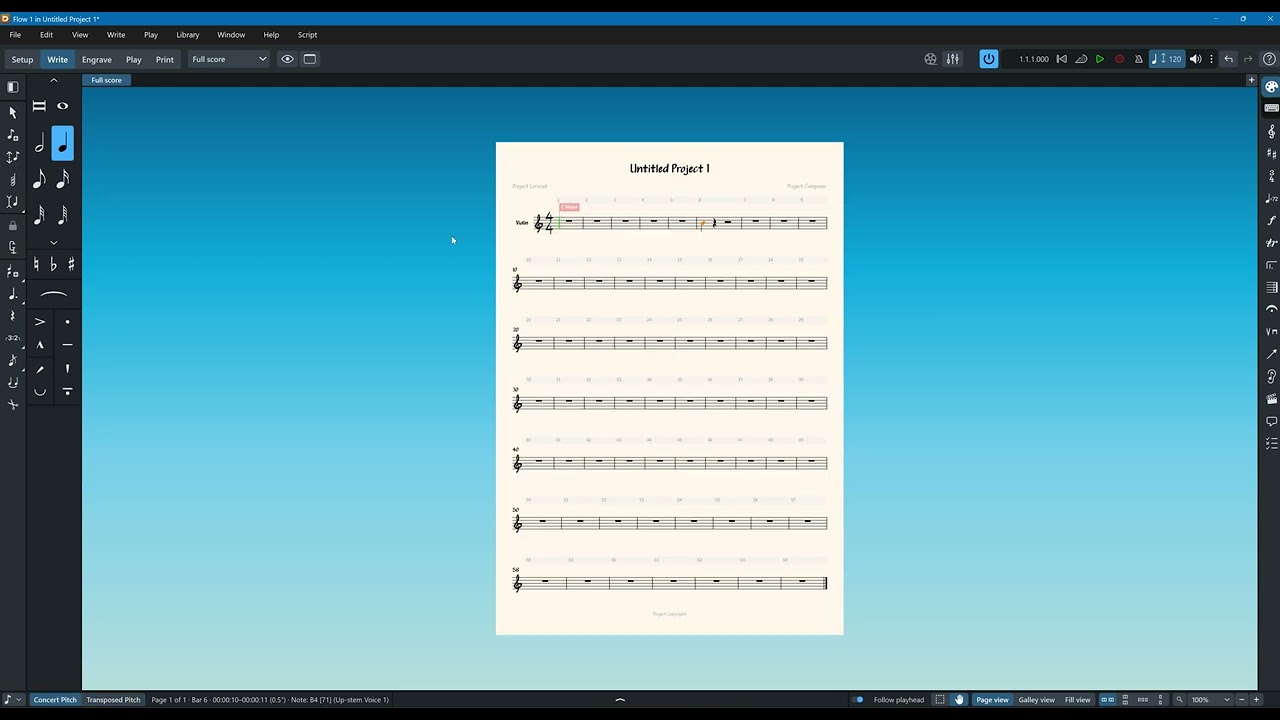
This may be a silly question, but are you sure you’re looking at the same layout in Engrave and Print? It looks to me like you may be looking at a score layout in Engrave (multi bar rests are usually not enabled in full score layouts) and then a part layout in Print.
Note that in Engrave mode you select the layout from the dropdown at the top:
I wish that were a silly question. After 20 years of Finale, I’m still trying to get my head around Dorico. You are right, I was looking at full score in the engrave layout, not the part. When I switch to the part, I see the multi measure rests. Thanks so much!




 I wish that were a silly question. After 20 years of Finale, I’m still trying to get my head around Dorico. You are right, I was looking at full score in the engrave layout, not the part. When I switch to the part, I see the multi measure rests. Thanks so much!