Hi guys! So, my beloved Cubase strikes again and leaves me scratching my head.
I like controlling my plugins in Cubase with midi controllers while recording. I have a Korg NanoKONTROL2 and it works fine, it’s linked to my QC, and if I want to control some plugin’s parameter from NanoKontrol I just choose it in QC and it works. Nice. But…
Now I bought an expression pedal, cause sometimes I don’t have a free hand to turn knobs on my NanoKontrol, for example, when I’m playing a guitar and want to make a wah-wah effect. So, I plugged my expression pedal with a jack into a volume pedal input of my midi keyboard, which in turn is connected to my computer. I ride the expression pedal - I see Cubase registering midi input, all fine here. But I cannot assign my expression pedal to my QC. For example, I open Cubase’s stock WahWah plugin, I open QC pannel - there my QC parameters are all linked to my NanoKontrol. I press Learn, choose the parameter, ride the expression pedal - no reaction. It’s still controlled by my NanoKontrol, not my expression pedal. What should I do?
The “QC Panel” is for assigning Quick Controls to VST Parameters. It sounds like you need to redefine the assignment of MIDI CCs to Quick Controls.
You do this in either in the lower zone on the MIDI Remote tab or Studio Setup VST Quick Controls depending on how you’ve assigned your QCs.
to be honest, I don’t remember, cause it was PAIN when I bought a NanoKONTROL, but somehow I just made it work.
So, did I get you right - there’s no quick way to, for example, just tell Cubase through midi Learn function that I want this particular parameter of this particular plugin on this particular track to be controlled by my expression pedal? I have to go “under the hood” and assign it permanently?
The way Quick Controls work is you define up to 8 MIDI CC inputs from a single controller. These will control the QCs on any VSTfx or VSTi. The QC panel that can be shown above a VSTfx/VSTi is how you define what plugin parameter should be controlled by each of these 8 QCs.
In the menu bar, go to Studio > Studio Setup. On the left hand side, under “Remote Devices (Legacy)” do you have your nanoKontrol defined there as your QC controller?

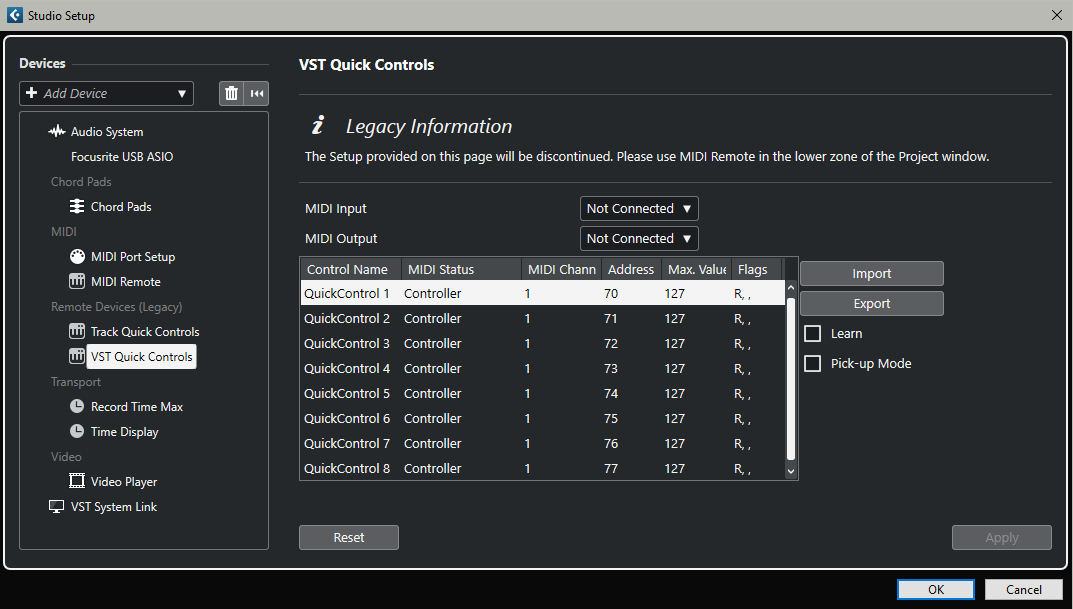
Then check the MIDI Remote tab in the lower zone
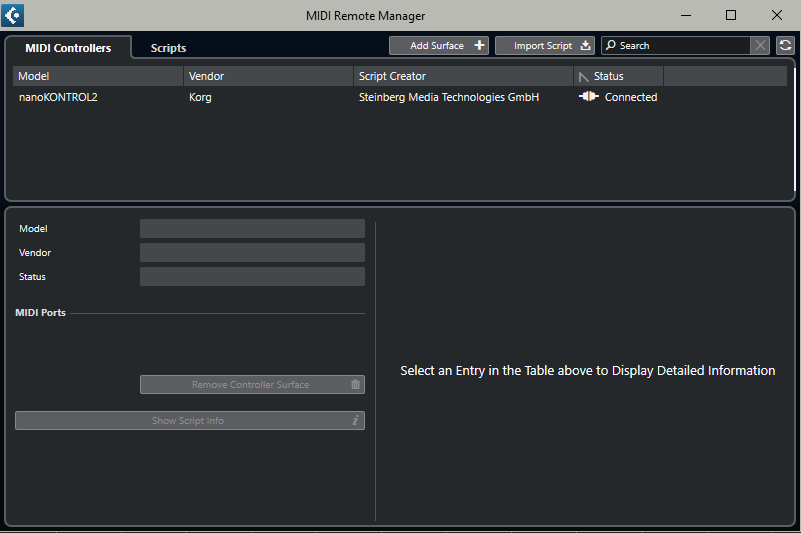
No. Lower Zone in the Project Window.

weird, I don’t have that. Maybe that’s because I have Cubase 12

Thanks, for the link, I think I’ll find what I need there.
Thank you.
