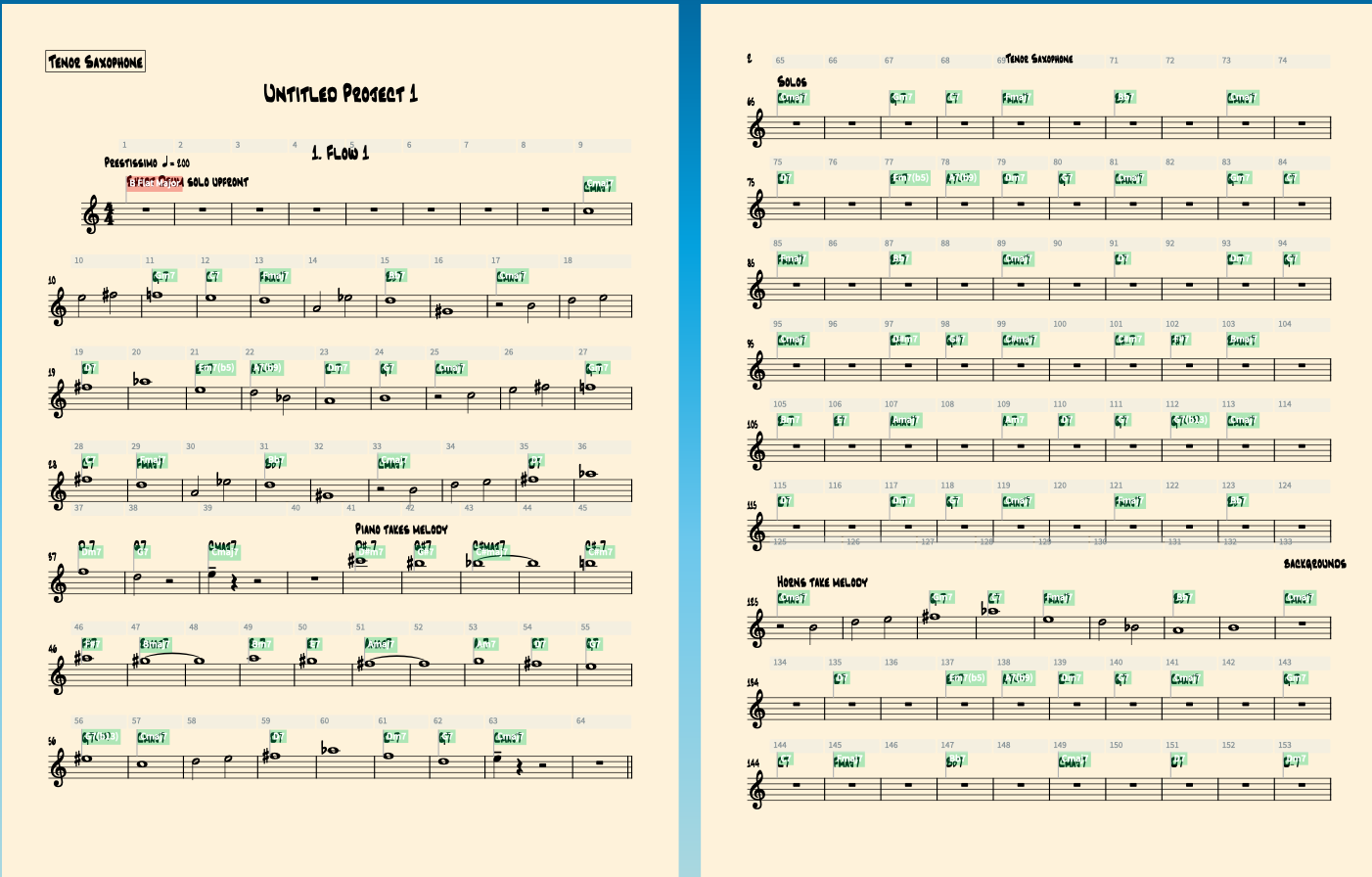
I’m writing a horn part for a jazz combo arrangement. And when I enable multi measure rests, it consolidates the first 8 measures of rests into one measure, which I want. But it turns the solo section in to a giant mess, with random groupings everywhere, which I don’t want.
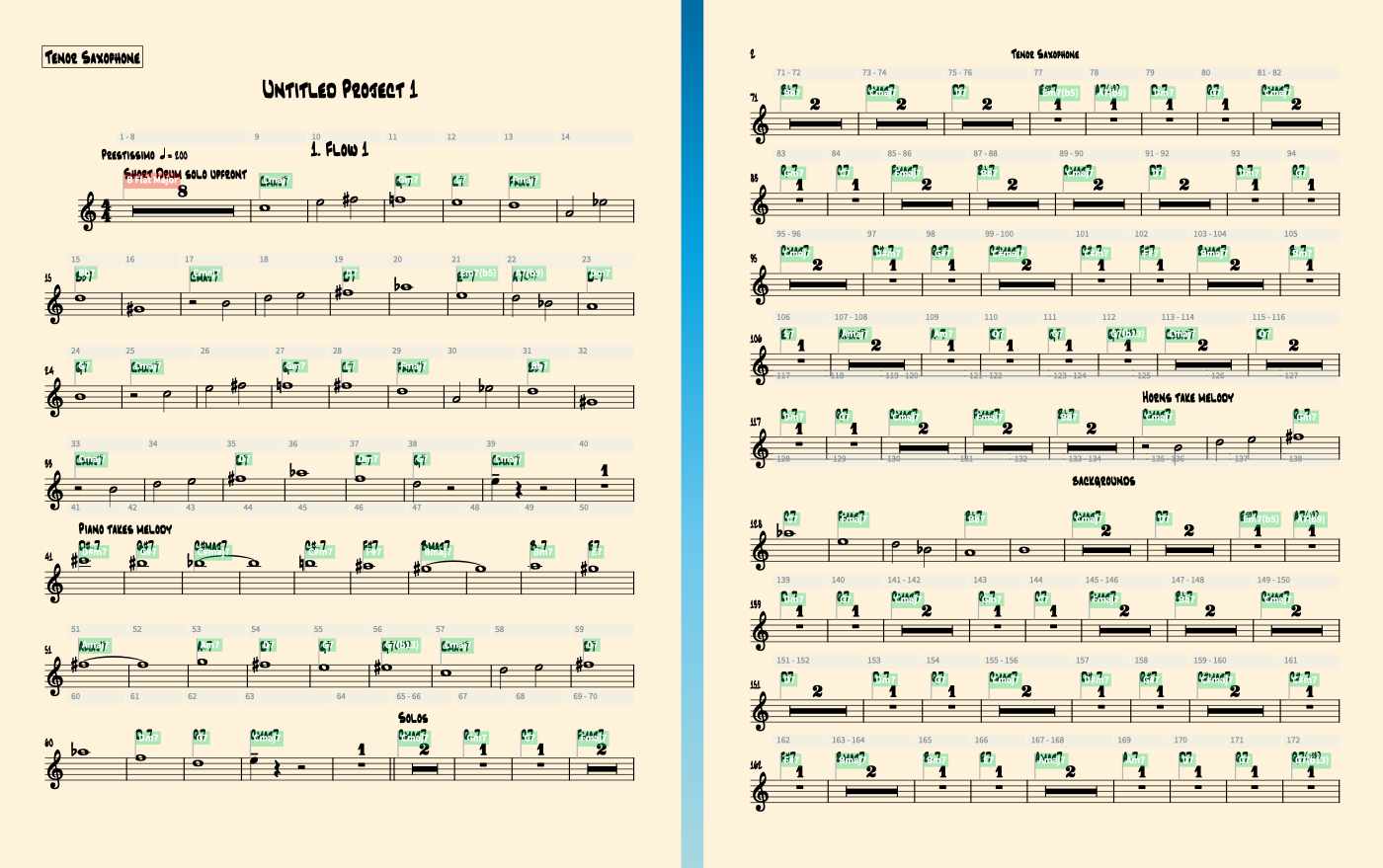
I filled the solo section with rests, so it looks nice and is easy to solo over. How do I get the first 8 measures to be a multi-measure rest, and the rest of the measures are just a giant section of rests with chords over it?
They won’t let me put multiple screenshots in a thread so the other one is in the replies🤦