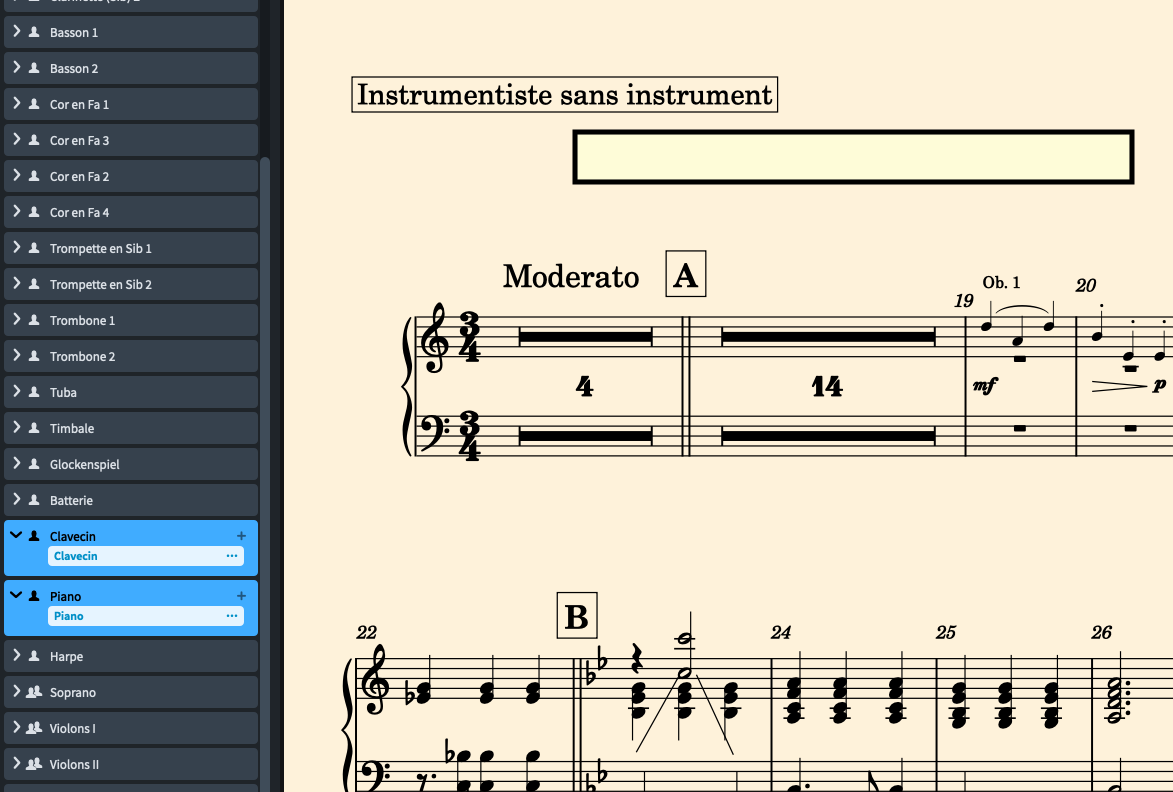
I would like to separate instruments that I had merged. The score is now called “instrumentalist without instrument”. I would like to give it back its original name. Editing the instrument name is correct, but it does not appear on the score. How can I fix this?
Thank you for your advice.
Did you just edited the name of the empty handed player?
Or did you really gave the player an instrument? Without an instrument, no music will be showed
If so:
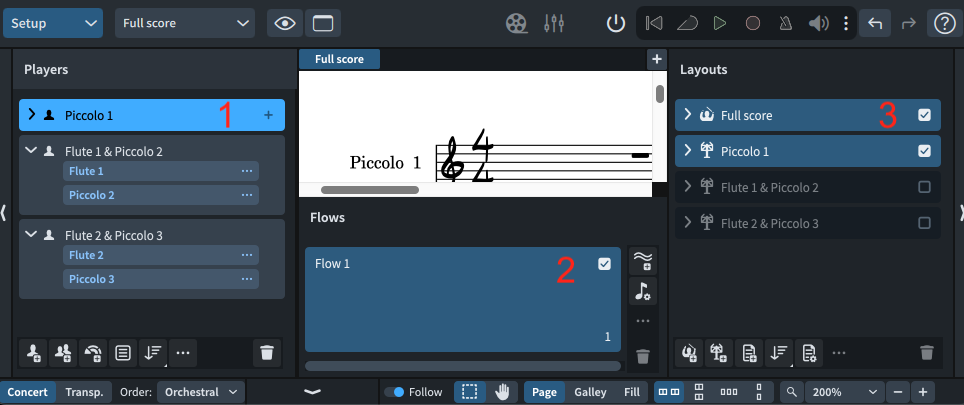
In setup mode, select the player so it turns light blue (1).
Then tick the flow(s) (2) and layout(3) you want the player to be visible on
I had merged the harpsichord and piano parts into a single part for both instruments, as the same musician will be playing both keyboards. Now the conductor is asking me to redo two separate scores. On the piano part separated from the harpsichord, I see ‘instrumentalist without instrument’. I would like only the name ‘piano’ at the top of the part.
That is the Layout Name, which you can change on the Right Side of Setup.
(Usually layouts will automatically take the name of the Players/Instruments on the Left. I don’t know why this did not happen for you)