Hey all;
I just purchased the Cubase 15 Pro upgrade.
I’m on Windows 11, and tried to install Cubase 15 via Steinberg Download Assistant.
From the Steinberg Download Assistant, I went immediately for Cubase 15, and hit the Install All button.
The installation was mostly successful, however it did report an error specifically to do with the Yamaha Omnivocal instrument.
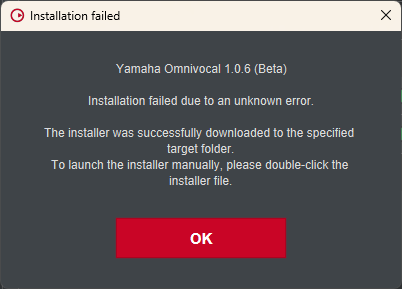
When trying to install via Steinberg Download Assistant, I get the following:
I’ve tried deleting/redownloading to no avail (encountered same issue).
I also opened the folder the download assistant downloaded into, to find it was an archive. I manually extracted it, and ran the setup executable as an administrator.
The install appeared to be successful.
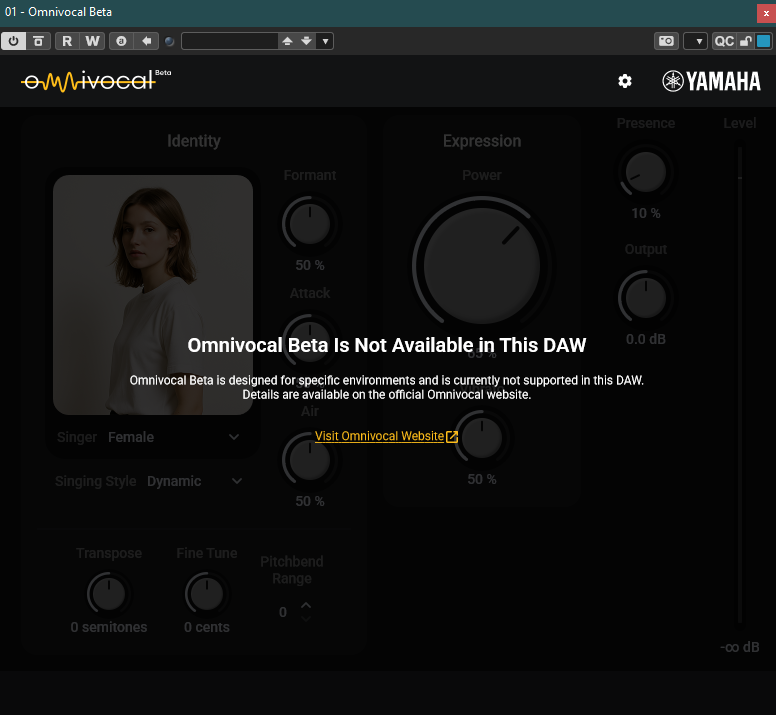
If I subsequently try to add the plugin to one of my projects though, I get an error that it’s unavailable in this DAW.
Im getting the same thing. Win 11 Pro. I deleted the file, downloaded again, error. unzipped it manually, installed it, running in Cubase, but the Steinberg download assistant doesn’t recognize the installation and continues to fail.
there are two components to Omnivocal that need to be placed in different locations. You seem to have the .vst3 file, the actual plugin, already in the right place.
The other place is for the vocal banks. On Windows it belongs here: C:\ProgramData\Yamaha\OmnivocalBeta\voicebanks
I got the same “Installation failed” window. Then clicked OK, went to the download folder and extracted manually the installation package and then proceeded as in this video:
FWIW, I got the same error in trying to install through Download Assistant. However, after extracting the ZIP file in the download area and installing from there (with my normal account, which has administrator privileges and did prompt for that permission on running the Setup.exe program), the plugin did install successfully, and, most importantly, I can add it as an instrument track in Cubase 15.
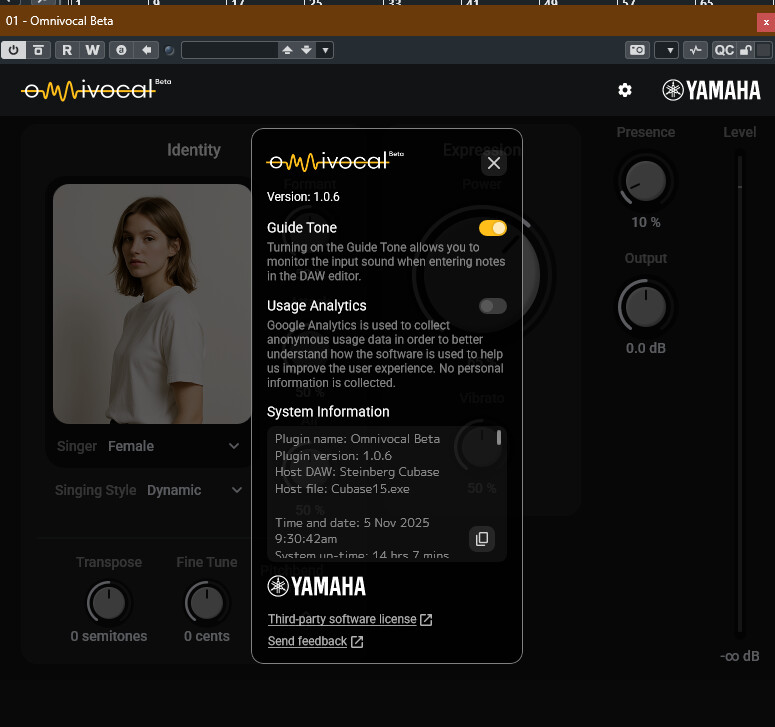
The one thing I notice is that, when I first added it as an instrument track, there was a screen of permissions-type acknowledgements. I accepted all accept the usage data transmission part. It then came up with the UI with the female singer and no error message.
Thanks for the reply.
That folder exists for me, and consists of 3 subfolders (definition, image, model).
The files therein are named with uuids and hashes though, so I’m not sure what they’re for.
Did you need to manually copy anything there? It doesn’t look like there’s anything in the installation bundle’s Additional Content folder that would belong there.
I’d only tried the track instrument, thus my not having the problem, but saw in a Facebook group that someone had also posted that it gets this message if you try to use it as a rack instrument. I gather the reason is because you need to be able to use the key editor on the same track to add lyrics. Makes sense. (I almost never use rack instruments in general, so I wouldn’t have even thought to have tried it that way.)
This is frustrating beyond all get out. I can’t install through Download Assistant. Seems everyone has this problem, yet Steinberg is silent about this. So, I went to the directory and manually installed it. Regardless of whether I run it as a track or rack instrument, I get the same error that it can’t run in this DAW. IT CAN’T RUN THE IN THE DAW IT WAS DESIGNED TO RUN IT!? I know this is a Beta version, but man alive, why put a product out to the customer that has these problems, even if it is in the testing phase?
So, any ideas on how I get this fixed. This thread said the problem is resolved, but it’s clearly not. I did all the things offered in this thread and it still doesn’t work. I’m really getting fed up with Steinberg.