I’m trying to recreate in Dorico a type of notation similar to what Helmut Lachenmann uses in Serynade to indicate the pedals.
I’ve attached an image of the original score as a reference, so you can see the type of notation I’m referring to.
My goal is to show rhythmic values and graphical gestures that are independent from the main staff (something like an auxiliary or “control” staff), but without showing any staff lines.
Is there a way to create an additional system with its own rhythmic values and completely hide the staff lines without affecting the overall layout?
Any advice on what kind of setup would work best for this type of extended notation would also be greatly appreciated.
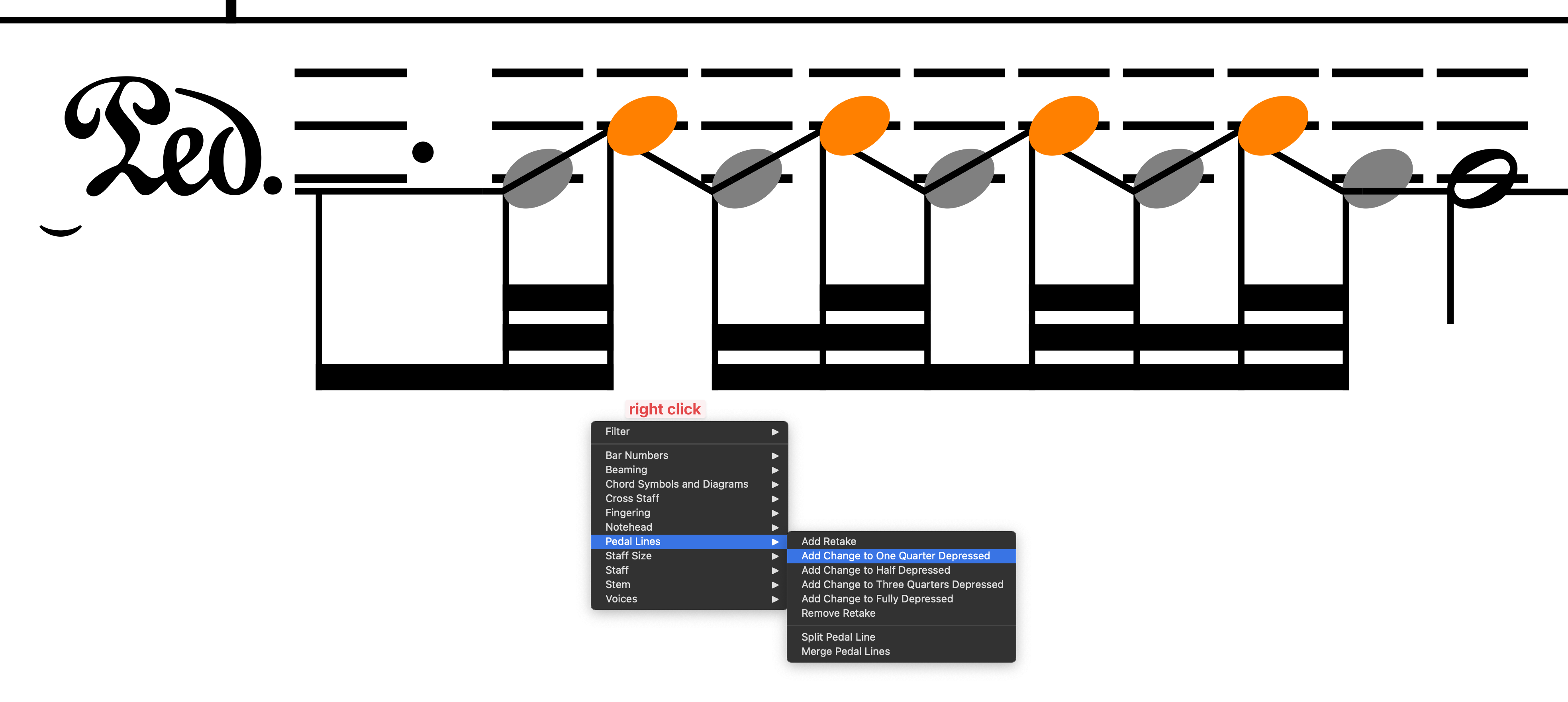
hidden noteheads (and just for the dotted note use the notehead color>opacity 0% property, to preserve the dot)
some manual beam and secondary beam splits
an elision lyric
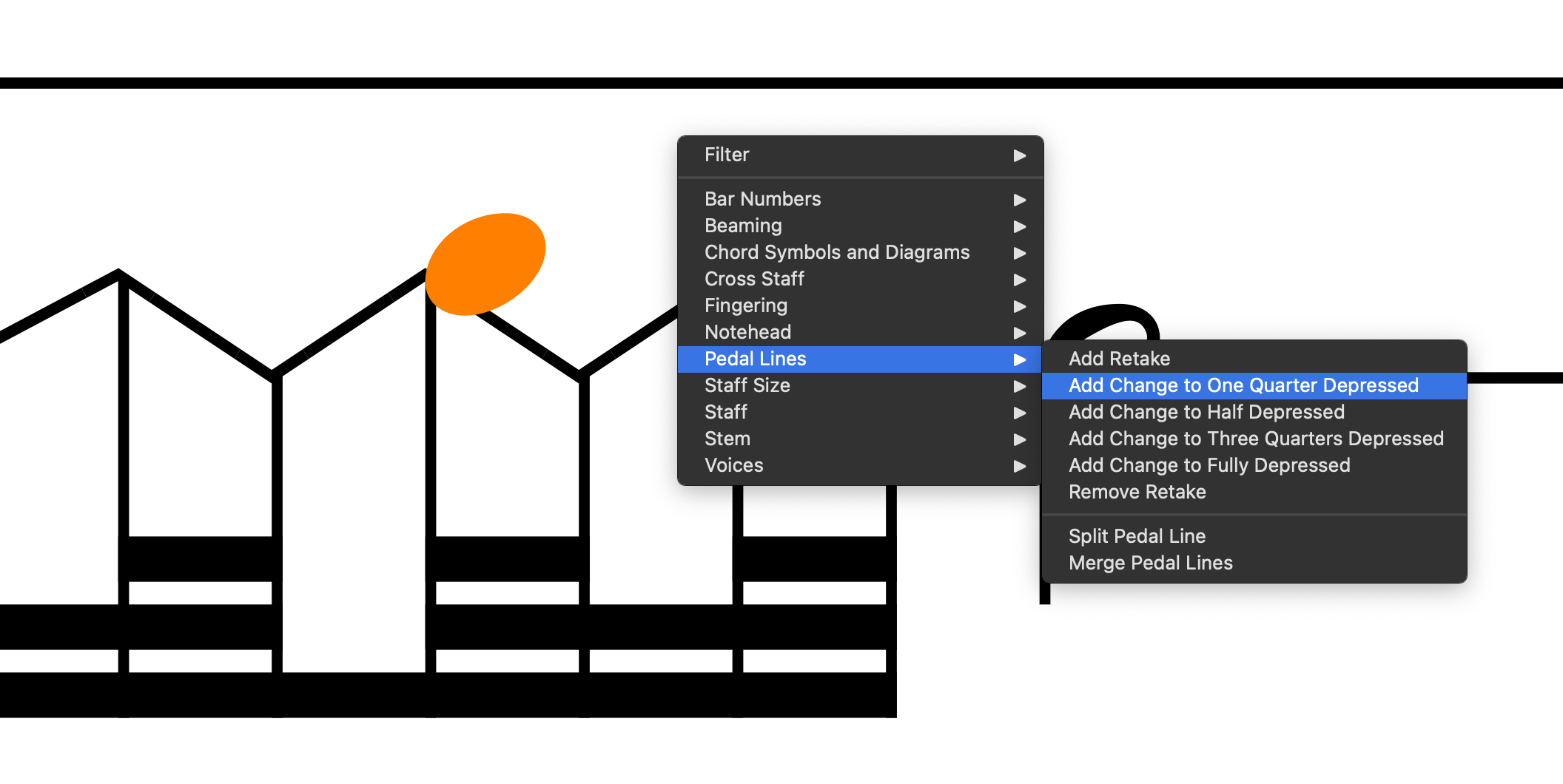
a Pedal line with some added changes to one quarter depressed
another pedal line for the last chunk
some manual vertical positioning of the pedal lines
manual dragging of the o-line staff in engrave mode (to make the whole figure nearer to the piano staff)
you can then manually hide the 0-line stave in the system where this figure is not needed (and eventually adjust the inter-system gap globally in Layout Options)
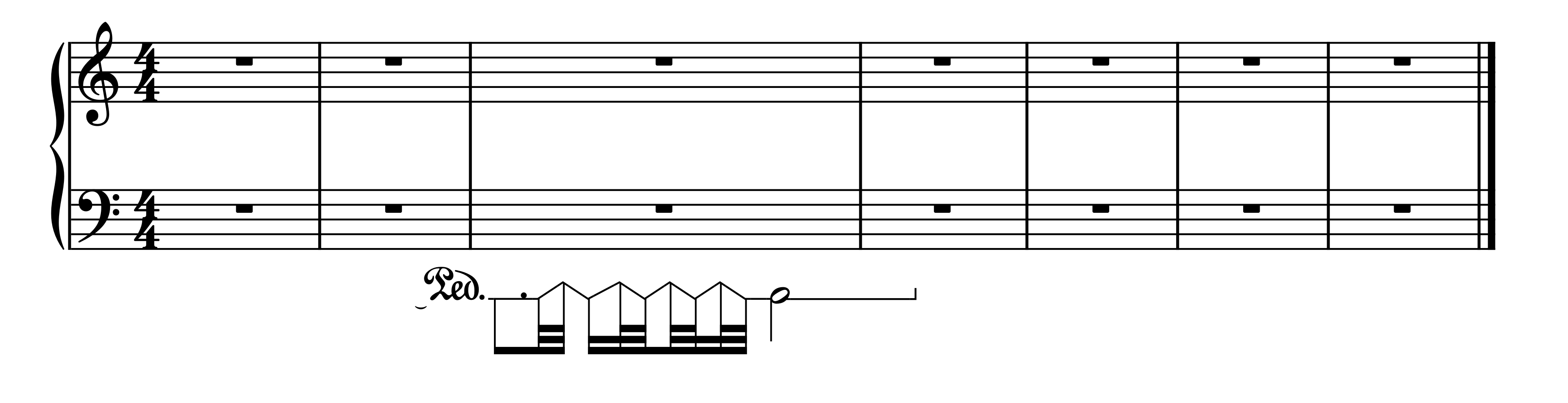
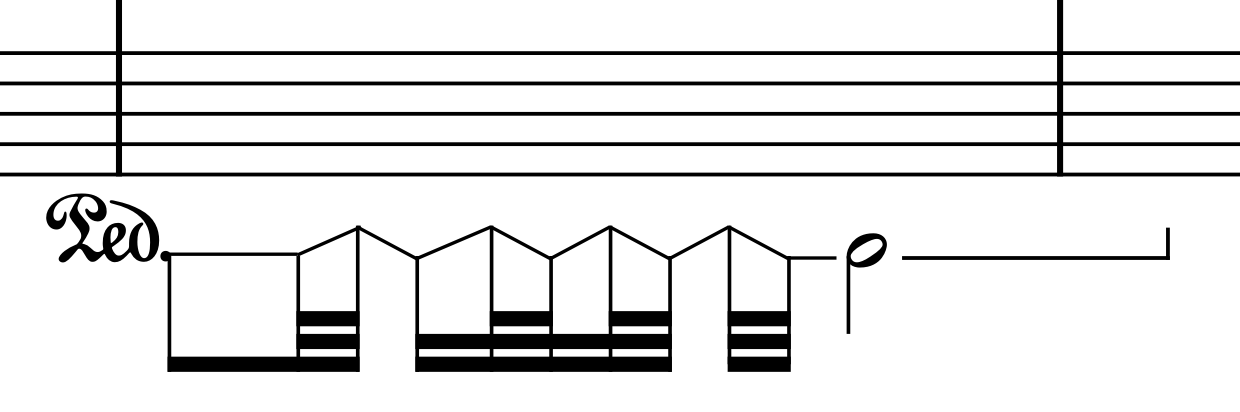
The result is not 100% what you show in your screenshot, but is somehow doable (needs a little work).
I tried with low notes, hidden noteheads, and hidden ledger lines. Then note attached lines between the notes. @Christian_R looks better though. (Or does it?)
I tried to mix our two methods (in flow 2 of my example below=lower notes instead of an extra instrument, but still using pedal lines with quarter depressed changes(*), and it looks nice! The dot is better positioned.
(the lower notes have suppressed playback)
[Edit: I should have set the lower notes in a separate voice of course…]
Great @Christian_R I didn’t manage to get the pedal line retakes look that good. Hence the lines between notes. Better with retakes though. Lots of Engrave mode editing, I guess? Here with lines and extra small noteheads instead of hidden ones. No manual adjustment, so only needs small adjustment.
If the hidden notes are third apart, they happen to have the same distance as the One Quarter Depressed pedal changes, so no editing needed (apart from the vertical adjustment of the whole pedal line). The advantage of using pedal depression changes is also that they follow exactly the rhythmic position, in case of changes in the spacing, etc…
Your extra small notehead version is also not bad (not sure in print if the little gaps are not visible, though).
I’m planning to make it actually play back, using continuous cromatic glissandos and some smoothing in max msp. I replaced the 15vb treble cleff with bravuras pedal cymbol. I think it looks ok that way
The glissando lines have custom scale set to 400% for now, aligning them was quite easy in engraving mode. I filter all glissando lines and shift the start point - that seems to take care most of the lines.




 )
)