Hi. I think I’ve found an issue in Cubase 15. I use user presets a lot with Cubase 14. My user presets are VST Instrument track presets with expression maps. These work fine in Cubase 14. To replicate:
Open new project.
Drag in a user preset track VST instrument that was saved with an expression map (I use attribute).
Record a few notes.
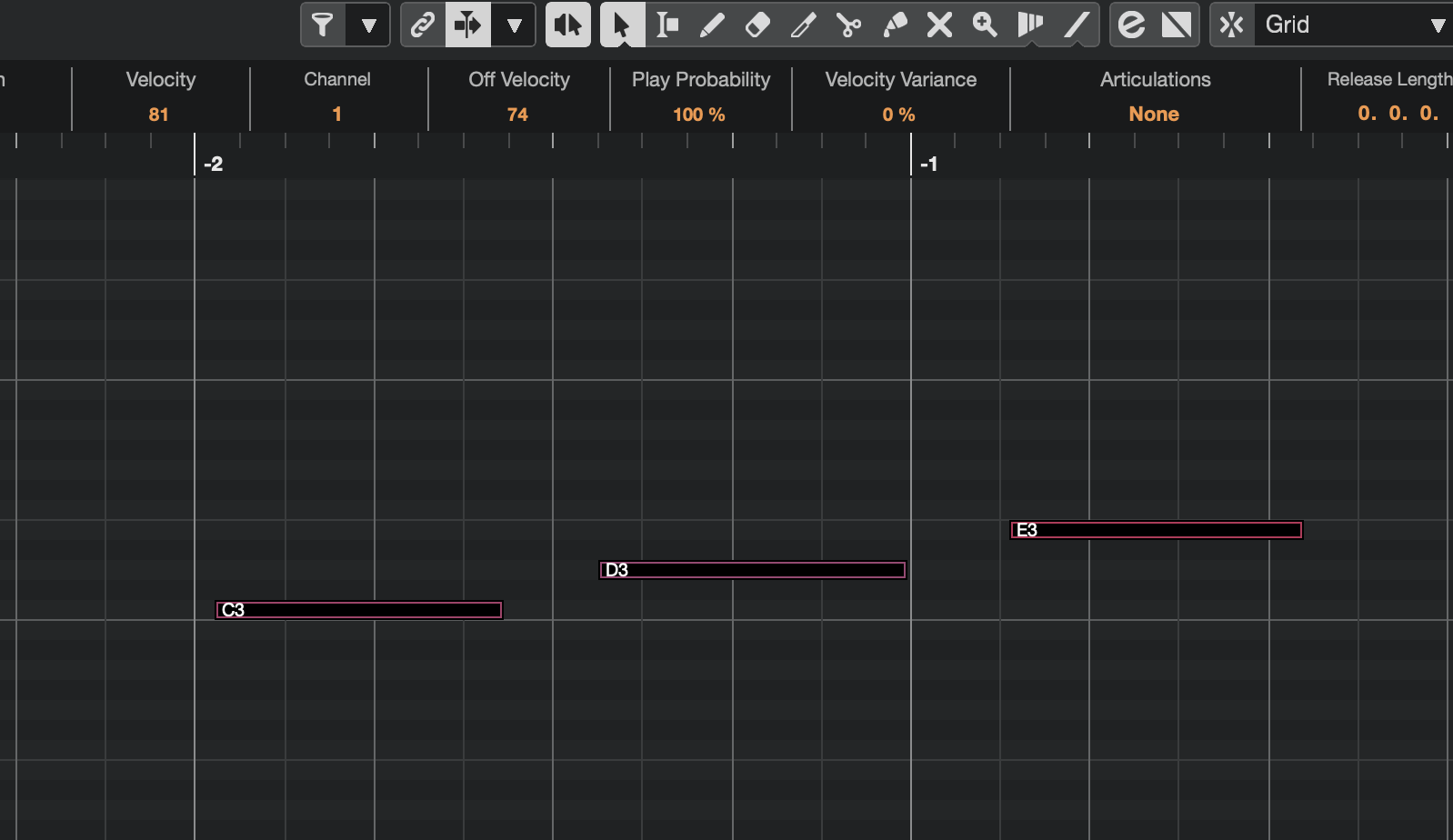
Use the editor to try and change the articulation –> Drop-down where I can normally select articulations doesn’t open even though the expression map looks to have loaded correctly.
HOWEVER: On the instrument track, go to load a new expression map and select the same expression map that you saved the preset with.
Loading the expression map this way appears to work - it’s having it pre-loaded as part of the user preset that doesn’t work.
I user user presets with expression maps a lot so this is a bit of a blocker for me!
I wonder if anyone else is experiencing the same…?
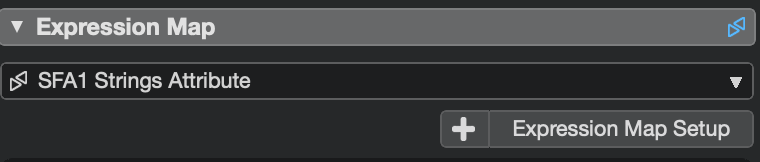
This is where the drop-down is. It’s the dropdown labelled “Articulations” near the top of the screenshot (between “Velocity variance” and Release Length”). It currently says “None” and even though there should be an expression map loaded as part of the track present, if I click it to select a different articulation it doesn’t load. It’s almost as though it thinks that there is no expression map loaded even though there is, as you can see from this screenshot from the track inspector”
If I create a track in Cubase 15 with an expression map, and save it as a track preset, then load that track up then the above problem does not occur and everything (according to my limited testing) works fine. So, it seems that this bug only occurs when loading track-presets saved in an earlier version of Cubase (could go back beyond Cubase 14, I have not tested track presets created in earlier versions).
The Articulation Group is not created, if you Add a track from the Track Preset. Therefore you cannot use it. Confirmed and reported to Steinberg. Thank you.
As a workaround, just open the Expression Map. Then click on the Add Groups button. and confirm the name of the Group. Then the Articulations in Group get the correct Type, i.e. attribute or Direction, as it was in Cubase 14 and you can use it as expected.