There are several different ways to deal with controller data.
- Recording the CC events directly into MIDI or Instrument parts.
Screen Shot Showing CC Events recorded in project MIDI parts
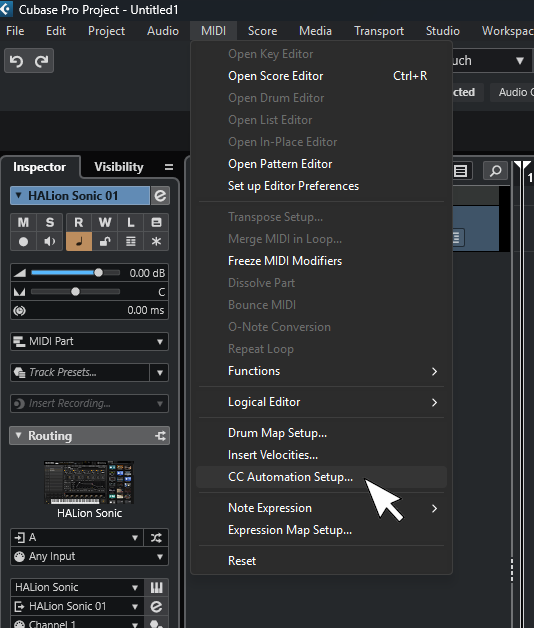
To make this happen, go in the main Cubase menu to:
(Screen Shot) MIDI/CC Automation Setup
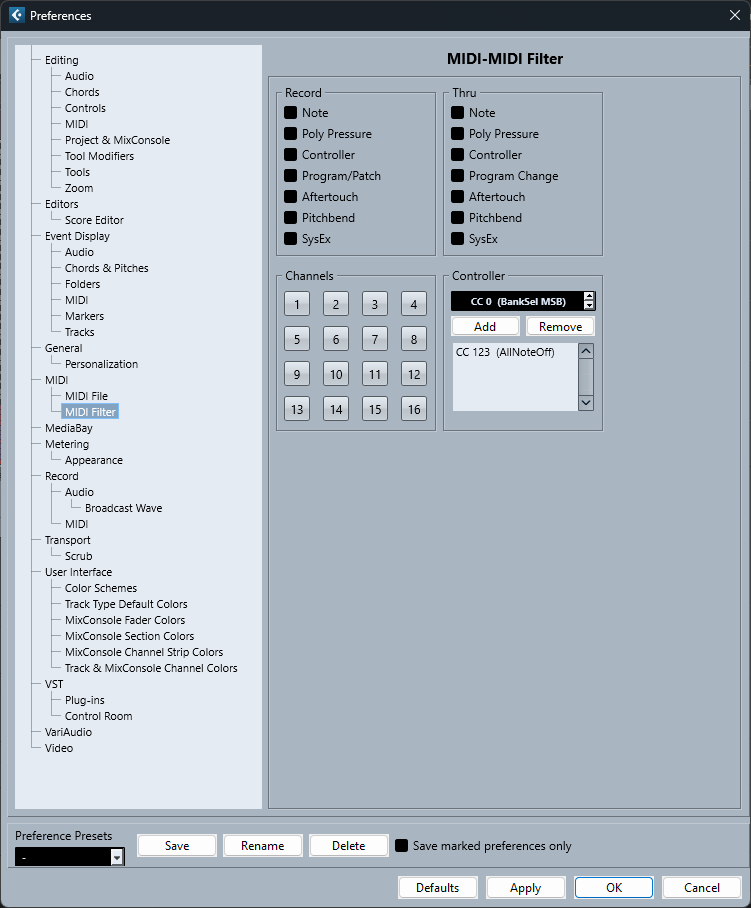
Set the Record Destination on conflict to:
(Screen Shot) MIDI Part
Notice how the Global settings for each CC in this MIDI Controller Automation Setup can also be adjusted independently.
In this scenario, the sequencer sends the actual CC to the connected end point, and it’s up to the VSTi or external instrument to know what to do with the events. Many VST3 instruments these days ignore CCs unless specifically ‘learned’ or otherwise activated in the plugin.
In this scenario, for CCs to pass through to the instrument as they are being played by a controller, a track must be armed (monitor or record).
- CC Events can be kept in automation lanes rather than in the MIDI part.
Screen Shot showing CC events kept in automation lanes
While you can set up Cubase to record CCs directly into automation lanes instead of MIDI parts, I personally I recommend recording and keeping them in the MIDI parts initially, because your MIDI Key and MIDI Logic Editors are quite powerful and make batch manipulation of CC events a breeze. In contrast, these powerful editors can’t get at the automation lanes.
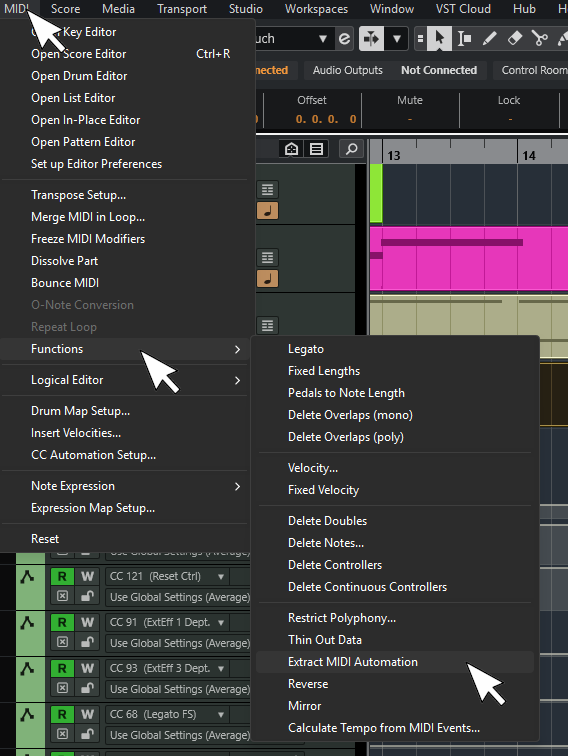
There is an option in the MIDI menu to extract all selected CCs in the Key or List Editors from MIDI Parts to automation lanes. I.E. Open a MIDI part (or several of them) in the MIDI Key Editor, select all events, then extract them.
(Screen Shot) MIDI/Functions/Extract MIDI Automation
You can also get events kept in automation lanes back into a MIDI part by using the MIDI/Merge MIDI in Loop feature.
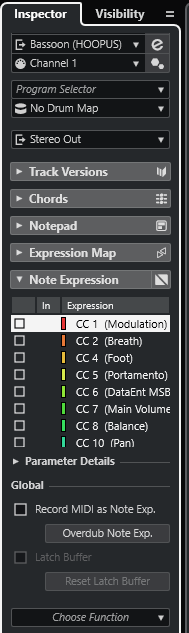
- Cubase has the ability to bind CCs directly to individual notes as something called VST3 ‘note expression’ events.
The primary advantage to this system regardless of your VSTi or external instrument, is that CC Events get bound to notes rather than floating freely on the timeline like traditional channel events. Double click a note, and if it has Note Expression events applied, you get a event display/graph/editor to draw/edit with. This means you can move notes around and the attached CC (and other note expression data) data moves with it. You can quantize, stretch or shrink phrases, and the controller data attached to the notes will slide and scale along with your changes. As you can imagine, this can be quite a valuable thing if you’re scoring for video/film/games and need to hit precise cue points and such.
For instruments that do not support VST3 note expression, it still works (CCs attach to notes), but events will control anything sounding on that MIDI channel. If more than one note on the same channel sounds at the same time and more than one note has CC data attached to them, it’s easy to mute/unmute events and ultimately pick the one you prefer.
For tools that do support Note Expression, such as some of the instruments that are included in HALion/Sonic, it’s possible to do all sorts of expressive manipulation on a note by note basis. I.E. A chord sounding on the same MIDI channel with all four notes doing different things with volume/vibrato/timber/tuning/etc.
You do get tools to quickly convert your CCs back and forth between Note Expression and traditional channel CC lanes.
I.E. Keep everything in MIDI Parts as independent channel CCs while recording/editing. Convert to Note Expression if you want to quantize/move notes around. Convert back to CC lanes if you want to easily do batch edits and such and find it easier to see/use.
- Many modern VST3 plugins expose VST parameters that you can directly control via VST Automation controls. It’s possible to bind incoming CCs from your MIDI controller to drive such parameters. You can use Cubase track Quick Controls to quickly/easily snap a universal bank of 8 controls to different tracks or insert plugins on an as-need basis. You’d ‘read/write’ such takes using automation lanes.
Screen Shot Demonstrating QCs bound to ADSR parameters in an East West Opus instance
There are also a variety of newer methods to quickly make your own MIDI Remote control panels on the fly and bind a controller CC to virtual knobs/faders/buttons/ect in them to any VST parameter in the DAW.