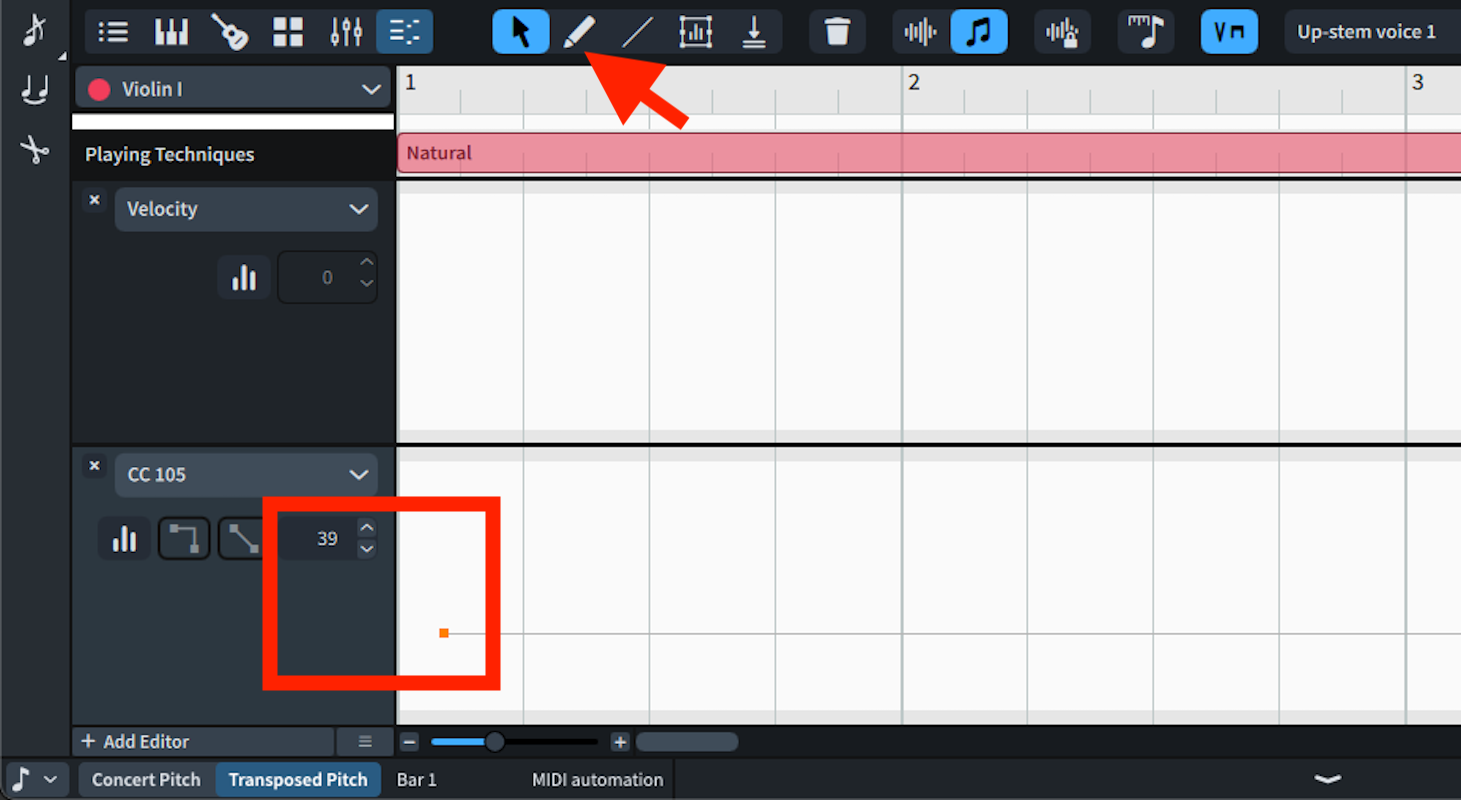
I am trying to adjust vibrato depth and number of players on a per-instrument basis for a project that uses NotePerformer 4, native instruments (no NPPE). In Sibelius, there is a Plug-ins menu under the Home tab that contains all the available NP MIDI messages, or alternatively one can use text, e.g. ~CC 105,39.
I can find nothing in the manual that tells how to do this in Dorico 5 . The NP 4 User Guide says it involves automation lanes, but I cannot find any documentation on them in the Dorico 5 manual, only in an online manual for Dorico 3.5. I assume they no longer exist and their functionality has been replaced by something else (hopefully not removed!).
A pointer to the entry in the Dorico 5 manual, if it exists, would be very helpful.
Thank you! That explains how to access the equivalent of “automation lanes”, but not how to change a value used by a MIDI controller, for example, to set the value for CC 105 to 39. The key editor allows you to create an “editor” and make it apply to a particular CC, but there does not seem to be any way to enter a value. The “editor” has no editable fields, at least on my computer.
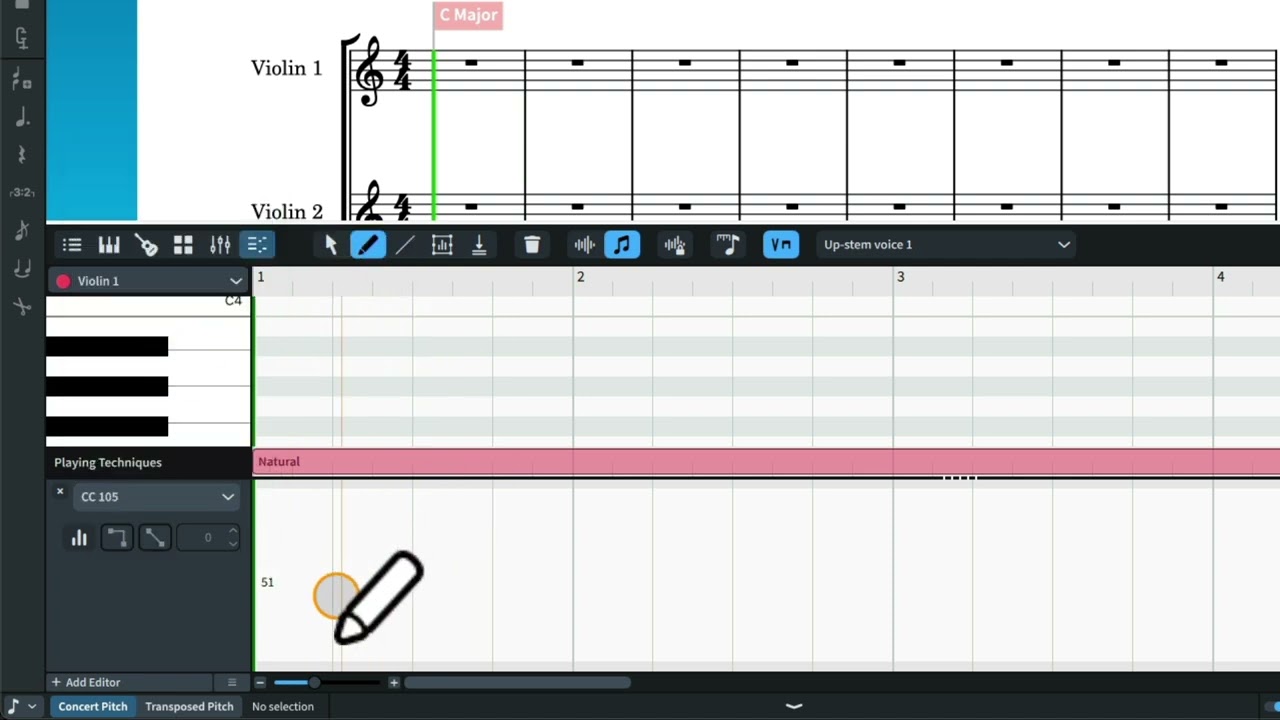
Thank you, and yes, I have the manual and was looking at that. But the editor header on my screen does not look anything like that picture: there is no value, none of the controls shown in the picture, nothing, just the name of the controller in a pull-down menu. That’s all.
I am not trying to produce any unusual or special effects. I just think the default vibrato width setting for most of NP’s instruments is too large. That has to be a common complaint (or maybe the opposite). Surely there must be an easy way to do it in Dorico; there certainly is in Sibelius.
What is the meaning of such a line? Does it indicate the time span over which the new value applies? If so, how do you choose the length of the line?
Sorry if I’m being dense, but I just cross-graded from Sibelius and am totally new to Dorico. When I use the line tool in the way you describe, I just get a small dot at that point - no line. I assume there must be some way to select a time range, but it’s not obvious to me.
And again, in my score, there is no row of tools in the editor header as shown in your picture - just the pull-down menu, and it’s at the very bottom of the window.
No worries, it also took me a little while before I was comfortable using Dorico.
The straight line means it will maintain that value for the remainder of the score, in my case I just clicked once and the rest of the line appeared. You can also use the pencil to draw freehand curves, and there’s the line tool for creating ramps, just drag to create a time range.
How did you get the dot without the line? With the pencil?
Could you post a screenshot with the lower zone opened?
Yes, that’s exactly what I did. No line shows up, just a dot at the point I clicked at. But… I went ahead and placed those dots for each instrument at the beginning of bar 1 and then played the score back, and the new vibrato settings (at least for the strings, which to me are the most glaring problem) appear to hold for the entire score.
So, that’s one problem solved in porting my Sibelius score to Dorico. Thanks!