Windows 11, Dorico 6.1.10. When I start Dorico, it says:

It’s correct in the sense that I do not have Groove Agent SE 5 that I know of. I do, however, have Groove Agent 6.0.10.
So how do I deal with this message?
Windows 11, Dorico 6.1.10. When I start Dorico, it says:
It’s correct in the sense that I do not have Groove Agent SE 5 that I know of. I do, however, have Groove Agent 6.0.10.
So how do I deal with this message?
Do as it says:
But Groove Agent SE 5 is not listed among the products that constitute Dorico Pro 6. Groove Agent SE 6.0.10 is listed, but not Groove Agent SE 5. So why does Dorico require it? It didn’t do so the last time I used it, which was only a few days ago.
Hi @arkoenig , could you please do from Dorico’s menu Help > Create Diagnostic Report and post here the corresponding zip file. Thanks
Dorico Diagnostics.zip (1.4 MB)
Dorico 6 originally came with Groove Agent SE 5, but now that GA 6 has been released, we now get that version.
It’s possible that Dorico itself checks whether version 5 is present, and if not, flags that message; but it doesn’t check for versions from the future.
In short: if Groove Agent works, ignore the message.
Thanks for the data, @arkoenig .
Very interesting, you have both GrooveAgent and GrooveAgent SE installedd, but according to the logs, they are both version 5.2.30.
But the GrooveAgentSE somehow went to the block list and is therefore not available in Dorico. But the normal GrooveAgent module is or should be available.
So the question really is - despite that error message - is there actually a GrooveAgent that does get loaded on applying a playback template?
If a full GrooveAgent gets instantiated and filled with audio samples, is then everything playing back properly?
If that’s the case then you can dismiss that error message and tick the option “Don’t show this again.”
Hmmm… Something weird is going on. Steinberg Download Assistant says:
and Windows itself says:
Perhaps I should try uninstalling everything that says “Groove Agent” and installing it again?
Yes, really weird.
But I would only uninstall Groove Agent SE 6 and try again to reinstall it via the Download Assistant and see if that yields better results.
In any case, please post another, new diagnostic report then. Thanks
It is still saying it can’t find Groove Agent SE 5. Report is attached.
Dorico Diagnostics.zip (1.4 MB)
Just for fun, I tried reinstalling Groove Agent 5 (which I have as part of Absolute 6). No change 
Right, the new logs tell exactly the same. You have Groove Agent 5 and Groove Agent 5 SE installed (both version 5.2.30), but the SE one went to the block list and is not available in Dorico . What if you go to the VST & MIDI tab, add an VSTinstrument and in the list of instruments, does Groove Agent appear in the pull down menu in the Steinberg realm?
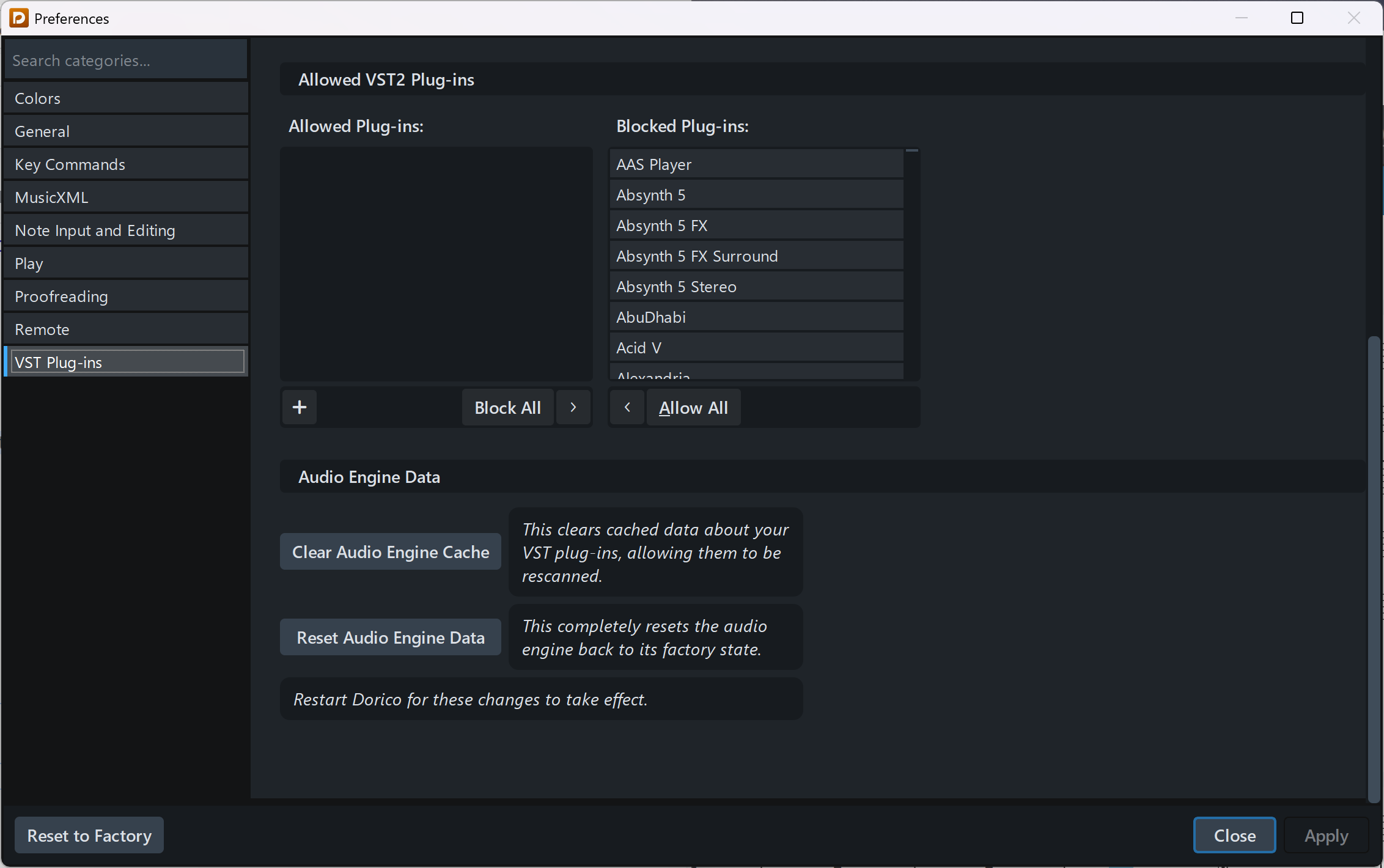
A very helpful chat with Ulf revealed that the problem was that Dorico’s VST cache was pointing at a version of Groove Agent that no longer existed on my computer. The solution:
You will now see something like this:
Select “VST Plug-ins” in the left column, scroll to the bottom of the right column, and select “Clear Audio Engine Cache.” Then restart Dorico. Because the cache was cleared, it will take a while to scan the VST plugins, but once it has finished, it will have found the correct version of Groove Agent SE.