Hi everyone,
I’m new to the forum, and relatively new to Dorico (old Finale user).
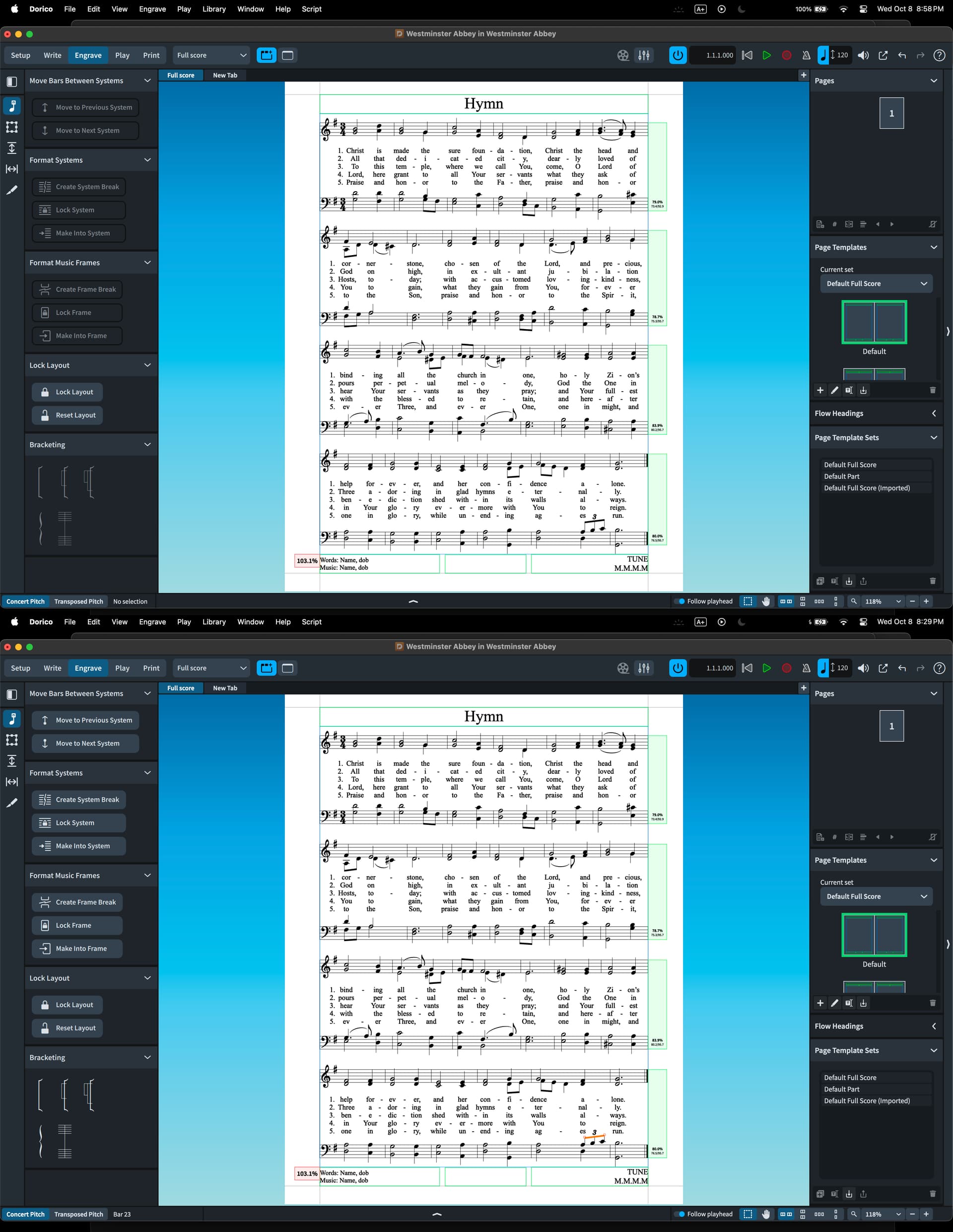
I’ve run into a very particular dilemma. I’m working on a hymn, and I like the spacing for all the lyrics and staves where they are. I do not want any of that to change. However, I have a triplet in the tenor line towards the end (see pictures below), and I don’t like how the “3” comes up into the line of fire of the 5th verse (even though there are no actual collisions).
What I’d like to do:
Move the beam and the “3” for the triplet down without changing the position of the lyrics and all the preceding staves.
Simply adjusting the beam in engrave mode does not solve the problem because the lyrics adjust with it, so the tuplet number is still in the way. Also, all the staves move.
Is there a way to “lock” staves in place so that I can move the beam/tuplet and nothing else?
In general, I really like how Dorico automatically spaces things for you, and how you can adjust that globally in Layout Options. But in this rare case, I’d really like to disable it just to adjust the tuplet, while leaving everything else exactly where it is. If this is impossible, I think I can accept that!!!
Thanks