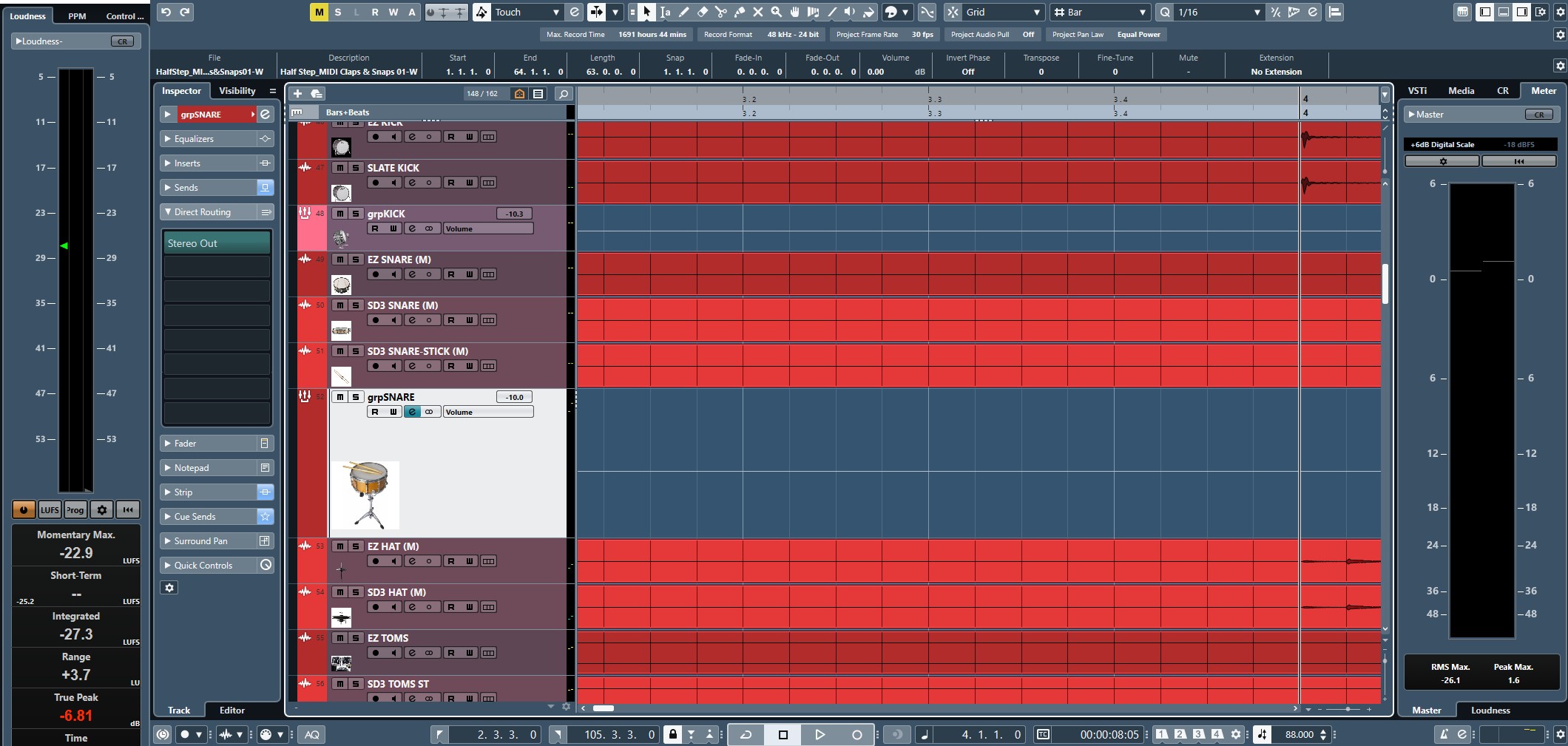
I noticed a change in Nuendo 14 that’s not mentioned in the full new features list. The colour change when selecting an event. I do not like this and would like to remove it if possible. I searched the preferences high and low and cannot find a way myself.
I don’t like the reduction in size of the selected track indicator. Older variations had the track increase in size and turn white. Very obvious. Now, in v.14, the track still increases in size, but you only get this tiny pin stripped white line. NOT very obvious. The first time I saw that, I thought I had a glitch or something. I much prefer the old method. This new appearance will greatly increase the odds of making mistakes in track selection.
I did de-select “Show Color for Selected Channel” and that turned the selected channel to NO COLOR (Gray) in the same fashion as N12’s white option. I prefer the white. But the contrast of the no color works pretty much the same. So, thanks for the tip!
When doing a major upgrade, i’ve found that some of the settings revert back to default and others stay fine. It’s weird, but you’ll have to re-set the channel selection brightness in the preferences to get it bright again as henrique described above. for some reason my preference for this was kept so I see bright selected channels.
I think I know why they chose to force this event colour inversion on us, and I think it has to do with the new audio segment editing feature; to create more contrast so you can see the highlighted segments easier. When the event is not selected the highlighted segment is still visible but just less contrast.
+1. The invert colour change when selecting an event is very disturbing for my workload focus.
At least we should have the freedom of choice!!!
We should demand the choice for no color inversion when selecting an event.
If Steinberg are listening, I believe the most ideal thing would be to give us a darkness slider so we are able to choose the amount of darkening. Or if its easier to implement, just allow us to turn it off/on.