How do I get notation in Dorico 5 Pro to show up where I want it? It’s constantly showing up an octave too high. I can’t be the only one with this issue. Anyone know how to fix this? I’m pretty tired of having to transpose darn near everything I write! Thanks.
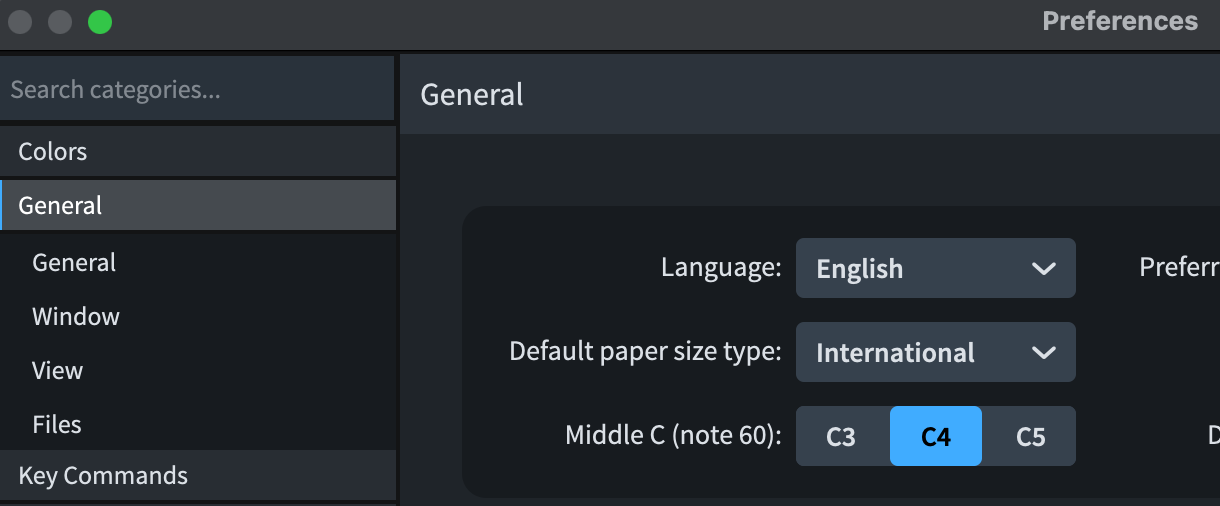
What instrument are we talking about here? Guitars, for example, are “always” notated an octave above expected pitch.
Thanks, but I changed the setting from C4 to C3 and didn’t make a difference.
It’s for bass, which transposes the same as a guitar. There must be a way to do this.
As @Derrek asked “What instrument…?”
Depending on the instrument, the notation will automatically place the pitches in the appropriate place on the staff. Check your instrument in Setup mode to see if it is transposing.
There may also be other reasons — there are a number of variables). If you can attach your score (or a sample part with the problem), I’m sure we can solve this rather quickly!
1 Like
Library→Instruments→Your bass instrument→Transposition
Jesper
It looks like Library – instruments – affects the playback sound, which I don’t care about as much. Is there another setting in there that specifically addresses where the pitches are notated on the staff?
A stupid question: which bass are you having in mind?
Double Bass
Bass Singer
Bass Guitar
Not stupid at all – Bass guitar
1 Like
I’m not sure if this is what you’re looking for, but this option allows you to enter notes on your MIDI keyboard at the pitch where they will appear in the score (but not at the pitch where they will be played back, since the instrument transposes by an octave).

It’s in Note Input Options (Ctrl+Shift+I) > Midi Input
2 Likes
That did it! Thanks so much!!!
1 Like
It’s Note Input options here, so it’s per project, AFAIK?
you are right!! I’ll delete my rash comment..
@jonster114, Jon, I’m glad that solution works for you. I hope it’s not just a patch and does not leave problems down the road.
For future reference, — and this is meant as a helpful suggestion — if you can attach a file in which the problem exists, it will save you frustration and save the wonderful expert users on the forum (I’m just a novice) time from playing 20 questions to figure out where the problem is and you will have the answer in a very short time.
— Jim
7 Likes
Good suggestion. Thanks, Jim.
1 Like