How to display text chart on omnivocal?
Hi,
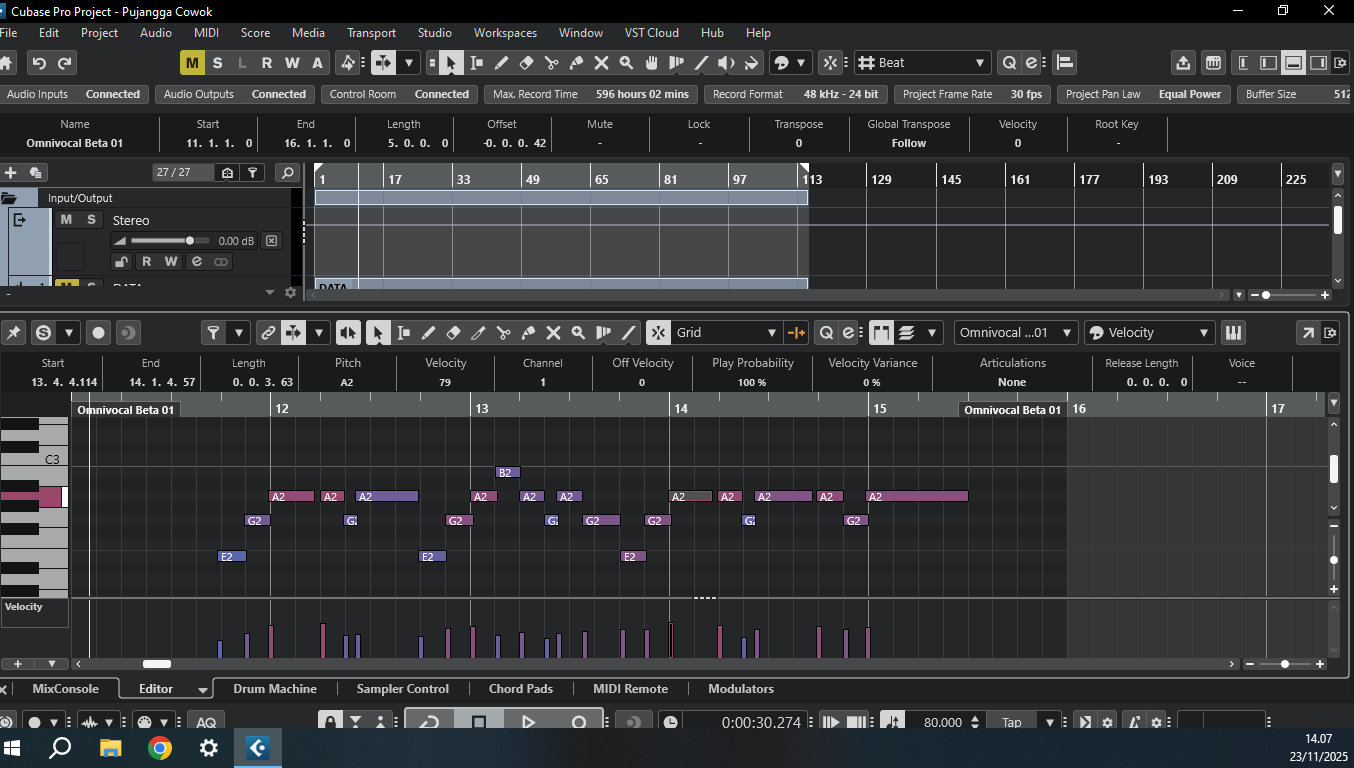
In the Key Editor’s Info Line show the Text field. Insert the Text of the given MIDI Note into this field.
No text chart. A very small text box ..it’s like entering your lyrics through a letter box.
1 Like

Hi,
Yes, this is the one.
If you don’t see it, you have to increase the window width, or remove some unused fields, or move the Text option up in the list.
You can also put the whole text in the very 1st note. Cubase will distribute it. (It works on Windows only so far – Cubase 15.0.5; there is a bug on Mac.)
Thank you, now I can see it 

Yes I know this, I’ve spent quite a bit of time on this new addition.
The text area is still much too small, especially when you have to go back and start changing the phonetics.
I understand this is a beta but it’s miles behind the dreamtonics vocal synth. It might be a good idea if Steinberg (Yamaha) listened to some of the constructive criticism.
(post deleted by author)
Maybe you can show me where I said or even hinted at that. I said they are miles behind which they are… sorry you can’t understand the difference.
I’m getting your sarcasm and rudeness.
You think they Steinberg should be excused because dreamtonics development stated years earlier. 1. That doesn’t help today’s users and 2. It’s Yamaha, they have been part of the AI vocal development from the start.
Your expectations for Omnivocal may have been not too high, I’m not sure why? Is it because it’s a DAW included VST or because you think it’s a new technology for them. But after giving it a lot of my time I am truly disappointed. Beta I know and I’m still hopeful for it’s development.
Yes I understand your point that Dreamtonics is real money compared to a DAW included VST but I stand by my original that Omnivocal isn’t even close.
My opinions and views are just as valid as yours. So maybe back off on the rudeness next time.
Apologies @Mrhehon if my words seemed a bit rude. I’ve deleted my earlier posts… you understood my point; that’ll do for me…
1 Like
I’d expect it to at least have the same level of control and features VX-Beta has, which is the product it is based off.
1 Like
Is this a setting because when I try a sentence it repeats from the start for each note ? I had to do one syllabe per note to make it comprehensible.
edit - Nevermind, I now have the manual after finding a link in another post.
Hi @GLaDOS and welcome to the forum,
This is working on Windows only at this moment. On Mac, there is a bug, and this doesn’t work. Are you on Windows or Mac?
1 Like
Tried it on Windows 11 Pro 24H2 and also 25H2.
I selected all notes and put text in saying “this is a test” and all I get is different lengths of “This”
After a quick browse of the manual I tried Dynamic and Straight versions, but both gave the same result.

Delete the text from all the notes, then try again. But this time don’t select any note but the first one, where you enter the text.
2 Likes
Thank you so much… it was a simple as that.
1 Like
Huge success.