I’ve been searching Doricos YouTube channel and the manual and in general where to find information on how to handle page layout of a big score like this:
I’m not asking anyone to go through this example, but hoping someone can point me to the correct video.
If there isn’t any I would certainly be happy if the team decided to do a Discover Dorico on this topic.
What I generally run into is issues with:
staff spacing
player labeling
staff labeling
(no) amalgamation on condensing
collisions
These issues are most prominent on pages like this with around 40 staves (in this example many of them don’t even have content!) but this is staff size 3.6mm so constantly reducing cause other issues.
You could directly try Layout Options>Vertical Spacing>Staff Visibility>Hide empty staves.
This will be a big improvement.
No amalgamation on condensing – check your condensing settings, but also be aware that you might have to add condensing changes to mark start/end of phrases that are not separated by rests.
And probably you know already know that only the first instrument a player is holding will condense.
Thanks.
The first thing I did was hide empty staves.
Then, for the oboes and clarinets manually selecting the lower players triplet brackets and set custom scale to 1. Did that for many other items, like Trumpet 1+2 dynamics that don’t amalgamate.
Then, changing clefs at appropriate places and using octave lines.
Then, moving dynamics out of the way. But, all the Sffz on bars 53-54 are grouped or linked, so moving one, moves the others.
After this it was a question of manually moving each staff.
Many of these things involve going back to Write Mode and in and out of Galley View causing navigation confusion. So, my question was simply: Have you covered these techniques anywhere and shown best practices for how to go about large scores?
Without seeing the file it is difficult to advise you, but probably something is happening before this page in the oboes and clarinets that is not possible to condense with shared stems. Add a condensing change at the beginning of the page, just check the checkbox for the oboes and clarinets and they will share stems.
You can have two windows open, one in Engrave Mode and the other in Write Mode. The best way I have found to avoid navigation confusion, is to select something in the window you are working and then hit ”P”. Playback will actually sync the two windows, see here: Sync scrolling of Write and Engrave Mode windows - Dorico - Steinberg Forums
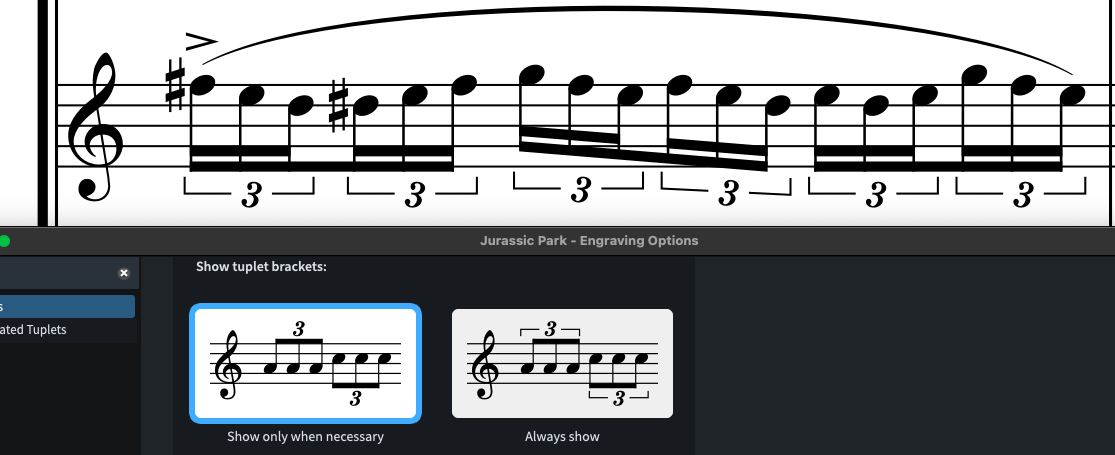
There is a setting in Properties to just hide them. Also the brackets on all those triplets are unnecessary, and can be hidden too.
And I assume you already know there is a setting at the bottom of Engraving Options > Tuplets to suppress display of repetitive tuplets after a certain number.
I mean, I know the reason why they show, but the secondary beam show it already.
The only way I’ve found is to manually select the brackets and turning the bracket off. Either in Engrave mode or Write mode in Galley view (which takes too much time IMO). It would be nice if I could passage select and turning it off.

 There is a setting in Properties to just hide them. Also the brackets on all those triplets are unnecessary, and can be hidden too.