Good evening!
How do I assign different percussion sounds to each staff?
It wants to use the same one even though I have several different percussion instruments loaded in Halion.


Hi @bilo20, I am not sure what you are asking for. You only have one instrument (Claves): how did you get the second staff?
To have different sounds on different staff one ways is to insert new instruments and, for unpitched percussions probably you want to combine them into a kit.
(Another way is to activate independent voice playback, but it is nonsense in this situation and actually unavailable for unpitched percussion).
So if you want 2 claves, you need to add a second claves to that player in setup mode, combine them into a kit, make sure that they have different voice editing the voices in the Edit Percussion Kit dialogue. Then if you want single line visualisation, set this in Layout Options>Players>Percussion.
To have different sounds you have now to assign in Play mode, each track to different midi channel, and load another instrument in the corresponding channel slot in Halion Sonic (but HS has only that general midi clave sound), or, if you have another library and plugin, you need to load it in VST and MIDI panel, then assign it in Track Inspector panel.
Please tell more what is your goal, and possibly upload your Dorico file, to see your current setup.
Here comes a video with some detailed explanations:
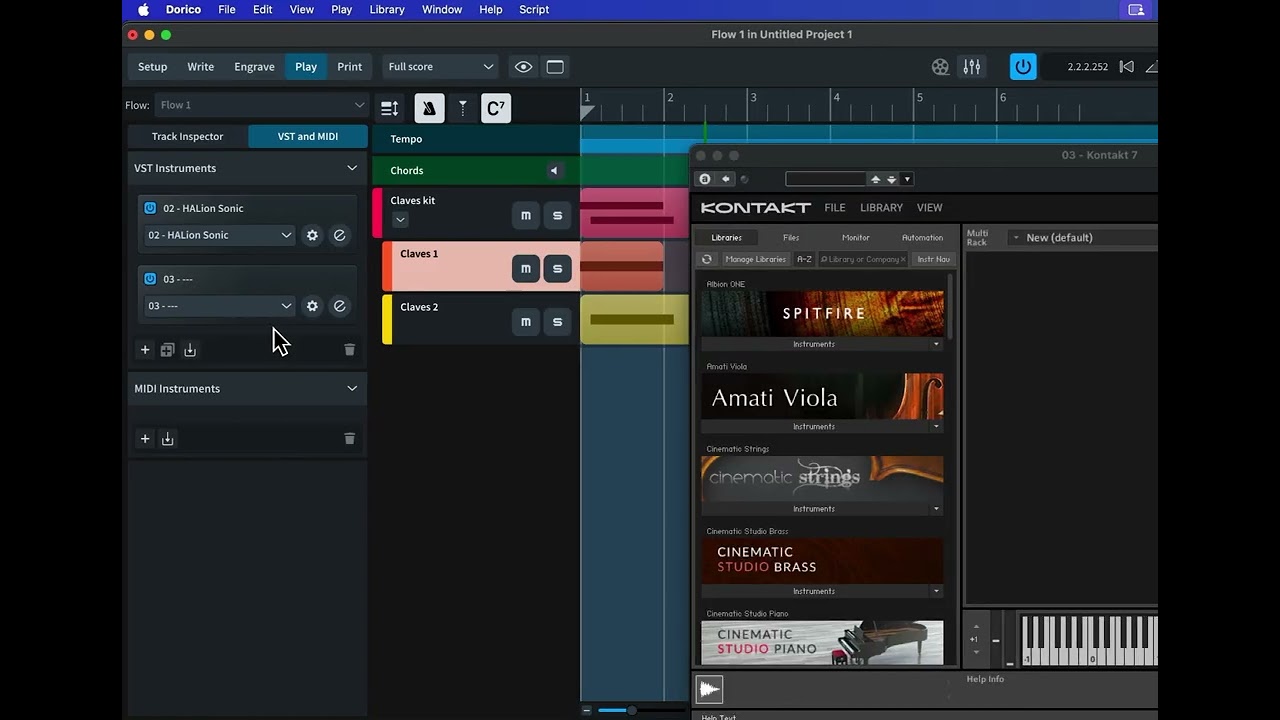
Thanks for the reply!
I added a staff below instead of adding a player.
I deleted the added staff and added a player.
What I need:
2 independent percussion parts,
Top staff clave,
Bottom staff tabla or bongo.
In Kontakt 7, I have a great sounding clave that is on one key only - A4.
Also in K7, I have bongos from C1-C2.
So did you managed to do what you need?
For the Kontakt libraries (which one do you use?) you probably need percussion maps for those instruments, to tell Dorico on which ones the different patches are.
Still not clear to me what you need (“part” in Dorico is normally referred to a Layout that will be printed for one musician, with one or more held instruments, occasionally it can include more than one “Player”).
Do you mean
- one musician with two staves (clave and bongo),
or
- two musicians with the first having one staff for clave, and the second one staff for bongo,
or
- two musicians and each one has 2 staves (clave and bongo)?
Since in your screenshot you had notes written, be sure you delete those notes before removing the staff, otherwise, they will remain in the playback. If you forgot to delete the notes you can still see and delete them in the Key Editor. Or alternatively you can re-add the extra staff and the notes will be still there, so you can delete them and then remove the staff again.
I need 2 independent parts to be played by 2 musicians.
Top staff clave,
bottom staff bongo.
I need to know how to establish the connection between the note on the one-line staff (B4?) and a specific note in the VST (for example: A4).
I tried Gemini and those directions don’t work after several attempts.