Please check it in the late hours I have also done the same & it worked
edit// fixed here [Problems with updating to Cubase 12? Please read this first before posting! - #108 by konokoknk1]

any idea how to fix this? No matter what I do, cubase 12, and also steinberg licensing manager “does not respond” I tried removing all syncrosoft and elicenser from registery and reinstalling…
I bought cubase 12 and entered it in the download manager and downloaded it atleast.
Seems my “soft elicenser” is missing now, and the elc installation helper fails to create one also…
Edit//
now im worried. I went here:
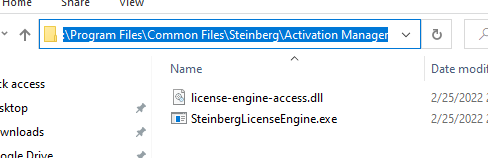
and deleted the “SteinbergLicenseEngine.exe”
thinking it would redownload.
Then I went here:

and entered my code again, this time it finally let me upgrade. but now I still cant start cubase 12 it says “no license found” and I still cant open up steinberg licensing manager, it freezes if “SteinbergLicenseEngine.exe” is there, and if I delete that file it says “loading please wait.”
and now my elicenser says

I hope it didn’t glitch and ruin my license upgrade…
in addition I keep getting this trying to run maintence on the elicenser

sigh lol
1 Like
The eLicenser part of your upgrade is complete - your Cubase Pro 11 licence is marked “not upgradeable” because you have upgraded it to Cubase Pro 12.
Cubase Pro 12 is licenced via Steinberg Activation Manager, not eLicenser. No amount of messing with eLicenser/Syncrosoft/Synsopos stuff will help with getting Cubase Pro 12 going- that’s all eLicenser stuff.
Hopefully, someone from Steinberg can help you debug the Steinberg Activation Manager problem on your computer. I would consider opening a support ticket.

I managed to fix it, I had to delete those two folders and then run the activation manager. Such a simple solution and I tried everything before trying that lol
the .rar is a backup of them incase it hadn’t worked. But if anybody elses Cubase 12 hangs or their Activation Manager hangs at the very beginning of startup and says “not responding” just go to that folder and delete the data and logs and it should fix itself!
2 Likes
Alright, the OP has actually been changed to reflect some real info. Problem is, when I check for a grace period in the activation manager, it immediately displays “Error during grace period check, an unknown error occurred during the grace period check.” The error appears immediately, almost like it isn’t even trying.
Could you try opening eLicenser Control Center (eLCC) and running the maintenance task manually? This is what Steinberg Activation Manager is trying to do, but perhaps there’s an error message from eLCC.
Ok, its working - this is what i did…
I finally got the unupgradable pro 11 message… (no idea how, i got errors every time with step 1 and 6) in the elicenser control panel.
After last attempt, I closed the elicenser - removed and replaced usb stick - and then tried cubase 12 pro again… it seemed to work… im looking at the HUB now.
That was the most frustrating licensing Ive ever been through… cost me two clients and a bunch of time and energy… this could have been avoided so easily…
Glad I have it working… dreading my next upgrade.

eLCC fails step 1, 5, & 6.
My eLCC will run the maintenance 1-6 fine, but my license status doesn’t change. Nothing about grace period/upgrade eligibility. Nothing shows up in my Activation Manager as it’s all eLCC based it seems.
Would reactivating the license help, I’ve gone through all of the steps/suggestions here, I have no clue what to do next.
Is there a way to get the grace period without activating 11 to a physical dongle?
1 Like
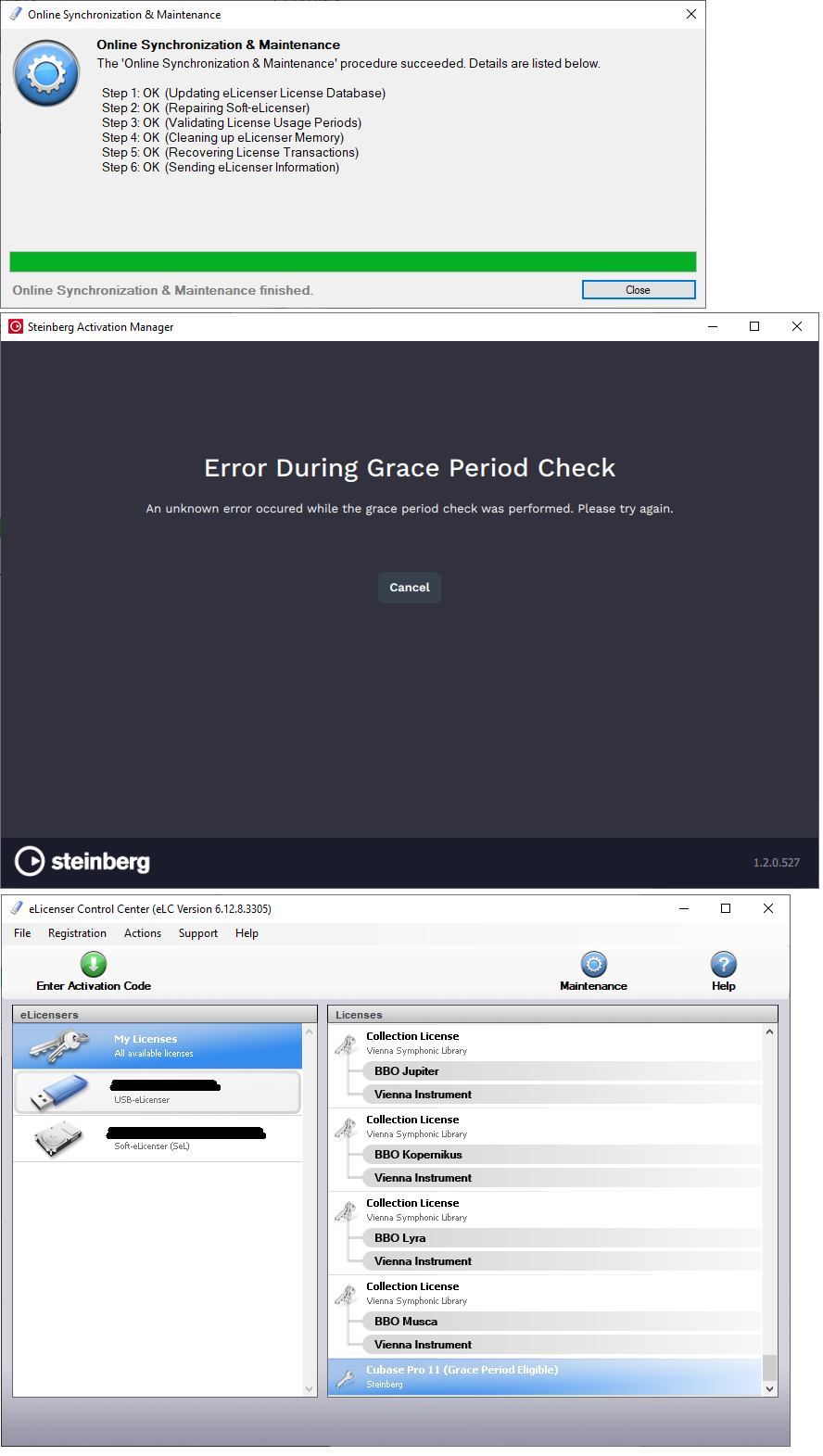
Ok, eLCC finally successfully completed (top image).
“Grace Period Check” continues to immediately display this helpful message, despite eLCC completing successfully. This “Grace Period Check” does not appear to even try to do anything, it takes less than a second for this screen to appear once clicking the button to run the check (middle image).
eLCC continues to show “Grace Period Eligible” (bottom image).
I’d recommend restarting your computer to make sure the components all get a fresh start at this process. The eLicenser server connectivity issues may have left things in a strange state.
So, reboot and try the grace period check again in Steinberg Activation Manager.
Sorry for all the bother!
I just rebooted and tried the activation manager, no change, behaves exactly the same way.
Could I ask you to ZIP up the logs for Steinberg Activation Manager from %APPDATA%\Steinberg\Activation Manager\Logs and send them to me via PM?
I am also receiving the ‘no License available’ when I check the grace period within the Steinberg License Activation Manager. I purchase and activated Cubase Pro 11 in Jan 2022 so should be eligible.
I have updated the e-Licenser, restarted my machine (Apple MacBook M1 Pro) and tried again - still same message!
I’m still getting the “Unknown Error” when checking Grace Period. I’ve repeated the check over and over again for the last ten minutes. Enough is enough. Steinberg, please post here when your servers have become capable of coping with the workload. Until then, I’ll use an earlier Cubase version.
1 Like
I upgraded in blackfriday offer from Elements version to 11 pro which suppose to give me 12 version at the release day. I didn’t activated 11 Pro because I don’t have usb dongle - I was just waiting.
Now, I cannot upgrade Cubase12…
- Grace period is not finding anything…
- e-Licenser maintenance went well (cannot see anything related to Cubase 12)
Inside Steinberg website I can see:
- Elements version - activated
- 11 pro - not activated
any idea?
2 Likes
Hello! I encountered exactly the same situation. Please let me know if you find a way to work this around. Thank you!
Will do! 