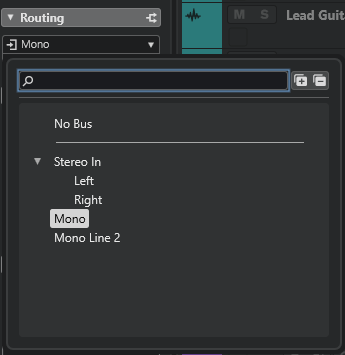
When recording an audio track via a mic and my Apollo Twin X audio interface, the signal doesn’t show up in Cubase unless I launch the UA Console. How can I just use my audio interface and Cubase mix console without having to launch this third party app that serves no purpose to me?
There must be some issue with your setup–you don’t need to open the UAD Console to record. Do you have the Mono In input bus added in Audio Connections?
Can you post screenshots of your Audio Connections, UAD Console, and UAD Settings I/O Matrix?

After a lot of experimentation with the audio settings / connections, I was able to replicate the config in your screenshot, which has worked.
Thanks for your help!
1 Like
Well when I closed and reopened Cubase 15Pro, I had exactly the same problem again! So here’s a screenshot of my Audio Connections, and a screenshot of the routing options showing that the Audio Connections are not available for me to route to. Yet when I open the Universal Audio Console, everything works. When I close the Universal Audio Console, everything still works. But if I close and reopen Cubase without the UA Console, I have the problem again.