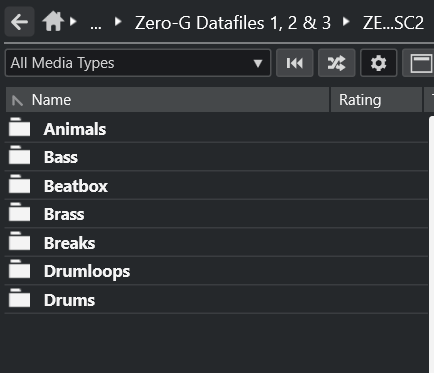
I’m using a trial version of Cubase Elements, and I’m loving it so far. However, it seems that I cannot get some of my sample packs (and individual samples) to appear in the browser. I’ve tried;
Restarting my computer
Re-installing Cubase
Disabling preferences
Looking into the file browser
None of these worked.
Looking into it more, it seems like it doesn’t detect any files being inside, therefore, not showing it. I’m not sure if this is a thing Cubase does, but there is files inside of them and they work inside the DAW after testing just fine. Strange issue, would appreciate any help.
Third party. Forgot to include pictures, thats my bad. Here you go. (I can only upload one picture, but Zero-G usually has about 2x more files than that like Hits and stuff. I checked these folders in the file finder and they appeared, but they didnt have anything in them despite the others having such. There is stuff in them by the way.)
Hi, I have the same problem, I marked few folders (full of wav samples) as favourite, and i see that folders in cubase (14pro), but they are empty, I don’t know why.
Yes, you were right in this case, i turned off the filter, but the problem still exist, not all samples are visible. We can look at the folder tree in Cubase and windows folder like below….And it is not matter of only one folder, it is happening in many of them. Most of cases, there are part of samples visible and part not visible (in the same folder), I think it is the matter of wav files itself, but it is only my suppose, and I don’t have idea what is the solution of this problem.
I found the solution (by accident), I moved my folder with samples into different location (but still the same disc partition), and now the are visible. Very stranged….