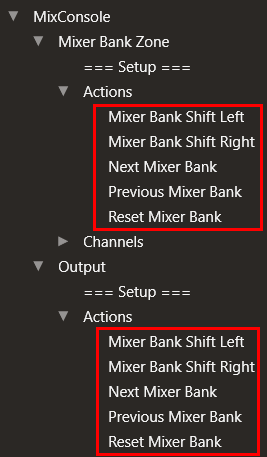
I previously found a shortcut in Cubase 14 that allowed me to move the 8-track view range (the white line under the track list) to the next set of 8 tracks all at once.
However, my MIDI Remote mapping data suddenly disappeared, and now I can’t remember which shortcut key I used.
If anyone knows the shortcut for shifting this 8-track range to the next (or previous) set of tracks, I would really appreciate your help.
ASM, thank you very much.
I’m afraid I still can’t recall it even after looking at the image you kindly sent.
Is that screenshot from the keyboard shortcut settings?
I couldn’t find the term “Mixer Bank Zone” in the manual either.
Sorry for my lack of knowledge, but could you tell me where this menu is located?