Hats off to Steinberg, it’s the first time I’ve delved into it SuperVision and it seems like a great plugin… I might eliminate some other control plugins… Voxengo Anspec is gone…
I’m not sure I can get rid of VUMT because of the ability to set gain trim… and I love the ‘Woody’ skin… though I’d like to test the ballistics between it and the one in SuperVision at some point.
SPAN is probably staying along with YouLean Loudness Meter 2, Ircam Snail is staying… But, these are fairly specialized and only used when needed/it’s time. I’ll be using SuperVision as the general workhorse and leave the others disabled until needed.
The one plugin I’d like to eliminate, is a free simple channel controller, bx_solo, and I’d like a simpler general purpose tuner than Ircam Snail.
“Minor”
Module window orientation locking that ignores resize
For example, I wanted the one modules L/R orientation to stay vertical, with left on the left, and right on the right. edit:this feature exists already
Speaker/Channel control (in modules options, user defines control hierarchy for which buttons stay visible depending on module window size, Use symbols instead of text to maximize room)
Stereo Flip
Mono
Left Only (combining with mono brings left only to center)
Right Only (combining with mono brings right only to center)
Mid only
Side only (combining with mono brings sides only to center)
Option for whether these are at Input stage of plugin (before modules) or after (no affect on modules)
Phase Invert Left/Right
Cycle output channels (brings all signal to one of the users speakers, for single speaker mono monitoring.. ie tri-toggle: Left Speaker, Right Speaker, Back to stereo)
There should be MIDI control of all these buttons
ABCD user preset buttons in the header that can be triggered by Workspace/Workspace triggered window resizing. These could also be MIDI Controlled.
Major
Clip History Module - with the ability to locate to the exact project time
Could have cross integration into a variety of the time based modules such as Spectrogram displayed as a red line through the spectrogram.
Option to auto-remove if not detected again
Tuner, can be turned on/off
Time based Markers/Note-maker, displays in certain modules such as Spectrogram. The list can be accessed in either the form of a dedicated module or via a button in the plugins internal header which opens up a full screen window.
The list could have auto-scroll of items in the list based on time/last passed note/marker.
Reading the note could be done many ways:
a dedicated note reading module (ie, a list of clickable note names, and a separate module for reading - they are sync’d together)
Hovering mouse over a note name gives a popup text of what it contains…
or by entering full screen note mode/double clicking on a note name - both the list and text appear in fulll screen mode.
Ability to import from marker tracks, or export to marker tracks.
I would add to it, that we need a full crosshair in Spectrogram, not just the vertical line.
And also, allow us to change crosshair and text/info colour as sometimes, and depending on what Spectrogram colour you are using, it can be hard to see
I was using voxengo MSED because it has gonio and correl built in but is painful to do just gain trims etc and I have tried many like track control but even steiny dropping the old gain plugin…seriously wonder if the devs actually mix music
After chatting with thomas from TBPAudio, he added MS to the TBPA Volume plug. Its pretty impressive, super efficient and does the things that I need most
Encode/Decode MS (its my main record technique)
PER CHANNEL gain trim both on input and master out
Hi res volume automation (read below)*
Super configurable and FREE!
The new version with features is still in beta I think but even as is, its so fit for purpose
*So why would you automate a trim?
After doing check mixes, clients often want 1 or 2 db less on certain items eg vox forward/back. Instead of doing trim automation, you carried the change eg +1db and save the preset with the Jobnumber and revision date/version
You can also set a trim range eg 3 db and instead of redoing the whole track/section, you can use the limited range using the whole fader range (of external hardware) to get a super hi res tweak without disturbing the coarse general automation pass.
Im also going to ask for linear phase HP & LP filters as these are the only type, when used outside of the energy band that will not cause ANY phase issues/transient/discernable pre ring and safely remove rumble/LF bleed. The min phase native steiny are ok but if you start stacking them it can sound woolly. I did ABs on so many and I generally use Ozone EQ filters which do the job well…but a lot of overhead when its an input channel job that goes on most channels of recorded audio
@awesomeaudio Another alternative to bx_solo is Isol8 , also by TBPro Audio and free. The most useful tool - a permanent resident in my CR - I would definetly pay for it if it wasn’t free. TBPro Audio have other very useful tools like ABLM or MVMeter - worth checking them out.
I would def use this if I didnt have control room…but that kind of satisfies a lot of that and REFERENCE plug has a lot of that built into the comparison but def cool!
Yes, they are kind of underdog. But really good - I have been using them for a couple years now and they never failed me.
My 2 cents on Supervision: It is a very good tool to get an overview and then some. It is not designed to fully explore every single analytical aspect of a mix - that’s not possible IMO. That’s where specialized plugins shine. But you’ll generally know if you need them after having a quick look at Supervision in case something sounds suspicious.
Does Reference have anything comparable to ABLM to check for…anyone’s bias when comparing? I can’t remember. I purchased Reference years ago, but the workflow and GUI didn’t click with me like Metric AB did. Sometimes it even comes down to the colors.
Also, unless you are a Waves hater even though I think it is free, I put Waves Studio Rack on an insert in Control Room. Most meters, such as Voxengo, TBPro, even MixChecker (custom presets) reside in Studio Rack so I can save Control Room inserts for other plugs. Keep in mind that you can pin all plugs in Studio Rack and of course save presets. The pinning is necessary so all meters show up in the proper positions.
Did you encounter any trouble with that one? How about latencies - can you easily bypass/deactivate everything? I am not a huge fan of Waves plugins TBH but this one would be really helpful. I downloaded Studio Rack once but never really used it.
ABLM and Metric AB are two different concepts - you probably wanted to refer to ABLM Metric AB in both cases
Yes I meant Reference vs. Metric AB. I prefer Metric.
No latency issues I have noted. With the exception of MixChrcker pro, everything is just meters.
I think Waves Studio rack is a tool to get users into the Waves Studio Verse…thousands of chained presets. At first, all only Waves, but a few years ago Waves opened it up to any vst3.
I use studio rack often…but not for crmming more stuff…I honestly just have meter on the buss section (but I’m used to K-14 as my wave/crest monitoring) and then Reference for particular client requests so I make use of the 3 bands for quick soloing…will tweak when I’m mastering but I mix into diff busses for diff genres so there and only 2 visual cues needed else you just mix with your eyes.
Just dont be slaves of 0dbfs…
Since I’ve been using these monitors as part of my workflow
The spectrum balance have been pretty spot on every time without even referencing and each mix is unique. The spectrogram has been handy for some trouble shooting but that is all I use
Thanks @Greg_Purkey and @Aurasphere - I will give it a try then. I remember that users reported some issues with Studio Rack after Waves had opened it for 3rd party plugins. If they have fixed it by now I will be more than happy to check it out.
100% - the simpler the better.
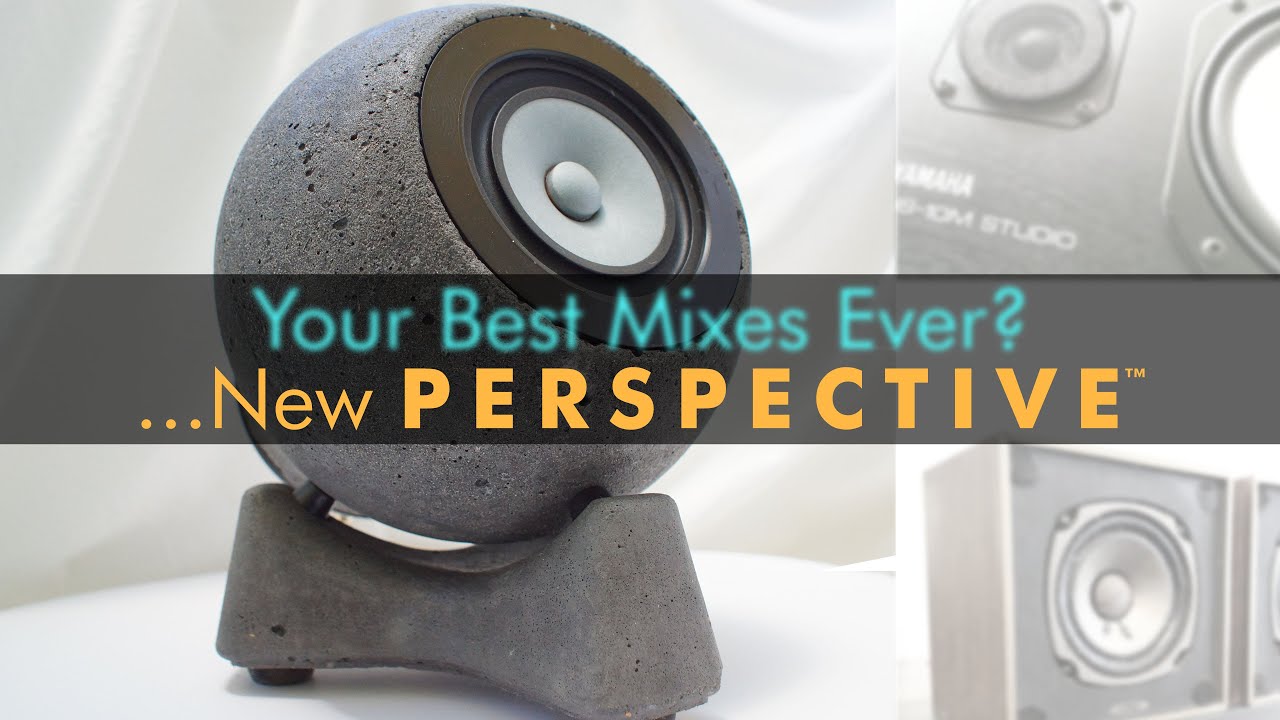
EDIT: Interesting monitor concept. Your own brand? BTW - no sound in the video. Is this how it’s supposed to be?
There is info in the link that the vid for was a NAMM stand so there was no audio on that one. Yeah its a couple of years R&D but they are made bespoke for diff studio/peeps but there is a lot behind them. I sold my NS10s and auratones once they were finished but they speak for themselves now…takes a bit of ear training but they do most of the work at 65db. Part of a multi monitor workflow, 60% on them, 30% on focals and then final check on ATCs
I just realized that with Control Room, the Mono/Stereo Downmix switch, it only applies to the monitor outputs and thus doesn’t run through the Control Room main inserts regardless if being in the post or pre fader position.
ie, if you wanted to analyze in SuperVision how the mono sum behaves/looks - if there are going to be frequency/energy build ups in mono, using the Mono/Stereo downmix switch will have no affect. SuperVision will still be analyzing the stereo signal.
btw, got Isol8, I like it… just wish it had a mono switch (even though bx_solo doesn’t, does have width, but as I explained above I just realized that Cubase’s Control Room Stereo→ Mono Downmix switcher doesn’t feed the main control room inserts… thus can’t analyze a mono sum)
I sent them email thanking them for the fantastic free tool and asserted that I know that ‘beggars can’t be choosers….but….’ it would be fantastic if it had a mono switch signal-placed before the channel output selector (L/C/R/Stereo)… Maybe they’ll add it!?


 Let’s see